A useful diagnostic setup for a UK Focus ST Mk3 petrol needs to match the problem you are investigating. An engine-only OBD2 reader can be a sensible starting point for an engine-management warning. Questions about fitted headlamps, parking equipment or other Ford systems need a route capable of communicating beyond that standard engine layer, where supported.
FORScan is a documented Ford-aware option to evaluate. OBDLink EX offers a USB interface route for a supported Windows computer, while OBDLink MX+ offers a wireless route for compatible mobile devices and apps. Treat both as conditional choices: neither interface specification proves every function on every Focus ST build.
Identify the 2.0 EcoBoost ST
This guide covers the UK Focus ST Mk3 and facelift Mk3.5 production family, 2012–2018, with the 250PS 2.0-litre EcoBoost petrol engine and six-speed manual gearbox. Hatchback and estate belong in the same guide. Identify the actual generation, powertrain and fitted equipment rather than relying on registration year alone.
The UK MY2017 ST brochure distinguishes the 250PS petrol engine from the 185PS diesel and the diesel PowerShift option. Diesel emissions procedures and automatic-transmission claims do not belong in this petrol guide.
The five-cylinder Mk2 has its own Focus ST225 diagnostic guide. This page also excludes the Mk4 2.3-litre ST, ST-Line cars and the Focus RS. A standalone ECU or materially altered wiring requires a separate diagnostic route.
Scanner options at a glance
| Route | Useful for | Device and connection | Limitation to check |
|---|---|---|---|
| Generic OBD2 or EOBD reader | A first look at an engine-management warning and available emissions-related information | A suitable handheld reader or app/adapter | Does not establish access to lighting, parking or other fitted systems |
| FORScan for Windows with OBDLink EX | Ford-aware diagnostic reading where the vehicle/setup supports it | Supported x86/x64 Windows computer, USB interface and drivers | Confirm exact required access; no blanket module or service-function guarantee |
| FORScan Lite with OBDLink MX+ | Supported diagnostic reading using a phone or tablet | Compatible iOS/Android device, wireless interface and suitable app | Software is separate from the adapter; mobile and desktop capabilities differ |
| Ford-aware workshop investigation | Persistent performance issues, electrical diagnosis or specialised work | Workshop with suitable equipment and technical information | A scan alone may not resolve a mechanical or wiring problem |

Two layers of diagnostic information
Focus ST Mk3 petrol: match the diagnostic route to the question.
Generic OBD2 / EOBD
- Emissions-related engine fault codes
- Available standard engine data
- Available freeze-frame and readiness information
An engine-only result does not establish the condition of every fitted system.
Ford-aware diagnostics
- Fitted headlamp warnings
- Parking and body-system questions
- Additional engine information, where available
Conditional access: check that the chosen setup supports the information you need on the individual car.
These are selection routes, not a tested ranking. See the car-specific diagnostic scanner hub for the wider distinction between standard engine OBD and vehicle-aware diagnosis.
What the basic engine scan covers
Generic OBD2 focuses on emissions-related engine information made available by the car. Relevant codes and available engine data can help describe a warning or performance concern. Keep any available context with the code rather than reducing the result to a component name.
That scan is not a complete account of the vehicle. A clear generic result does not establish that every fitted system is free of recorded faults. FORScan's official description explains its manufacturer-aware approach; exact information on a particular ST still depends on the build, modules and setup.
The useful distinction is between retrieving information and diagnosing the cause. A code, live value or dashboard message can guide the next investigation, but it does not by itself establish the replacement part.
Reduced performance and boost-related questions
If the ST has lost performance or reports a boost-related fault, start with the complete diagnostic record and the symptoms. Preserve the exact code, reporting module, status and available contextual information before clearing anything. Tell the workshop about tuning, recent repairs and changes to the intake or exhaust.
A reported underboost condition does not by itself prove that the turbo needs replacing. The investigation has to establish why the recorded condition occurred on that car. Choosing a product because it promises a turbo fault lookup is less useful than establishing what information it can actually retrieve.
Manufacturer-aware data may help where the relevant values are available. Do not assume that a named requested-versus-actual boost channel from an online example will appear identically on every UK ST, app or calibration. There is also a difference between a scan tool and a tuning/logger product: engine logging capability does not establish broader vehicle-module access.
This guide does not prescribe road-load or full-throttle logging. Persistent performance symptoms may require mechanical investigation as well as diagnostic information, particularly on modified cars.
Headlamp malfunction and fitted lighting
A 2015 Focus ST owner discussion describes a headlamp warning and uncertainty about an expensive proposed replacement. The thread does not establish the fuel specification or prove a common fault, but it captures a useful question: what information should support a repair decision?
The UK MY2017 brochure lists adaptive bi-xenon lighting on ST3. That is specific equipment evidence for the brochure's scope, not proof that every Mk3 or Mk3.5 has the same lighting hardware.
Identify what is actually fitted, including any replacement or aftermarket lamps. An engine-only scan cannot establish the diagnostic state of the lighting system. Verify the required access for the fitted system rather than assuming a broader scan will necessarily offer a particular calibration or active test.
Do not disable a warning merely to hide a symptom. A forum suggestion to replace a lamp or change configuration is not a diagnosis of your car.
Parking equipment, SYNC and facelift differences
The same UK brochure describes rear parking sensors on ST3 and SYNC 3 equipment on the listed Focus ST trims. Earlier cars and retrofitted systems need to be identified separately. A year, trim badge or touchscreen appearance is not a complete equipment record.
When investigating an equipment concern, note whether the system is original, what has changed and when the problem began. Keep the actual diagnostic report with that history. A donor module or retrofit guide is not evidence that the same coding, compatibility or repair applies to your ST.
A scanner comparison should state whether the required fitted-system access is confirmed, conditional or still to be checked. A generic claim of Ford coverage does not settle that question.
Choose the computer or mobile route deliberately
The OBDLink EX specification documents USB and automatic Ford CAN switching. The desktop route needs a suitable computer and drivers. Confirm the architecture as well as Windows version; do not assume an ARM Windows device works like an x86/x64 computer.
The OBDLink MX+ specification describes a wireless interface for compatible devices. The adapter's bundled software and FORScan Lite are separate apps. Check the current app, licence and device requirements before committing to the mobile route.
FORScan's application comparison separates reading information from other functions. Windows Standard and Lite provide diagnostic reading. Lite also includes some tests and service functions; configuration and programming are Windows Extended capabilities. The comparison is an app-level description, not an ST-specific procedure list.
Use the official download page for current availability. Do not assume a listing includes FORScan software or that a programming licence is needed simply to retrieve fault information.
Love cool cars? Join Unusual Cars Club FREE!
Get forgotten motoring finds, stories, helpful car content and more.
Free to join. No spam. Unsubscribe whenever you like. See our privacy policy.
What to keep from the scan
Save the available report and record the exact dashboard message, conditions and recent work. Keep the complete code with its reporting module, status and any available context. An abbreviated code pasted into a search engine may lose information needed for interpretation.
Ask a workshop to explain what the report supports and what still needs checking. Clearing information or replacing the component named by a generic description is not a substitute for investigating the cause.
Leave configuration changes, key work, replacement-module setup and safety-system procedures outside a first-scan exercise. Any such job needs its own exact prerequisites and competent handling.
Focus ST Mk3 petrol FAQs
Does this cover the diesel ST or PowerShift?
No. This is the 2.0 EcoBoost petrol manual guide. Diesel emissions and automatic-transmission questions require their own scope and evidence.
Is the facelift a different scanner page?
Not for this selection intent. Mk3 and Mk3.5 petrol cars share this guide, with equipment and build differences stated where they matter. Do not inherit a function just because another facelift car exposes it.
Does an underboost code prove the turbo is faulty?
No. It describes a detected condition that needs interpretation and investigation on the particular car.
Can a clean scan prove a tuned ST is healthy?
No. Diagnostic information cannot certify the tune, modifications or mechanical condition. Keep the modification history available for diagnosis.
Is FORScan Lite equivalent to Windows Extended?
No. Select the app for the information you need and the device you have; configuration/programming capability is a separate question from reading faults.
Documentation reviewed 8 October 2026. This guide uses documentary evidence; Unusual Cars has not independently tested these vehicle/interface combinations.
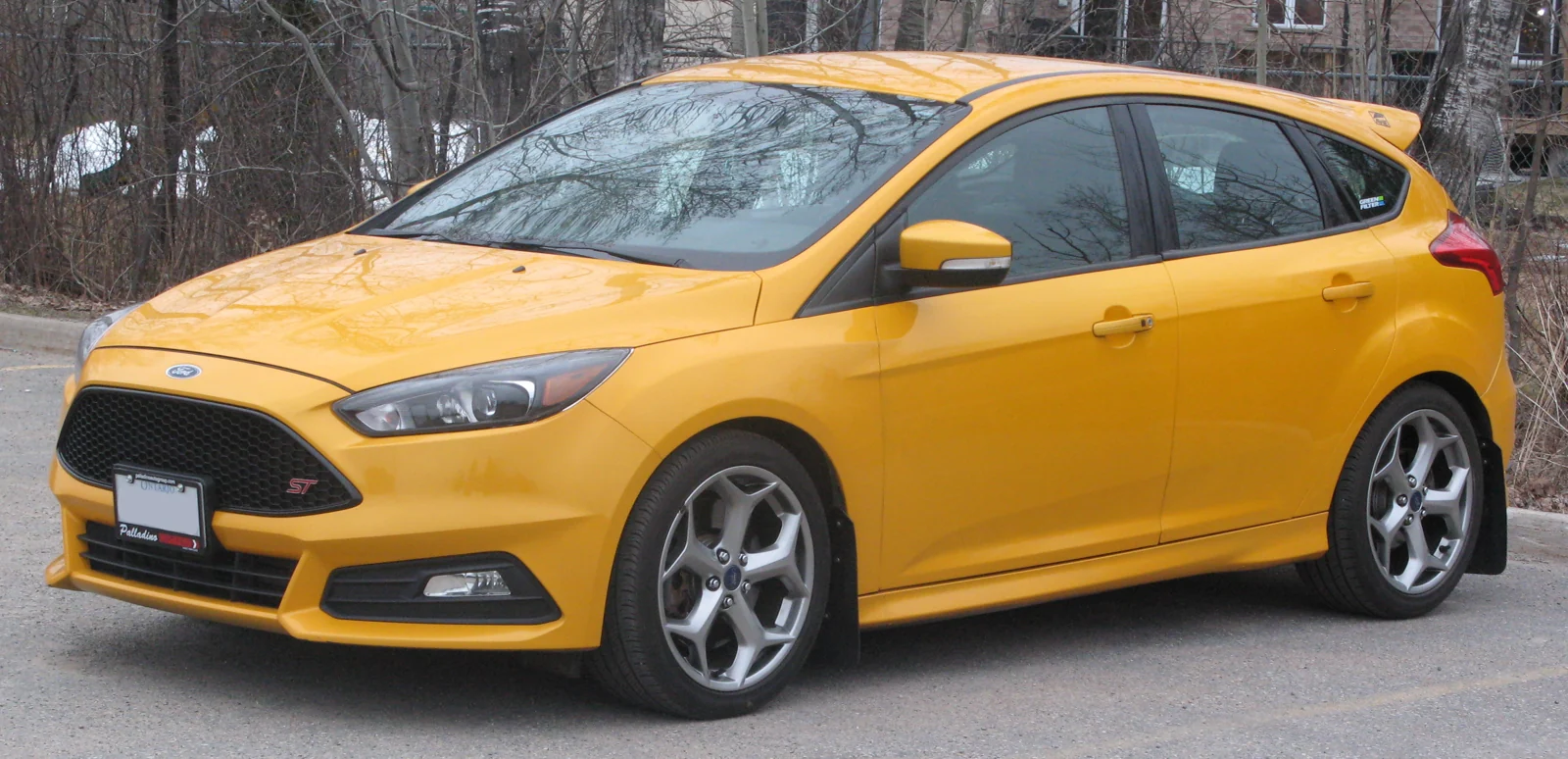
Featured photo: SsmIntrigue / Wikimedia Commons — 2015 Ford Focus ST, Front Left, 04-04-2021.jpg. CC BY-SA 4.0. Resized and converted to WebP; image content unchanged. Illustrative model photograph; equipment and market specification may differ.