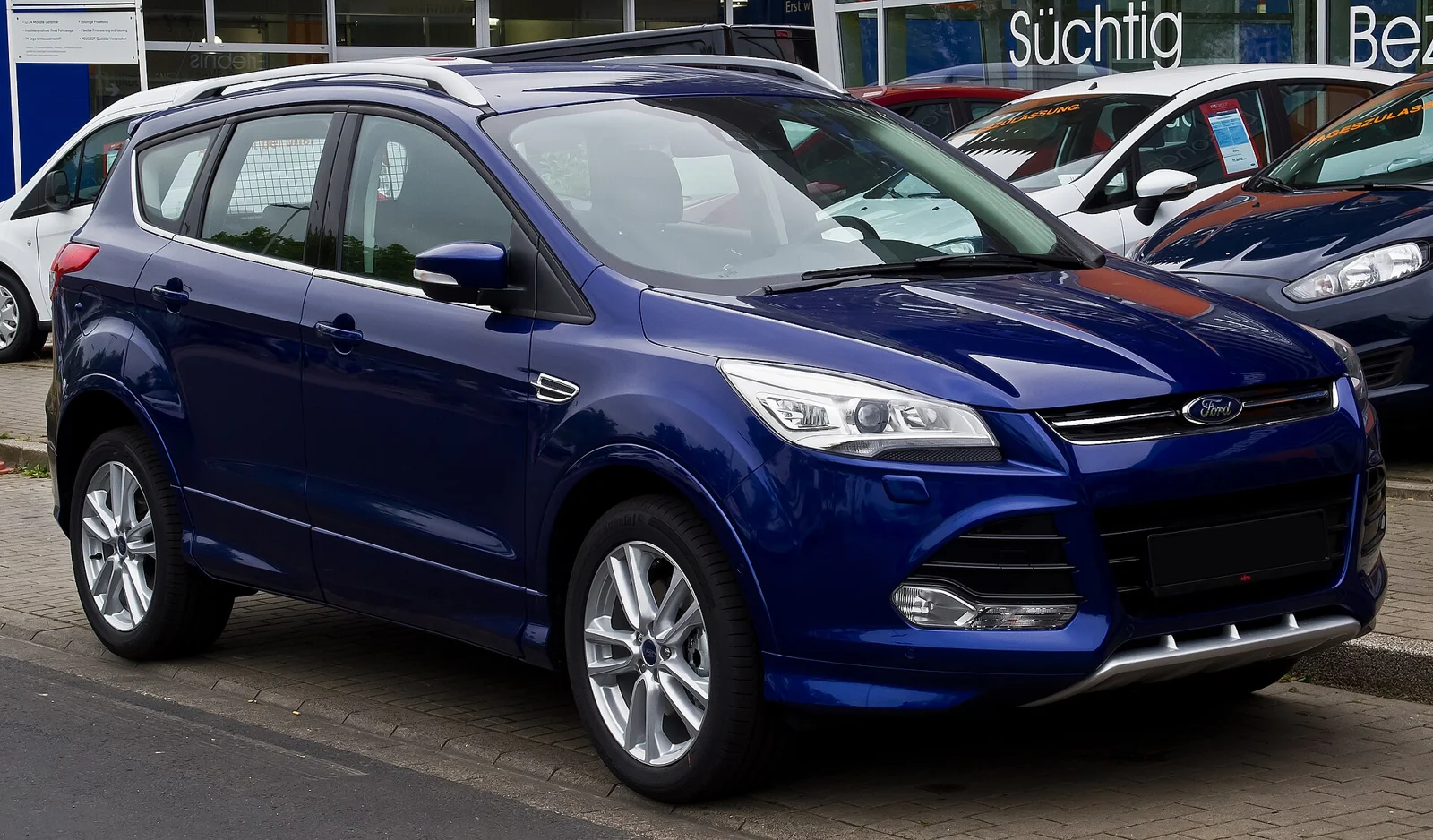
The right scanner for a Kuga Mk2 depends on the engine, fitted equipment and warning you need to investigate. Generic OBD2 is useful for an initial engine-emissions check. A Ford-aware route may be needed when the first result does not explain an Engine service now message or a non-engine warning.
Current FORScan for Windows with OBDLink EX is a documented laptop route to evaluate; FORScan Lite with OBDLink MX+ is the mobile alternative. Neither guarantees every Kuga module or service command.
Identify your petrol/diesel, transmission and FWD/AWD configuration before buying. Do not apply US Escape coverage or later hybrid Kuga procedures to a UK second-generation car.
Which Kuga Mk2 this guide covers
This guide covers standard UK-market second-generation Kuga five-door SUVs in the 2013–2019 production family. Its engine families are 1.6- and 1.5-litre EcoBoost petrol and 1.5- and 2.0-litre TDCi diesel where supplied. The dates identify the generation, not a guarantee that every engine was available in every year.
The original Ford Kuga CBS manual for late-2012/2013 builds records 1.6 EcoBoost manual/automatic and 2.0 TDCi manual FWD/AWD and automatic variants. Ford’s UK manual selector provides a separate manual for builds from 29 August 2016, whose contents include 1.5 and 2.0 TDCi engine sections. The 2019.75MY UK brochure lists late-range 1.5 EcoBoost and 2.0 TDCi offerings. These are dated equipment snapshots, not a continuous availability or diagnostic-function map.
Confirm the actual engine, build date and gearbox from the car’s documents. FWD/AWD and manual/automatic must be recorded separately. PowerShift is not a synonym for every Kuga automatic. Pre-facelift and facelift cars remain within scope, with equipment differences checked individually. A late registration can overlap a generation change.
The scope excludes Kuga Mk1, Mk3, hybrid/PHEV variants, US-market Escape configurations, imports and modified emissions systems or control wiring. The fact that an official manual is headed “Escape, Kuga” does not make every Escape engine or market specification relevant to a UK Kuga.
Quick guide to the diagnostic routes
| Route | Useful starting point | Device and connection | Access and limits |
|---|---|---|---|
| Reputable generic EOBD/OBD2 reader | Emissions-related engine warning and an initial code record | Handheld reader or supported phone adapter and app | Standard engine codes and data supplied by the car. No assumption of ABS, airbag, body or gearbox coverage. |
| FORScan for Windows + OBDLink EX | A broader Ford-aware investigation | Supported x86/x64 Windows laptop; USB interface and correct driver | Officially recommended interface route. Additional modules and PIDs depend on the connected Kuga Mk2; no fixed module inventory or service-function promise. |
| FORScan Lite + OBDLink MX+ | Phone or tablet diagnosis | Supported iOS/Android device; compatible Bluetooth interface | Read codes and parameters where supported. Lite does not offer configuration/programming; it is not a duplicate of Windows Extended. |
These routes answer different needs. Buy access to the system you need to investigate, rather than the largest advertised list of functions.
What generic OBD2 can tell you
A generic reader uses the emissions-related diagnostic baseline. European emissions rules distinguish this standardised information from a manufacturer’s wider diagnostic services. Depending on what the car supplies and what the reader displays, useful results include stored or pending engine codes, freeze-frame context, readiness monitors and standard live parameters.
Save the complete code, its status and the conditions in which it appeared. A description mentioning a sensor or actuator identifies a monitored condition or circuit; it does not establish which part failed. Supply voltage, wiring, leaks, mechanical problems and another system’s behaviour can all matter to an investigation.
Readiness is also different from a clean bill of health. A monitor that has not completed is not evidence of a healthy system. Clearing diagnostic information can remove context and affect readiness. Do not erase data simply to see whether a warning stays away.

Why a warning can remain when the reader says no codes
The first question is what the reader actually queried. An engine-emissions scan is not a full-vehicle scan. A non-engine warning may be recorded elsewhere, while an intermittent condition may not have generated a retrievable code in the service the tool requested. A blank result therefore needs to be read alongside the warning, symptoms and tool’s coverage.
Generic readers can display some manufacturer-specific powertrain codes when the vehicle returns them. It would be wrong to say that every Ford-specific code is invisible to generic OBD2. The useful distinction is between standard engine-emissions access and the extra modules, data and diagnostic services a Ford-aware route may support.
What Ford-aware diagnostics may add
FORScan is designed for Ford diagnostics and can provide additional fault information and parameters through supported vehicle networks. That makes it a sensible route to evaluate when an engine-only reader leaves an important question unanswered.
Additional access remains conditional on the individual car, fitted equipment, interface, software and connection. This guide does not guarantee an ABS, restraint, body, transmission or instrument-cluster module list. Read and record what the connected vehicle actually exposes. A shared platform, adapter protocol list or successful scan of a different Ford is insufficient proof of the same coverage here.
Kuga owner questions a scanner can help organise
Engine service now, but little useful information from the first scan
A UK owner discussion about 2014/2015 Kugas describes intermittent engine-service warnings and uncertainty over scan results. The initial engine specification is not fully established, so it is reader-intent evidence rather than a petrol/diesel fault diagnosis.
Write down the exact message and the tool/app used. Ask which system the tool interrogated and whether the condition was present when scanned. A broader Ford-aware report can be useful if the connected vehicle exposes relevant modules. It is not guaranteed to find a code whenever a message has appeared.
Diesel DPF questions after short journeys
For the correct diesel build, distinguish normal automatic regeneration from a warning requiring investigation. Ford’s build-specific DPF guidance describes automatic regeneration, high exhaust temperatures and conditions that can affect it. It does not validate a universal scanner regeneration command.
Save the code report and relevant supported readings before clearing. The meaning of a pressure, temperature or calculated soot value depends on its definition, engine equipment and test conditions. This guide does not supply universal thresholds, claim that every diesel has the same emissions hardware, or instruct you to reset filter values.
Unexpected symptoms and persistent warnings need investigation. Do not use additives, repeated driving attempts or a forced regeneration as a substitute for identifying the cause. The exhaust can remain dangerously hot; follow the individual car’s manual and keep combustible material away.
Petrol engine warning or overheating concern
Generic engine codes and available freeze-frame data can help establish what the control unit recorded. They cannot demonstrate cooling-system integrity or prove that a mechanical problem is absent. An overheating indication or serious running problem needs action under the correct manual, even if a scanner shows no useful code.
Do not transfer diesel DPF advice to an EcoBoost petrol car. Likewise, a parts listing or warning description from a US Escape is not a confirmed UK Kuga diagnosis.
AWD or transmission message
Identify whether the car is actually AWD and which gearbox it has. A generic engine scan does not prove that either relevant system was interrogated. Ford-aware data may help where supported, but this guide verifies no AWD calibration, clutch learning or transmission adaptation procedure.
ABS, restraint, parking aid or tailgate symptom
These questions show why matching the tool to the system matters. A higher trim level may have equipment that another car lacks. Do not turn a brochure feature list into a diagnostic-module list. Save any responding module’s code and seek appropriate testing; neither clearing nor a menu entry proves a safe repair.
Warning lights: follow the manual before shopping
Ford’s warning-lamp guidance for the from-August-2016 manual distinguishes the emissions malfunction lamp from the powertrain lamp and gives urgent instructions for flashing or combined warnings. Oil-pressure and brake warnings require particular care. This is a build-specific example; the manual supplied with your own vehicle is the primary reference.
A scanner purchase is not the first response to an unsafe driving condition. Stop safely where the manual requires it and arrange qualified assistance. This article does not authorise continued driving simply because a generic scan is blank.
FORScan setup and interface selection
Windows laptop route
For a broader diagnostic investigation, start with current FORScan for Windows and a genuine OBDLink EX USB interface. FORScan recommends EX for its Windows route, and OBDLink documents USB connectivity and Ford MS-CAN support. That supports the interface choice; its promotional claims do not establish access to every module on every UK car.
Check the computer before ordering: FORScan’s published Windows support specifies x86/x64 and excludes ARM. Install from the official source, follow the interface maker’s driver instructions and confirm that the software identifies the correct vehicle. USB avoids the separate phone-platform and wireless-pairing questions.
Phone or tablet route
OBDLink MX+ with current FORScan Lite is an official candidate route for supported iOS or Android devices. The manufacturer documents the interface’s Bluetooth and device support. Check the exact operating system and app availability. The bundled OBDLink app and FORScan Lite are separate applications; buying the interface does not establish that the FORScan app or its cost is included.
FORScan’s application comparison lists code reading, clearing and parameter reading for Lite, along with some supported tests and service functions. Lite does not provide configuration/programming. Windows Standard already covers ordinary diagnostic categories; an Extended licence is not the entry requirement for simply reading fault codes. A licence or menu entry still does not confirm a particular function on your car.
Checks that matter before purchase
- Confirm the exact interface model, genuine supply, current firmware and official support route.
- Check software, operating system and interface together; “works with OBD2” is insufficient for the wider Ford route.
- Ask a handheld-tool supplier about the exact UK generation, engine, transmission and system you need. General “all systems” language is not a vehicle-specific coverage record.
- Check seller returns and UK availability. Manufacturer US prices and warranties are not promises about a UK retailer.
FORScan currently discourages generic adapters marketed as ELM327 because their quality and functionality vary. Its recommended EX/MX+ routes are clearer starting points. Other interfaces, including vLinker FS, need their own current software, firmware and manufacturer checks; they are not approved here from an Amazon search result alone.
How to scan without losing useful evidence
- Photograph or write down the warning message and the circumstances: cold or warm, starting or driving, speed/load and any recent repair.
- Park safely, check battery condition and follow the tool’s ignition and connection instructions.
- Confirm vehicle identity. Save a scan report before clearing anything, including raw codes, status, responding module names and freeze-frame information where available.
- Separate confirmed readings from interpretation. Check PID names, units and operating conditions before comparing values.
- Investigate with the correct technical information. Use the result to plan checks, rather than ordering the first part named in a code description.
- After a justified repair or controlled check, rescan and record which faults return.
Reading a control unit is different from commanding it or changing its stored settings. Do not experiment with output tests, resets, adaptations, coding, programming, keys, immobilisers or replacement-module setup. Brake, steering and restraint work belongs with a suitably equipped specialist. Do not handle or watch a scanner while driving; arrange stationary checks or properly supervised logging.
Love cool cars? Join Unusual Cars Club FREE!
Get forgotten motoring finds, stories, helpful car content and more.
Free to join. No spam. Unsubscribe whenever you like. See our privacy policy.
Scanner routes to consider
Choose a reputable generic reader if your immediate need is an emissions-related engine-code check. Look for raw-code display, freeze-frame and useful live data, a clear support policy and an honest statement of coverage. Spending more makes sense only when it adds access you need.
Choose the Windows FORScan and OBDLink EX route when the question calls for a broader Ford-aware scan and you can use a supported laptop. Choose FORScan Lite and MX+ when mobile convenience matters. Neither setup is a promise of programming capability or a guaranteed cure for a warning.
Frequently asked questions
Is FORScan a suitable Kuga Mk2 route?
It is a documented Ford-focused route to evaluate with a supported interface. This guide does not establish identical UK Kuga coverage across engines, builds or trim levels.
Why does my reader show no codes with Engine service now?
Check the system and service the reader queried, and whether the fault is current or intermittent. The message plus a blank engine-only scan is not a diagnosis or proof of a fault-free vehicle.
Will an adapter advertised for Escape work on my UK Kuga?
Do not assume so from the name. Verify the exact UK generation, engine, software and required diagnostic access. US model-year coverage does not establish UK equipment coverage.
Does every automatic use PowerShift?
No. Identify the actual gearbox before applying any technical advice or supplier coverage statement.
Can I use a phone instead of a laptop?
MX+ with current FORScan Lite is a candidate iOS/Android diagnostic route. Check device and app support before ordering. Lite has no configuration/programming category.
Can a scanner reset the DPF or fix AWD?
No universal function or repair is verified here. Forced regeneration, learned-value resets, programming and calibration are outside this guide.
Related diagnostic guides
Sources and update record
Evidence reviewed: 8 October 2026. This is a documentary guide, not a claim that Unusual Cars personally tested this vehicle or interface.
- Ford Kuga CBS manual, builds 15 October 2012–31 December 2013
- Ford UK Kuga 2019.75MY brochure
- Ford UK Kuga build-specific manual selector
- Ford Kuga manual variant 4400: diesel particulate filter
- Ford Kuga manual variant 4400: warning lamps
- UK Kuga owners: Engine service now and intermittent warnings
- European emissions OBD legislation
- FORScan official support and adapter guidance
- FORScan application comparison
- FORScan downloads and current requirements
- OBDLink EX manufacturer specifications
- OBDLink MX+ manufacturer specifications
Owner discussions identify questions, not fault prevalence or verified repairs. Check current software, licences, firmware, device support and retailer details before purchase or use. Exact vehicle modules and service functions remain unconfirmed unless stated otherwise.
Featured photo: M 93 / Wikimedia Commons — Ford Kuga Individual (II) – Frontansicht, 19. Juni 2014, Düsseldorf.jpg. CC BY-SA 3.0 de. Resized and converted to WebP; image content unchanged. Illustrative model photograph; equipment and market specification may differ.