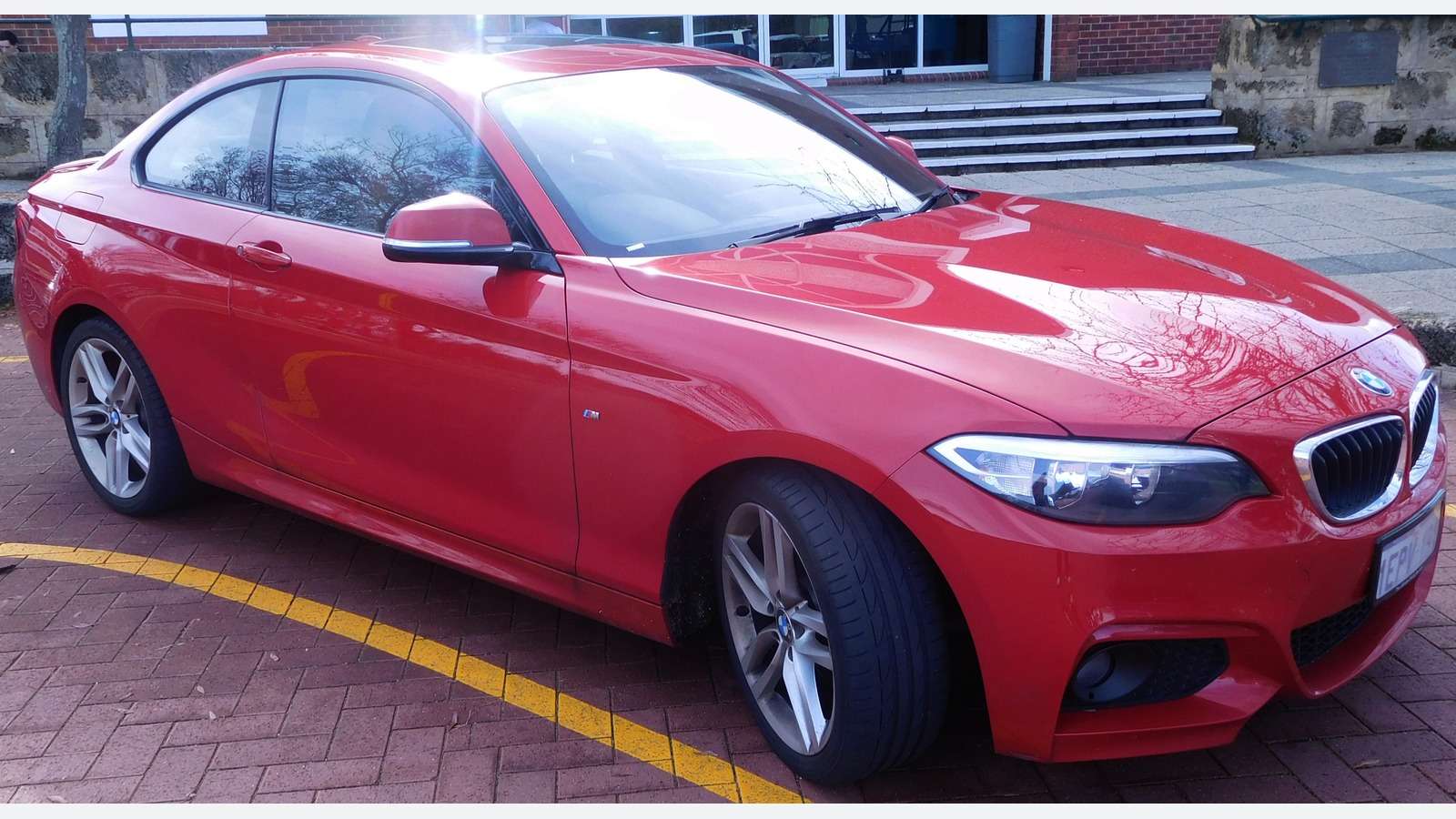
For a BMW 2 Series F22 Coupé, start with the information you need: a supported engine-emissions report, or BMW fault reporting from a particular fitted controller. A compatible basic OBD2 reader can address the first task. For the second, compare a confirmed BimmerLink setup, a BMW-focused handheld and an eligible OBDeleven device. The correct choice depends on the actual engine, gearbox, build and phone setup, rather than the 2 Series badge alone. Compare these buying routes in our BMW scanner comparison.
This is a documentary buying guide. Unusual Cars has not independently tested this vehicle, scanner or function. Exact access varies by build, fitted controller, vehicle software, interface and tool version.
Advertisement: This guide contains Amazon affiliate links. As an Amazon Associate I earn from qualifying purchases.
Which BMW 2 Series does this guide cover?
This guide covers UK F22 fixed-roof, two-door Coupés from the 2014 introduction through the 2021 generation change. It includes standard three- and four-cylinder petrol models and four-cylinder diesels with factory rear-wheel drive. Gearboxes are six-speed manual or conventional eight-speed automatic, where that engine and transmission combination was UK supplied. Standard M Sport trim is included when the underlying car is in scope.
M235i, M240i and F87 M2 performance cars are excluded, as are xDrive variants, F23 Convertibles, F44 Gran Coupés, F45/F46 Active or Gran Tourers, G42 Coupés, Alpina, imports and materially modified electronics. The Convertible roof and the performance models’ different configurations deserve separate coverage. An article about a standard F22 should not silently promise their diagnostic functions.
Identify the engine rather than relying on the badge
The BMW UK F22 launch establishes the first UK F22 introduction in March 2014. Standard petrol badges across its life include 218i, 220i, 228i and 230i; diesels include 218d, 220d and 225d. Availability varies with year. The 218i is a three-cylinder petrol, so a description of every standard F22 as a four-cylinder car would be misleading.
Use BMW’s BMW UK 2017 2 Series update for the later UK range context, then confirm the engine and fitted gearbox on the actual car. A replacement badge, a sales advert or an M Sport body kit cannot identify its control units. The BMW UK next 2 Series Coupé was introduced in 2021, making chassis confirmation useful on cars registered around that transition. A later-looking Coupé is not automatically an F22.

Quick scanner choice
| Your task | Route to compare | Essential check |
| Supported engine-emissions codes | Compatible generic OBD2 reader | Actual petrol/diesel build and available data |
| BMW lighting, body or chassis fault report | Confirmed BimmerLink setup or BMW handheld | Named fitted controller and read/report coverage |
| BMW-capable OBDeleven diagnosis | Supported device and current BMW app | F22 build, phone and requested information |
| M235i/M240i/M2 or Convertible question | Separate model-specific enquiry | Outside the scope of this standard Coupé guide |
A drivetrain message is not a gearbox diagnosis
An engine-emissions code and a dashboard drivetrain message are different pieces of information. Neither is, by itself, a verdict that the gearbox has failed. Record the wording, when it appears and any accompanying symptoms. On a supported car a basic reader may provide useful engine data, but that does not establish access to the automatic-transmission controller or every BMW system.
Preserve the complete code and available freeze-frame information before clearing anything. A code describing a condition can have more than one cause. Equally, an empty engine-code list does not prove that all body, chassis or restraint controllers are clear. Ask what the scanner actually queried before using its report to dismiss a warning or buy a replacement part.
Lighting and body faults: diagnosis before coding
The F22 indicator and app question illustrates a 220d owner trying to understand an electrical indicator problem and which app to use. It is evidence of a reader question, not a verified cause or repair. For a lighting complaint, ask whether the selected tool can obtain the relevant fitted controller’s fault report. A successful engine connection is not an answer to that question.
BimmerLink and BimmerCode are separate products with different purposes. A coding app appearing in an adapter advert does not establish diagnostic reporting, and diagnostic access does not authorise a coding change. This guide provides no lighting recoding, controller replacement, active-test or security-access instructions. Read/report capability and measured-value access should also be checked separately.
BimmerLink: buy the complete compatible setup
BimmerLink supported models lists 2 Series from 2013. A supported iOS or Android phone and a compatible adapter are required. The app is a separate purchase from an adapter. Family-level eligibility supports a buying enquiry; it does not guarantee that every advertised feature applies to each standard F22 engine, software version or body controller. For the full hardware and phone checklist, read our BimmerLink adapter guide.
The UniCarScan UCSI-2100 UK package is a documented Bluetooth LE candidate. Use the Developer adapter selector linked by BimmerLink linked by the developer to match the specific adapter and phone platform. ENET options for F-series cars also need the correct device connection; a cheap cable with “BMW” in its title is not a complete phone package. Confirm the current operating-system requirements and the information required from your F22 before ordering.
Do not infer battery-registration, service-reset or DPF-command support from general app marketing. Those functions have different prerequisites and are not promised here. The recommended owner task is reading and retaining supported fault information, then using it to guide an appropriate investigation.
A BMW handheld when you prefer a separate screen
The iCarsoft BMM V3.0 is a candidate for buyers who prefer a self-contained reader. Its broad BMW F-series coverage is a reason to investigate the model, not proof of the exact controller access on your Coupé. Ask the supplier to confirm the engine, gearbox and requested report against the current vehicle database. Our iCarsoft BMM V3.0 buying guide explains package, update and coverage checks.
Check the precise BMM generation, supplied lead, update method and package contents. V3.0 documentation advertises lifetime updates via a PC and card reader. Confirm your computer can support that route and what assistance the seller provides. Descriptions such as “all systems” or “dealer level” should not substitute for a clear answer about the information you actually need.
OBDeleven: hardware, app and licence matter
OBDeleven vehicle support includes F-series BMWs. The OBDeleven Advanced Diagnostics identifies OBDeleven 2 NextGen or 3 with the BMW-capable OBDeleven app; the current OBDeleven BMW features points new buyers towards 3 hardware. FirstGen hardware and a VAG-only app should not be assumed equivalent. Verify the exact device, phone and F22 coverage.
Supported diagnostics use the FREE plan. Optional One-Click Apps, Credits and paid plans have separate availability and purchase terms. Check country eligibility and current activation or renewal conditions before paying for an optional feature. Buying PRO cannot create an unsupported BMW function, and Volkswagen manual-coding claims must not be transferred to this Coupé.
Love cool cars? Join Unusual Cars Club FREE!
Get forgotten motoring finds, stories, helpful car content and more.
Free to join. No spam. Unsubscribe whenever you like. See our privacy policy.
When a legitimate BMW workshop route is useful
An unresolved electrical or running complaint may require a fuller investigation than an owner’s report provides. An appropriately equipped specialist can consider the vehicle’s configuration alongside the saved information. BMW AOS is the official UK BMW service-software route to investigate; current entitlement, computer/software requirements, interface and model coverage must be checked directly.
An adapter alone does not include legitimate ISTA access. This guide does not endorse copied ISTA or INPA files, licence bypasses or marketplace software bundles. Supply the engine and gearbox identity, production details, preserved report and symptom context to the workshop. Coding and programming remain separate tasks, rather than promised scanner features.
Choosing from the BMW scanner search
The Amazon graphic opens the approved BMW diagnostic-scanner search. It is a browsing route containing mixed readers, handhelds and adapters, not a pre-approved F22 shopping list. A generic reader might suit an emissions question while being unsuitable for the lighting or automatic-transmission report you need.
Give the supplier the F22 code, UK specification, production month, engine, rear-wheel drive, gearbox and exact read/report task. For a phone route add the phone platform, app and adapter model. Ask what software is included, what costs extra, how updates work and what support/return terms apply. Keep the coverage answer with your vehicle details.
Common questions
Does M Sport mean this guide covers the M2?
No. Standard M Sport trim is included on an otherwise in-scope car. The F87 M2 and M235i/M240i performance models are excluded.
Can I use this advice for a 2 Series Active Tourer?
No. F45/F46 are separate vehicles. Confirm F22 rather than choosing a scanner solely from the 2 Series name.
Will clearing a drivetrain warning repair the car?
No. Clearing stored information does not identify or fix the cause and can remove useful evidence. Preserve the report first.
More BMW diagnostic guides
Browse the BMW diagnostic scanner hub and complete car diagnostic-scanner directory. Choose the guide for the actual generation; shared badges or tool brands do not establish identical diagnostic coverage.
Research reviewed: 12 October 2026. Product coverage, software terms and commercial results should be rechecked before publication.
Photo: EurovisionNim / Wikimedia Commons — CC BY-SA 4.0 International. Resized/framed.