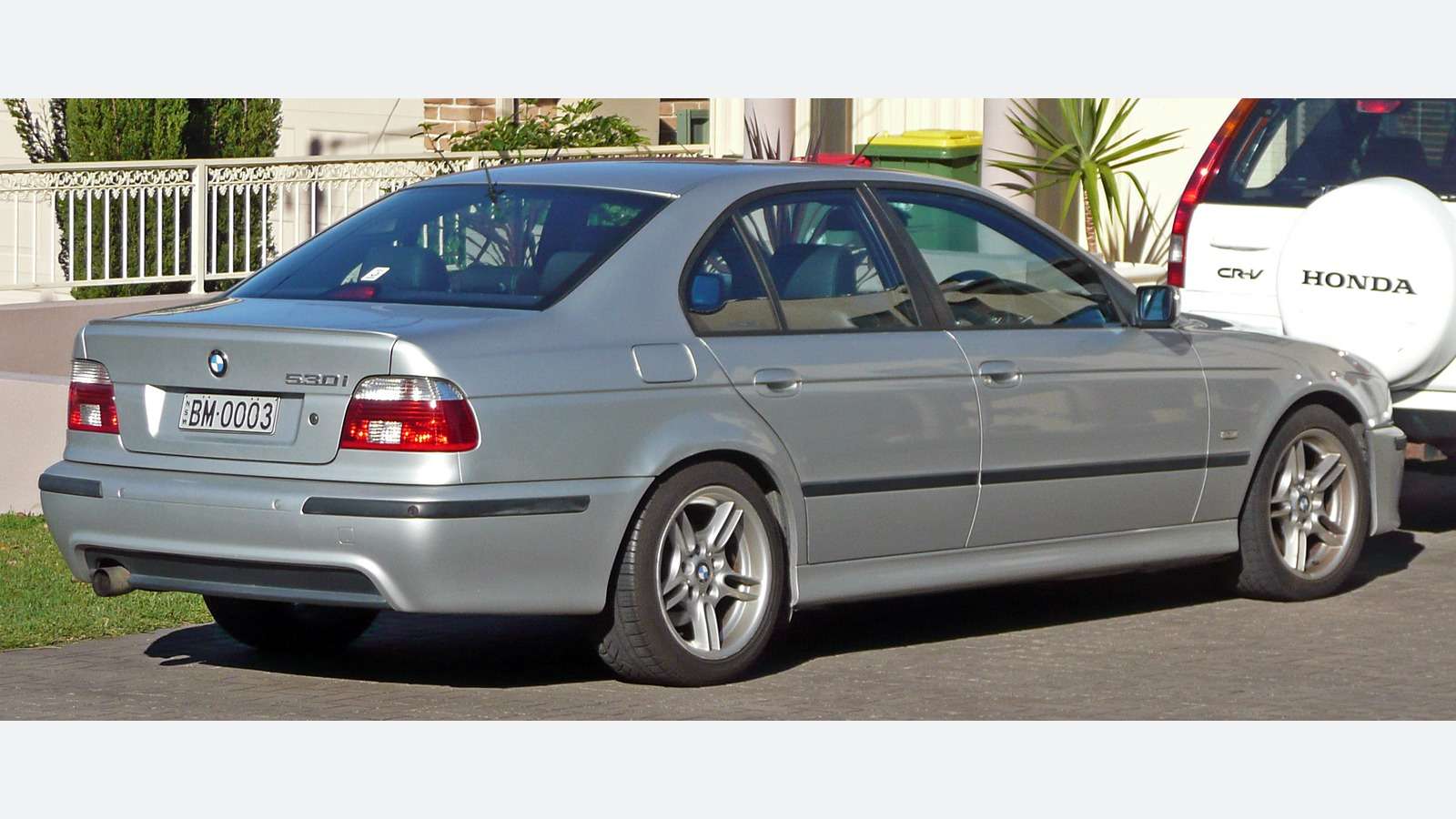
For a BMW 5 Series E39, identify the diagnostic connectors and vehicle build before choosing a reader. An older BMW-aware handheld with confirmed interface coverage, or a suitably equipped specialist, is a more useful starting point than assuming a modern phone dongle works. A generic OBD2 engine report, where supported, is separate from wider BMW controller reporting. The socket shape alone does not establish either capability. Compare these buying routes in our BMW scanner comparison.
This is a documentary buying guide. Unusual Cars has not independently tested this vehicle, scanner or function. Exact access varies by build, fitted controller, vehicle software, interface and tool version.
Advertisement: This guide contains Amazon affiliate links. As an Amazon Associate I earn from qualifying purchases.
Which E39s does this guide cover?
This guide covers UK E39 Saloons from the 1996 introduction to 2003 and Tourings from 1997 to 2004. It includes six-cylinder petrol and diesel models with factory manual or conventional automatic transmission, where UK supplied. Standard trim variants, including Sport, are within scope when the underlying vehicle fits these boundaries.
Four-cylinder 520d models, V8 535i/540i, the M5, Alpina, imports, materially modified electronics and E60/E61 are excluded. The M5 is a materially different engine application; the site’s M5 history article does not establish scanner support for either that car or a six-cylinder E39. This guide also does not promise identical reporting for Saloon and Touring body equipment.
UK dates and body styles matter
The BMW UK 2003 5 Series replacement describes the outgoing UK 5 Series introduced in 1996 and its 2003 successor. BMW Classic E39 family provides the wider E39 family context, while BMW Classic E39 Touring identifies the Touring’s 1997–2004 production span. Global production beginning in 1995 should not be mistaken for the UK introduction used in this guide.
Six-cylinder petrol examples include 520i, 523i, 525i, 528i and 530i across different years; diesel examples include 525tds, 525d and 530d where UK supplied. Badge availability and engine specification changed over the generation. Verify the engine, production month and transmission instead of treating every 520i or 530d as the same diagnostic enquiry.
The BMW UK 2004 successor Touring puts the successor Touring’s UK arrival in 2004. A late registration or a 2004 estate advert therefore needs chassis confirmation. Identify Saloon or Touring as well as E39 when asking about a body-system report. A familiar engine badge does not identify the installed body equipment or its supported reporting route.

Quick scanner choice
| Your starting point | Route to investigate | Essential limitation |
| Known early/round-connector E39 | BMW handheld with confirmed correct adapter, or specialist | A physical adapter alone does not prove module access |
| Supported engine-emissions information | Compatible generic reader only after exact-build check | No blanket UK 1996-onward OBD2 promise |
| BMW body, chassis or transmission report | Confirmed legacy BMW tool/software route | Actual connector, controller, interface and software |
| Modern phone adapter or OBDeleven advert | Do not assume E39 support | BimmerLink E39 eligibility unestablished; OBDeleven excluded |
The 20-pin and 16-pin issue
The archived Snap-on BMW communication manual explains that older BMWs can have both a round 20-pin under-bonnet connector and a rectangular 16-pin cabin socket. In the arrangements described, the cabin connection can offer restricted reporting, while later models may use a 16-pin-only arrangement. This supports checking the actual connectors; it is not a universal UK E39 transition date or a current handheld coverage matrix.
A car having a cabin socket does not mean it provides complete BMW module access with every tool. Equally, a round-to-rectangular adapter only provides a physical interface; suitable electrical/protocol support, software and coverage still matter. Ask the supplier about the actual E39 configuration and the controller report you need. Do not buy an adapter solely because both ends appear to fit.
The E39 530d connection question shows an owner of a 2000 530d asking why different tools obtain different access through a round connector. It illustrates the purchasing problem, not a proven solution. This guide provides no pin-bridging, improvised wiring, connector modification or legacy-interface setup instructions. A difficult connection should be resolved through a documented compatible setup or specialist route.
Generic OBD2 is a limited, build-dependent starting point
Do not treat a US-market “1996 onwards” OBD2 statement as proof that every UK E39 petrol or diesel supports the same generic reporting. Ask for compatibility with the actual UK engine, production date and connector arrangement. On a supported car, emissions-related engine codes and available data can be useful; a generic connection does not establish complete BMW diagnostics.
Transmission, chassis, restraint and body reporting are separate coverage questions. An engine report with no stored codes cannot show that every other relevant controller is clear. Older cars can also have mechanical symptoms that an electronic report does not explain. Preserve the full code and available context, then combine it with the circumstances of the complaint and appropriate investigation.
A BMW handheld: confirm the E39 and the supplied lead
The current iCarsoft BMM V3.0 expressly lists early E39 among its older BMW applications with a separately sold 20-pin adapter. That makes it a candidate to investigate, rather than a reason to guarantee every E39 controller. Its broad model coverage and simplified date wording must be checked against the car’s actual build and connector arrangement. Our iCarsoft BMM V3.0 buying guide explains package, update and coverage checks.
Ask about the precise BMM version, installed vehicle database, correct supplied or optional lead and the required read/report capability. Confirm whether measured values are available separately. The V3.0 documentation advertises lifetime software updates via PC/card reader; check computer requirements and support terms. The adapter and any necessary accessories should be included in the total purchase decision.
This guide does not endorse claims that a handheld guarantees coding, programming, service resets, calibrations or active tests on every E39. A menu entry or a broad “all systems” description is not an exact application answer. Get the requested controller and task confirmed before paying, particularly on an early car.
BimmerLink: a modern 5 Series range is not E39 proof
BimmerLink supported models lists 5 Series from 2003. That model-family wording overlaps the final E39 years and the next generation; it does not explicitly establish E39 chassis support. We have not established sufficient current documentation to recommend BimmerLink as a confirmed E39 purchase route. A 2003 registration is not a substitute for an explicit compatibility answer.
The Developer adapter selector linked by BimmerLink linked by the developer and the UniCarScan UCSI-2100 UK package help with supported setups, but adapter eligibility cannot make an unsupported app/vehicle combination work. An E-series label is too broad: later E-chassis cars and the older E39 need different consideration. Do not copy a BimmerLink recommendation from the F10/F11 or E60/E61 guide solely because all are called 5 Series.
If a supplier proposes a phone solution, ask for explicit E39, engine, build, connector and requested-function evidence from the current app provider. Until that is established, choose a documented legacy BMW route instead. BimmerCode is also a separate coding product, not evidence of diagnostic compatibility.
OBDeleven is outside the stated E39 year range
OBDeleven vehicle support excludes BMWs manufactured before around 2008. The E39 scope in this article ends in 2004, so OBDeleven is not the recommended diagnostic route for these cars. Its references to most later E-series models must not be read as all E-chassis BMWs.
Newer hardware, a paid plan or optional Credits cannot change that vehicle-year exclusion. Do not transfer Volkswagen, Audi or modern BMW functionality to the E39. A marketplace description that says “BMW compatible” should be checked against the manufacturer’s actual limitations before any purchase.
Love cool cars? Join Unusual Cars Club FREE!
Get forgotten motoring finds, stories, helpful car content and more.
Free to join. No spam. Unsubscribe whenever you like. See our privacy policy.
A legitimate legacy BMW software pathway
For an unresolved connection or reporting problem, a suitably equipped BMW specialist can establish the appropriate legacy interface and software route. BMW AOS is BMW’s official UK service-software portal to investigate. Confirm current entitlement, computer/software requirements, interface and E39 coverage directly; this guide does not assert that a current subscription automatically includes every legacy application.
The official North American portal directs other regions towards AOS, so its subscription details should not be transplanted into a UK recommendation. Marketplace cables bundled with copied INPA or ISTA files do not establish legitimate access, supported configuration or correct E39 communication. No copied software or licence bypass is recommended.
A useful workshop handoff includes the production details, engine, manual/automatic gearbox, Saloon/Touring body, connector photographs and preserved fault report. Describe what the previous tool could and could not access. This is more informative than “the scanner says no faults” without identifying which controller was queried.
Buying from the BMW scanner search
The approved Amazon graphic opens a focused BMW scanner or adapter search. Results mix modern adapters, generic readers and handhelds, many of which are unsuitable for an older E39 task. Treat the search as a browsing route, not a compatibility endorsement.
Give the supplier E39, UK specification, production month, six-cylinder engine, gearbox, body and actual connectors. Ask for the named controller’s read/report coverage, required adapter, software entitlement, update route and support/return terms. Do not accept a generic year range or photograph of a matching plug as the complete answer. Keep the supplier’s written confirmation with the vehicle details.
Common questions
Does a 16-pin socket prove full E39 diagnostics?
No. Some older arrangements can provide limited information through the cabin connection. Check the actual build, tool, interface and requested controller.
Is BimmerLink confirmed for a 2003 E39 here?
No. Its 5 Series from 2003 wording does not explicitly establish E39 support. This guide recommends an evidenced legacy route instead.
Can I buy OBDeleven for this E39 guide?
It is outside OBDeleven’s stated pre-2008 BMW support range. A new device or paid plan does not change that exclusion.
More BMW diagnostic guides
Browse the BMW diagnostic scanner hub and complete car diagnostic-scanner directory. Choose the guide for the actual generation; shared badges or tool brands do not establish identical diagnostic coverage.
Research reviewed: 12 October 2026. Product coverage, software terms and commercial results should be rechecked before publication.
Photo: OSX / Wikimedia Commons — Public domain by author. Resized/framed.