
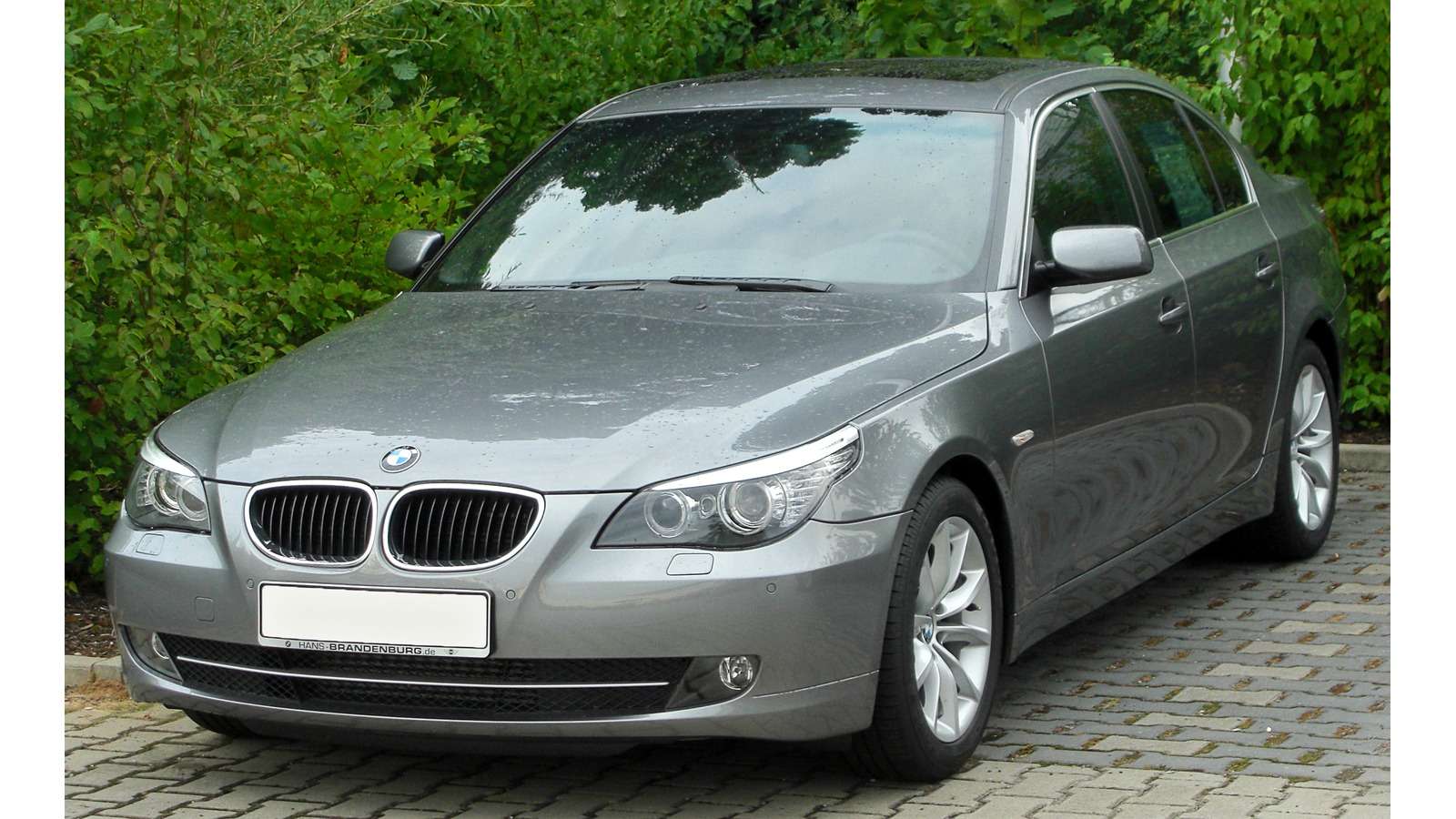
For a BMW E60 Saloon or E61 Touring, identify the build and the report you need before choosing between a handheld and a phone setup. The same 5 Series badge spans changes in engines and electronics. A basic engine connection does not establish access to restraints, stability control, gearbox or Touring suspension reports. Compare these buying routes in our BMW scanner comparison.
This is a documentary buying guide. Unusual Cars has not independently tested this vehicle, a scanner or a function. Exact capability depends on the build, fitted controllers, vehicle software, interface and tool version. A fault report helps an investigation; it does not identify a replacement part or certify the car’s condition.
Amazon affiliate link. As an Amazon Associate I earn from qualifying purchases – check compatibility thoroughly before purchases.
Which BMW E60/E61 does this cover?
| Vehicle scope | UK E60 Saloon 2003–2010 and E61 Touring 2004–2010. Rear-wheel drive, four/six-cylinder petrol/diesel, manual or conventional automatic as fitted. Excludes M5, V8, SMG, xDrive, Alpina, imports and modified electronics. |
| What is included | Read/report selection for supported engine information and checked BMW controller coverage. |
| What is excluded | Coding, programming, calibration, active-test procedures, immobiliser and key work. No guaranteed reset or service function. |
Early, later and Touring cars need separate checks
BMW’s UK Saloon launch material places the E60 introduction in 2003. The 2004 Touring press kit establishes the E61 separately. Avoid using E39, F10 or a broad “5 Series supported” listing as evidence for this generation.
The 2007 UK range revision included engine and equipment changes. Record the production date, engine identification and gearbox before selecting a reader. A familiar badge does not prove an unchanged engine application, and a first-registration year is not an exact electronic specification.
Mainstream four/six-cylinder petrol and diesel cars with manual or conventional automatic transmissions are included where UK supplied. V8 models, M5, SMG-equipped cars and xDrive are outside this first scope. M Sport trim is acceptable when the underlying car is included. Imported and substantially modified electronics need their own compatibility assessment.
Quick scanner choice
| Your question | Route to investigate | Check first |
| Supported engine-emissions codes | Compatible generic OBD2/EOBD reader | Exact engine/build and supported information. |
| BMW reports beyond engine emissions | BimmerLink with a confirmed adapter, or BMW-aware handheld | Named controller, actual build and complete setup. |
| A service function or reset | Separate current exact-function check | Do not infer it from code-reading support. |
| Unconfirmed controller or persistent warning | Appropriately equipped BMW specialist | Legitimate software and interface for the actual task. |

Select for the reporting system
A restraint warning, stability-control warning and engine warning are different reader-selection questions. Preserve the exact symptoms and request confirmation for the installed controller. A tool that responds through the cabin socket is not necessarily reporting every system you want.
An automatic-transmission complaint also needs the actual gearbox included in the request. Do not transfer an SMG recommendation into a conventional automatic purchase, or an excluded M5 recommendation into a standard 520d. The chassis name is only the start of the identification.
The early/later distinction particularly matters when shopping for phone adapters. Verify the manufacturer’s current exact-car eligibility instead of applying a universal year cutoff copied from another adapter, app or BMW generation.
What a generic OBD2 reader can answer
A compatible basic reader can be a sensible starting point for supported emissions-related engine codes and data. Save the code exactly, the tool’s wording, status and any available operating context. Note whether it came from generic OBD or a named BMW controller.
Do not treat that report as a complete vehicle scan. Manufacturer-aware reporting beyond the engine needs separate software and controller support. Clearing a code does not repair the cause and can remove useful evidence. A code-free result only describes the part of the car the reader successfully queried at that time.
BimmerLink: model eligibility is only the first check
BimmerLink’s current supported-vehicle list starts the 1 Series at 2004 and the 5 Series at 2003. That makes this family a route to investigate. It does not guarantee every installed controller, measurement or service function on an individual E60/E61. BimmerCode is a separate coding application. For the full hardware and phone checklist, read our BimmerLink adapter guide.
A documented candidate is the UniCarScan UCSI-2100. Gendan lists BimmerLink for iOS and Android and identifies the app as a separate purchase. Obtain exact-build confirmation. The current OBDLink CX specifications describe its own supported protocols and platforms; do not infer another product’s eligibility from its appearance or name.
Check the current app-store operating-system requirement, genuine adapter model, firmware, complete purchase terms and the requested report. A licence for another app is not a BimmerLink purchase. Do not buy hardware first and assume an unspecified phone app will supply the missing capability.
OBDeleven: separate earlier and later builds
OBDeleven’s coverage guidance excludes BMWs before approximately 2008 and lists most later E-series. Earlier cars in this scope therefore fall outside that guidance. For later builds, require the current exact-model/controller check; the word “most” is not complete chassis coverage.
Do not buy a plan or Credits to overcome unconfirmed car compatibility. Ask separately what the selected hardware, app and purchase package provide. VAG manual-coding or adaptation claims do not establish those functions on this BMW.
BMW-aware handhelds: check the exact BMM version
The iCarsoft BMM V3.0 is a self-contained BMW-focused candidate. Its reference coverage list names relevant chassis, but is explicitly reference material. It does not establish a complete controller-by-function guarantee for every build. Our iCarsoft BMM V3.0 buying guide explains package, update and coverage checks.
Ask the supplier to confirm the named engine and additional installed controller, the exact BMM version, included cable and current update process. Separate read/report coverage from service resets or active commands. Check computer requirements, support and returns for the actual UK package; no reset, calibration or programming function is guaranteed here.
Touring suspension reporting is a separate buying question
The BMW Touring material describes the Touring’s self-levelling rear suspension. For a suspension warning or unusual rear ride height, confirm which installed controller the chosen setup can report. Do not infer access, live measurements or calibration capability from a generic engine connection.
An owner discussion illustrates the distinction between a warning and what a selected scanner can report. It is evidence of an owner question, not proof of coverage, diagnosis or fault frequency. This guide gives no suspension cycling, output-test, height-setting, bypass or repair instructions.
A clear electronic report cannot exclude mechanical problems or prove safe ride height. Obtain an appropriate inspection when the car’s behaviour requires it. Scanner selection and a suspension repair need different evidence; buying additional advertised resets does not bridge that gap.
Love cool cars? Join Unusual Cars Club FREE!
Get forgotten motoring finds, stories, helpful car content and more.
Free to join. No spam. Unsubscribe whenever you like. See our privacy policy.
Legitimate workshop software pathways
BMW AOS is the official pathway relevant to independent-workshop service applications: visit BMW AOS. Ask the workshop to confirm its current entitlement, suitable interface and coverage for this older generation and requested report. This guide does not guarantee particular ISTA functions.
Forum popularity does not establish a licence for an INPA/ISTA download or a suitable laptop-and-cable package. Avoid selecting a bundle only from the word BMW. Computer support, interface and software entitlement need independent confirmation; security access, coding and programming instructions are outside this guide.
Before ordering from the Amazon search
The approved banner opens a BMW diagnostic-scanner search, not a compatibility-filtered shortlist. Results may mix generic readers, BMW-aware tools, adapters and software bundles. Check the exact listing against the report you need; the destination does not endorse every result.
Give the supplier the chassis/body, production month/year, UK specification, engine identification, fitted gearbox and exact warning or controller. Mention any retrofit. Ask what is included, what must be purchased separately and whether the requested read/report coverage is currently supported. Keep that answer with the selected product details.
Common questions
Does an M Sport badge require an M-model scanner guide?
M Sport trim can sit within this guide when the underlying model is included. The excluded M powertrains and specialist variants require separate coverage.
Will the cheapest reader clear every warning?
No such promise is made. Confirm the installed controller and the selected product’s exact coverage; an engine-only reader is not a universal BMW tool.
Does a clear scan prove the car is healthy?
No. It cannot certify mechanical condition or exclude an intermittent problem, an unqueried controller or evidence cleared earlier.
More BMW diagnostic guides
Browse the BMW diagnostic scanner hub or the complete car diagnostic-scanner directory. The E90/E91/E92 3 Series guide covers a different vehicle scope; its recommendations must not be transferred without exact-car checks.
Research reviewed: 12 October 2026. Check current product coverage and purchase conditions before ordering.
Photo: M93 (formerly S400 HYBRID) / Commons source — Attribution-only permission. Resized/framed; source registration obscured.