Affiliate notice: This guide contains affiliate links. As an Amazon Associate I earn from qualifying purchases.
For the naturally aspirated Clio Renaultsport 197 or 200, a compatible generic reader is useful for an engine/emissions question; confirmed Renault-aware access is more useful when the warning concerns ABS, airbags, steering or body electronics. Shortlist a genuine Renault-capable handheld for regular ownership checks, or use a specialist with legitimate CLIP when the job needs factory diagnostic context. Do not buy a tool solely because its advertising says “all Renaults”.
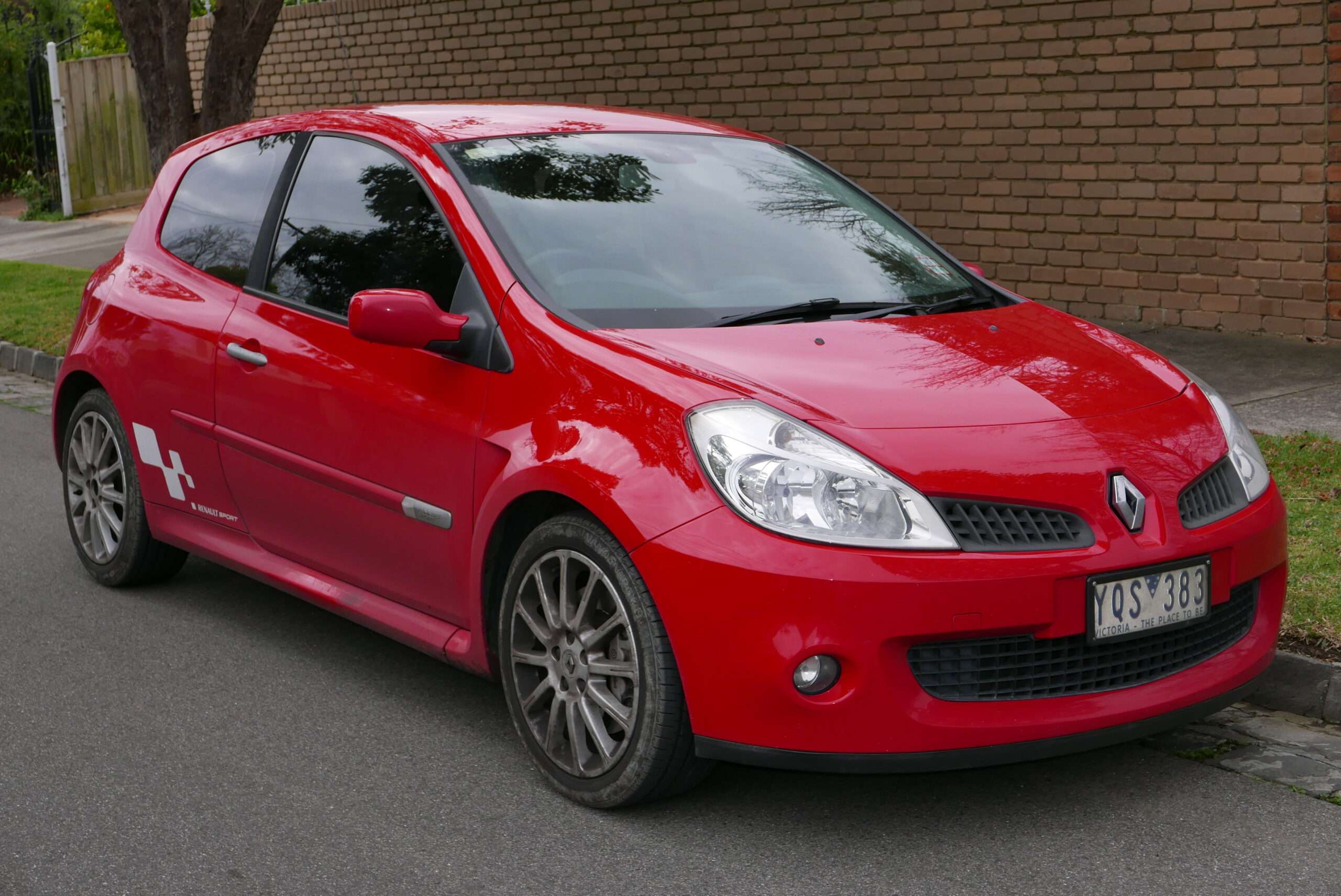
The 200 in this guide is the Clio III with a 2.0-litre naturally aspirated engine and manual gearbox. It is not the later Clio IV 1.6-litre turbocharged 200 EDC. That distinction matters more than the power number on the badge. This is documentary research, not an independently tested scanner review.
Which cars does this guide cover?
UK RHD Clio III/X85 three-door hatch, 197 2006–2009 and facelift 200 2009–2012 (later registrations identify by build); 2.0 F4R naturally aspirated petrol; six-speed manual TL4 family. Include 197 Cup/F1 Team R27, 200 Cup / Cup chassis, Gordini, Silverstone GP and Raider as equipment rows. Exclude Clio IV 1.6 turbo 200 EDC/220 Trophy, non-RS, racecars and Meglio/engine swaps.
| Variant | Scope check |
|---|---|
| 197, including F1 Team R27 and 197 Cup | Pre-facelift Clio III; identify the model, chassis package and fitted cabin equipment. |
| 200 and 200 Cup | Facelift Clio III; a Cup model and a normal car with the Cup chassis option are different descriptions. |
| Gordini, Silverstone GP and Raider | Covered as equipment variations within the same generation, not separate scanner guarantees. |
| Factory Recaro or other seat specification | Match the restraint equipment to the car rather than assuming all seats have the same sensors or airbags. |
Renault’s 2012 UK Renaultsport brochure documents the 200 range and equipment differences. Its restraint listings distinguish seat options. Renault’s later 200 EDC information explains the different turbocharged generation, which is excluded here. A later registration date alone does not move a car into the correct guide.
Quick choice: which diagnostic route fits your job?
| Your question | Route to shortlist | Check before spending |
|---|---|---|
| Engine warning or emissions information | Genuine generic EOBD handheld, such as an Autel AL519-type reader | Actual EOBD compatibility, supported protocols and the information the reader displays. |
| Airbag, ABS or another fitted controller | Renault-aware handheld: investigate genuine iCarsoft RT/FR configurations | Exact generation, engine, controller and required read function in the correct software package. |
| Several warnings, communication problems or fuller factory context | Renault specialist using legitimate CLIP | Correct CLIP pathway, interface and current entitlement; diagnosis still needs interpretation. |
| Several different makes in the household | A supported multibrand tool, such as an appropriate Autel MD808 Pro configuration | Exact coverage, model name, software and update arrangements; not just a marque logo. |
A higher-priced tool is worthwhile only when it adds information you actually need and supports your car. For a one-off specialist problem, paying for a properly documented scan may be more useful than buying hardware with uncertain coverage. None of these routes turns a fault code into a confirmed failed part.
What a generic OBD2 reader can tell you
Generic EOBD is the emissions-related baseline. On a compatible car it can provide supported engine codes, readiness information, freeze-frame context and live data. The available monitors and parameters depend on the car and reader; a menu label is not proof that the vehicle supplies that item. Keep the stored code and its status, rather than recording only an app’s simplified description.
An engine-only scan cannot establish that the ABS, restraint or body systems are fault-free. Equally, a scanner that offers an “OBDII” mode may have a separate Renault menu with additional capabilities. Check which mode was used before interpreting “no codes”.
These selected petrol generations are later than the early EOBD transition, but the boundary of generic diagnostics is still engine/emissions information. A brand-wide statement or a successful generic engine connection does not prove enhanced access to every controller. Treat the exact build and fitted equipment as part of the compatibility check.
What Renault-aware diagnostics may add
The available iCarsoft Renault V01.25 reference list names Clio II, Clio III and Mégane II families with engine and non-engine controllers. This is evidence for investigating a broader route, not proof of every Renaultsport function. Ask for confirmation against your engine, year and required controller, and distinguish ECU information, code reading, clearing and live data from commands or programming.
For a 197/200, the extra-controller questions include fitted ABS, SRS, electric steering, instrument and UCH/body or UPC/power-distribution information. Which data items are available is a separate question from whether the family appears in a coverage list. Do not promise wheel-speed, steering-angle or individual seat-sensor readouts on a particular consumer tool without exact evidence. Factory seat and other option differences remain relevant.
Owner problems: what to record before buying parts
Several warning lights and a no-start concern
A 197 owner described steering, braking, ABS, ESP and airbag warnings together with a starting problem. The reported replacement battery did not resolve the concern. This illustrates why several lamps should not be reduced to a single assumed cause. A saved report across the fitted systems is more useful than replacing a battery solely because other owners mention voltage. 197 electrical discussion.
Record the order of the warnings, the starting behaviour and recent work. Supply or communication concerns can require checks outside the scanner, while a controller report provides evidence to investigate. A scan can help organise the question; it cannot establish from the dashboard alone that the car is safe to drive or identify a failed steering component.
Airbag warnings after seat changes
A modified 197 owner reported seat-position and rear-inertia-reel circuit descriptions. The relevant lesson is to match the fault to the actual restraint equipment and changes made to the car. It is not a universal explanation for every 197 airbag light. Seat-related owner question.
Record the exact SRS wording and factory seat specification. Renault’s UK brochure distinguishes some restraint equipment by seat option, so a generic “Clio 200” answer may omit the detail that matters. Use qualified restraint-system assessment; this guide does not describe coding out or bypassing those faults.
Manual gearbox or suspension concerns
The six-speed manual gearbox and chassis still need mechanical assessment when the complaint is noise, wear or shift quality. A clean engine report is not a gearbox condition certificate. A Cup chassis badge does not establish an electronic damper test, and a handheld’s gearbox menu does not imply there is an automatic-transmission controller on this car.
Choosing a complete handheld setup
For a Renault-aware handheld, compare the exact package rather than RT/FR shorthand. The European iCarsoft comparison identifies RT V1, FR V2 and FR V3. Current FR V2.0 and FR V3.0 product information makes them credible candidates, but broad system lists are not exact Renaultsport proof. Do not silently treat an unfamiliar RT V2/V3 listing as the same product.
Before ordering, check the genuine model name, included vehicle software, cable or interface, the required controller and reading function, and the update route. These handheld routes operate without a phone or laptop during diagnosis; keeping the database current may require a PC and the package-specific connection or card reader. iCarsoft advertises free lifetime upgrades for these FR models, but the update support page directs owners to the exact serial-number package and its OS instructions.
FR V3 product advertising includes functions beyond reading. Pay more only if an exact supported function is useful to you, not because “coding” or “active tests” appears in a feature list. This guide does not promise coding, throttle adaptation, calibration, service resets or ABS bleeding on the covered cars. For an alternative multibrand route, distinguish Autel MD808 Pro from MD808 and confirm the current Renault package rather than relying on a generic all-systems claim.
Legitimate Renault CLIP: what the pathway involves
Renault’s January 2026 applicability list places the covered X65/X85/X84 generations on CLIP. The older Clio II rows distinguish ASDE and BORNEO2 routes; Clio III and Mégane II have their own entries. Match the actual row and ECU requirements to the interface. ADT is not simply a newer replacement to assume for this batch.
The official ASOS offer requires the current account, authentication token, software-module and subscription arrangements. These are separate from purchasing an interface. A Renault specialist with legitimate access is often the sensible route for an owner who needs fuller context rather than a permanent workshop setup.
Renault’s May 2026 requirements specify supported Windows editions and interface prerequisites. The listed Windows 11 64-bit or Windows 10 IoT LTSC options are not a blanket endorsement of ordinary Windows 10, macOS or virtual machines. Likewise, an arbitrary ELM327 or J2534-labelled interface is not proof of legacy Renault controller access. Use the current official requirements; avoid copied software bundles.
Your first scan: preserve evidence
Identify the car and choose the matching diagnostic entry. Record the tool model and software version alongside the original build and fitted equipment. Read and save the report before clearing anything: controller name, code, exact description, present or stored status and any supported context. If using generic mode, identify it as an engine/emissions report rather than a whole-car scan.
Then relate the information to the symptom and decide what further evidence is needed. A recurring code can guide inspection without proving a component failed. A clear report can also be incomplete if the tool did not reach the relevant controller. Reading information, clearing faults, service resets, active tests, coding and programming are different operations; availability of one does not establish another.
Stop at read-only information when the procedure is uncertain. Safety-system repair, security access, key work and unsupported configuration changes are outside this guide. Use qualified help for faults affecting restraint, steering or braking systems rather than following a code label as a repair instruction.
Love cool cars? Join Unusual Cars Club FREE!
Get forgotten motoring finds, stories, helpful car content and more.
Free to join. No spam. Unsubscribe whenever you like. See our privacy policy.
Frequently asked questions
Will a cheap reader be enough?
For a supported engine/emissions question, it may be. Confirm Renault-aware coverage when the concern is a fitted non-engine controller or the generic information is insufficient. Match the tool to that task rather than buying the largest feature list.
Does no fault code mean the car is healthy?
No. It means that the scan did not show a fault in the information it accessed. It may not have reached the controller involved, and some mechanical problems are not established by a code. Keep the scope of the report clear.
Do I need a laptop?
A supported handheld can perform its diagnostic reading independently. Updates may need a compatible PC. The legitimate CLIP pathway has its own Windows, interface and entitlement requirements; a specialist can provide that route without the owner buying the setup.
Can I use the scanner for a reset or coding?
Do not assume so. Ask for the exact function on the correct model, controller and software version. The reading routes discussed here do not establish resets, calibrations, coding, programming or active-test capability.
Does a Renault-wide coverage list prove it works on my RS?
It establishes a starting point for checking, not every function on a particular car. Build, engine, fitted module, software, interface and tool version can all change the answer.
More scanner guides and source notes
Browse all car diagnostic scanner guides for the wider directory. Each generation needs its own compatibility evidence; a recommendation for another marque or later Renault is not proof for this car.
Browse all Renault diagnostic scanner guides, or compare the guides for Clio II Renaultsport 172/182 · Mégane II Renaultsport 225/230 R26.
Sources reviewed: 14 October 2026. Product and commercial links rechecked: 15 October 2026. This guide uses Renault documentation, official diagnostic requirements, tool documentation and owner-question research. Owner discussions identify questions rather than verified causes or fault-frequency statistics. Exact functions remain subject to the qualifications above.
Key documents: Renault CLIP applicability; official setup requirements; reference controller list; current iCarsoft update route.
Photo: OSX / Wikimedia Commons — Public domain by author. Original scene retained; resized for display.