Affiliate notice: This guide contains affiliate links. As an Amazon Associate I earn from qualifying purchases.
For an Espace IV or Grand Espace with a gearbox or parking-brake warning, look for confirmed Renault controller access rather than engine-code coverage alone. This is particularly relevant to the 3.5 V6 automatic. A compatible generic EOBD reader can still help with engine-emissions information, but it may leave the transmission or parking-brake question unresolved.
Choose the simplest setup that supplies useful information for the actual car. A verified handheld can make sense for repeat use; a targeted report from a Renault specialist can be better value for one difficult fault. The warning wording, petrol engine, gearbox and original build belong at the centre of that decision.
Which Espace and Grand Espace are covered?
UK-market right-hand-drive X81 Espace IV and Grand Espace petrol MPVs, focused on 2.0 Turbo and 3.5 V6. Identify short/long body, phase, original build, actual manual/automatic gearbox and fitted equipment; petrol availability varies across the generation, so later registrations do not establish engine or phase. Excludes the naturally aspirated 2.0, all diesels, Espace III/V/VI, overseas versions and materially modified electronics.
Renault’s 2004 Espace history release identifies the fourth-generation 3.5 V6 petrol. A period French manufacturer brochure documents the 2.0 Turbo and 3.5 V6 alongside Espace/Grand Espace and transmission distinctions. That brochure is not proof that every combination was sold in every UK year or trim.
Keep the V6 identities straight: this guide concerns the 3.5-litre petrol, not the 3.0 dCi diesel. Similarly, an Espace V EDC discussion or an earlier Espace III menu cannot establish coverage for an X81 petrol car.
| Owner question | Information to seek | Coverage limit |
|---|---|---|
| Engine warning | Supported EOBD codes and engine data | Does not settle a separate gearbox warning. |
| CHECK TRANSMISSION or shifting concern | Actual automatic-transmission controller report | Exact petrol gearbox and database support required. |
| Parking-brake warning | Fitted parking-brake controller codes/status | No guaranteed service mode, release or calibration. |
| ABS, airbag or body warning | Relevant Renault controller report | Separate task from an engine scan. |
A 3.5 V6 owner report shows the diagnostic gap
In a 2005 Espace IV Phase 1 3.5 V6 automatic discussion, an owner described repeated transmission warnings and reduced operation, with a parking-brake warning also appearing. Their unspecified iCarsoft reader reported DF094 in the transmission system while reporting no injection faults. The thread did not establish a final repair.
This is a useful example of why the controller matters. It is not proof that an FR V2.0 supports every Espace IV, because the reader model was not identified. Nor does it establish that DF094 is a universal diagnosis for those symptoms, that the parking brake caused the gearbox complaint or that a suggested replacement part will fix another car.
What to request for a gearbox warning
Ask whether the reader can identify and read the actual automatic-transmission controller, rather than merely display generic drivetrain codes. Some transmission-related codes can appear through generic EOBD; the question is what additional information the enhanced route provides.
Keep the complete controller name, codes, descriptions and available status with the circumstances of the warning. Include recent work and whether there was a selection issue, a change in shifting or a noise. Those observations help frame the investigation without treating a code as a component order.
A menu showing “live data” does not establish every temperature, pressure or switch-status parameter on the gearbox. Confirm the precise information you need. Reading access also does not establish adaptations, software programming, fluid-service procedures or the mechanical condition of an automatic transmission.
Two warnings do not establish a single cause
When transmission and parking-brake warnings occur together, preserve reports from both systems where supported. The timeline can be useful, but simultaneous warnings alone do not identify which system initiated the complaint or prove a shared supply, wiring or mechanical cause.
Avoid treating a restart, code clear or temporarily absent warning as a confirmed repair. If one system cannot be read, record the limitation. A mechanic may need physical checks as well as electronic evidence; a scanner cannot certify braking or driveability from a fault list alone.
What the Espace IV iCarsoft reference actually lists
The FR V2 Renault reference separates Espace IV and Espace IV PH2. It lists transmission, ABS, airbags, UCH body electronics and parking brake, alongside other equipment-dependent systems. Its reference-only diagnostic marks support an enquiry about code reading and live data, rather than an all-build or service-function guarantee.
Identify the real phase before accepting the supplier’s answer. Grand Espace body length does not establish which controllers are fitted. Equally, a general body-electronics entry is not proof of every panoramic-roof, seat, heater or parking-assistance function. Name the actual complaint and requested reading task.
FR V2.0, generic reader or a specialist?
| Route | Required setup | Best use |
|---|---|---|
| Generic EOBD handheld | Compatible petrol-car reader; standalone operation | Supported engine-emissions codes, readiness and available engine data. |
| Renault-aware handheld such as FR V2.0 | Genuine exact hardware and current database; verify PC update package | Repeat reading of specifically confirmed X81 systems. |
| Enhanced multibrand reader | Exact model/controller coverage and update terms | Useful across several cars when Espace petrol support is verified. |
| Renault specialist using suitable CLIP | Correct interface, software entitlement and current access arrangements | A targeted transmission/parking-brake report or unresolved communication problem. |
The FR V2.0 product page describes standalone use and free software updates. Check the particular hardware package and follow the update instructions matched to its serial number. Confirm the computer operating system and USB/card-reader requirements before buying; a phone or Wi-Fi update route should not be assumed.
A generic option can be compared using the Autel AL519 manual. An MD808/MD808 Pro-type enhanced reader is a separate candidate whose exact version needs checking. Paying for extra brands or service menus is worthwhile only when those features meet a real, supported need.
Espace IV and the legitimate Renault CLIP route
Renault’s January 2026 applicability list places X81 Espace IV and its later phases on CLIP BORNEO2 and marks the family YES in the EURO5 column. This distinguishes it from older Avantime and Vel Satis entries. It remains a family-level route, not confirmation of every controller operation on your individual car.
For a home workshop, the complete setup includes legitimate software access, the correct interface, compatible Windows hardware and the applicable licence or subscription. The May 2026 prerequisites describe supported Windows configurations and interface requirements; do not assume that a generic J2534 badge, ELM327 adapter or old copied-software bundle supplies the whole arrangement.
Before purchasing, check the official Renault diagnostic offer with the provider against the actual vehicle and task. Those access costs and setup requirements may make a specialist appointment more sensible for an owner who only needs one report. ADT marketing for newer Renaults does not make it the default tool for Espace IV.
Prepare a useful Espace coverage enquiry
Specify X81 Espace IV or Grand Espace, original build and phase, 2.0 Turbo or 3.5 V6 petrol, actual gearbox and the warning you want to investigate. Ask for confirmation of controller identification, complete fault reading and any specific live-data item, with the current tool/database version stated.
Distinguish a fitted controller that will not communicate from one that returns no faults, and from equipment the car does not have. If an existing reader cannot answer, take the saved report to the supplier or specialist. Preserve evidence before clearing rather than making the original warning history harder to assess.
Love cool cars? Join Unusual Cars Club FREE!
Get forgotten motoring finds, stories, helpful car content and more.
Free to join. No spam. Unsubscribe whenever you like. See our privacy policy.
Espace IV scanner questions
Does DF094 identify the same failure on every Renault?
Do not use a short code number in isolation. The controller, full description, software context and actual symptom matter. The owner report above does not establish a universal cause or a verified replacement part.
Does parking-brake code access include brake-pad service mode?
Not necessarily. Reading, clearing, commanding, adapting and calibrating are different capabilities. Verify each service task independently and use the applicable professional procedure; none is promised here.
Will a clean scan establish that the V6 automatic is healthy?
No. A scan describes the information the supported controllers supplied at that time. Mechanical inspection and the symptom history can still be needed, even when no useful electronic fault is recorded.
More Renault scanner guides
For a different Renault parking-brake and automatic application, see the Laguna Coupé diagnostic guide without transferring its controller coverage. Browse the Renault diagnostic hub or the main car diagnostic directory for other models.
Compare related Renault guides: Avantime 2.0 Turbo / 3.0 V6 · Vel Satis 2.0 Turbo / 3.5 V6.
Sources and limitations
Research reviewed: 15 October 2026. This guide uses documentary research; Unusual Cars has not independently tested the vehicle, scanner or functions. Owner discussions identify questions and reported experiences, not fault rates, verified causes or universal compatibility. Exact functions vary by vehicle build, module, software, interface and tool version.
Check the current iCarsoft coverage route for the exact reading task. Manufacturer documentation and model-specific owner discussions are linked beside the relevant claims. A coverage-list entry does not promise coding, programming, calibration, active tests or security functions.
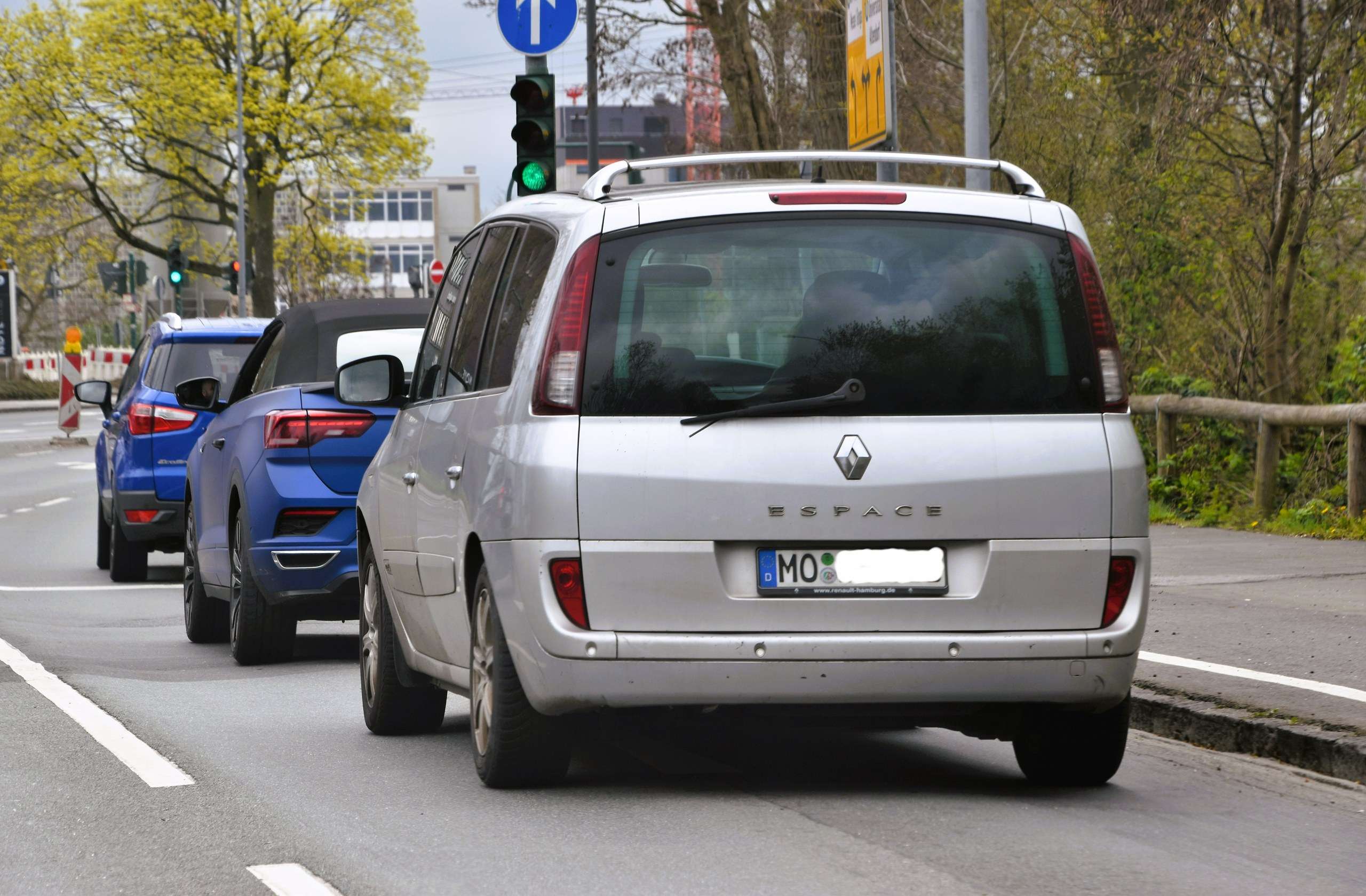
Photo: Charles / Wikimedia Commons — CC BY 2.0. Original scene retained; resized for display.