
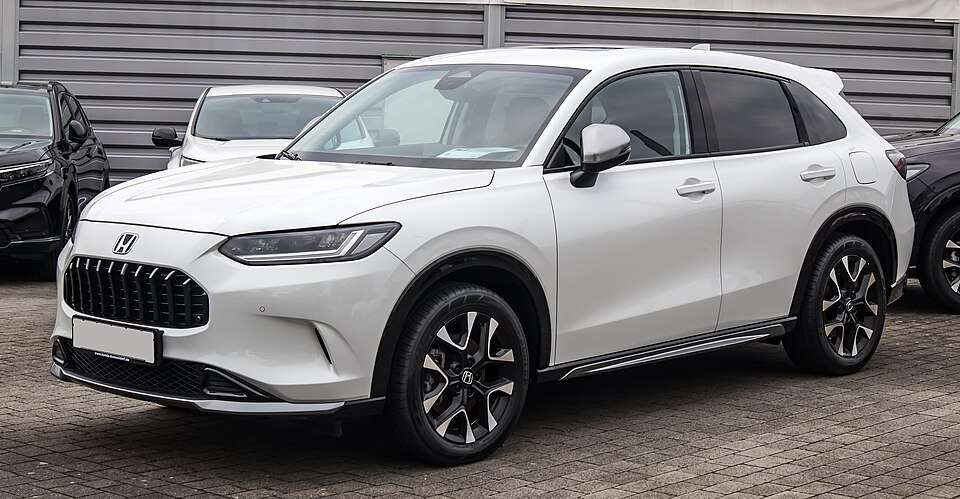
An alert from a driver-assistance feature and a warning that the system is unavailable can point to different questions. On a ZR-V, record the exact wording before choosing a scanner. A generic engine reader is useful for an engine fault and may have no access to the camera or assistance controller.
Which car does this guide cover?
UK Honda ZR-V with the 2.0-litre two-motor e:HEV hybrid, centred on the 2023 introduction. Honda documents camera and sonar functions on the ZR-V. Verify fitted equipment and exact warning wording. Do not infer coverage from a Civic, HR-V or North American model with similar styling or architecture.
What can the scanner read?
| Symptom | Scanner route | What to check |
|---|---|---|
| Engine warning | Read supported generic engine faults. | This only describes the emissions-related session. |
| Assistance unavailable message | Check the handbook and request the relevant system scan. | Ask which camera or assistance controller reported the fault. |
| Hybrid warning | Confirm ZR-V e:HEV read coverage separately. | An assistance scan does not establish hybrid controller access. |
An audible alert is not a scan result
A UK ZR-V Sport owner described lane feedback and an audible speed alert. The report concerns the owner’s experience of the features and does not document a stored fault. It illustrates why the handbook and exact dashboard wording are a better starting point than assuming every alert is a fault.
Which scanner route makes sense?
Give the vendor the exact ZR-V model year, equipment and warning. Ask whether the current tool can read faults from the named controller and display the original Honda detail. Generic Honda or hybrid support is too broad for this. Where the task is an assistance-system diagnosis, start with a workshop that can identify the controller and provide a report.
Love cool cars? Join Unusual Cars Club FREE!
Get forgotten motoring finds, stories, helpful car content and more.
Free to join. No spam. Unsubscribe whenever you like. See our privacy policy.
What to keep from the scan
Record the wording, when it appeared and whether the feature was operating normally before the message. Tell the workshop about recent glass, body or alignment work if relevant. Keep the named module and raw code. Leave calibration or other changes to a suitably equipped repairer.
Does a driver-assistance beep mean I need a scanner?
Check the handbook for the exact alert first. If it reports a fault or the system becomes unavailable, a scan of the named controller can provide evidence for a workshop assessment.
Affiliate link. As an Amazon Associate I earn from qualifying purchases.
iCarsoft’s grouped ZR-V listing includes camera fault-code reading and live data. It does not identify coverage for every assistance warning or the exact UK 2.0 e:HEV build. Confirm the named controller and read function before buying. Check iCarsoft’s coverage listing.
Sources and research method
Honda model documentation. Owner discussion behind the example. iCarsoft vehicle and function checker groups model ranges. Confirm exact build and function coverage before relying on a listing.
Documentary research reviewed 10 November 2026. The reported cases illustrate symptoms. Diagnostic functions can vary with build, module, software, interface and tool version.
Browse the Honda diagnostic scanner guides. Read the Honda HR-V e:HEV scanner guide.
Photo credits
ZR-V e:HEV Advance shown for model identification. Market equipment may differ. Photo by © M 93, Wikimedia Commons, CC BY-SA 3.0 Germany. Locally hosted and resized for display.
