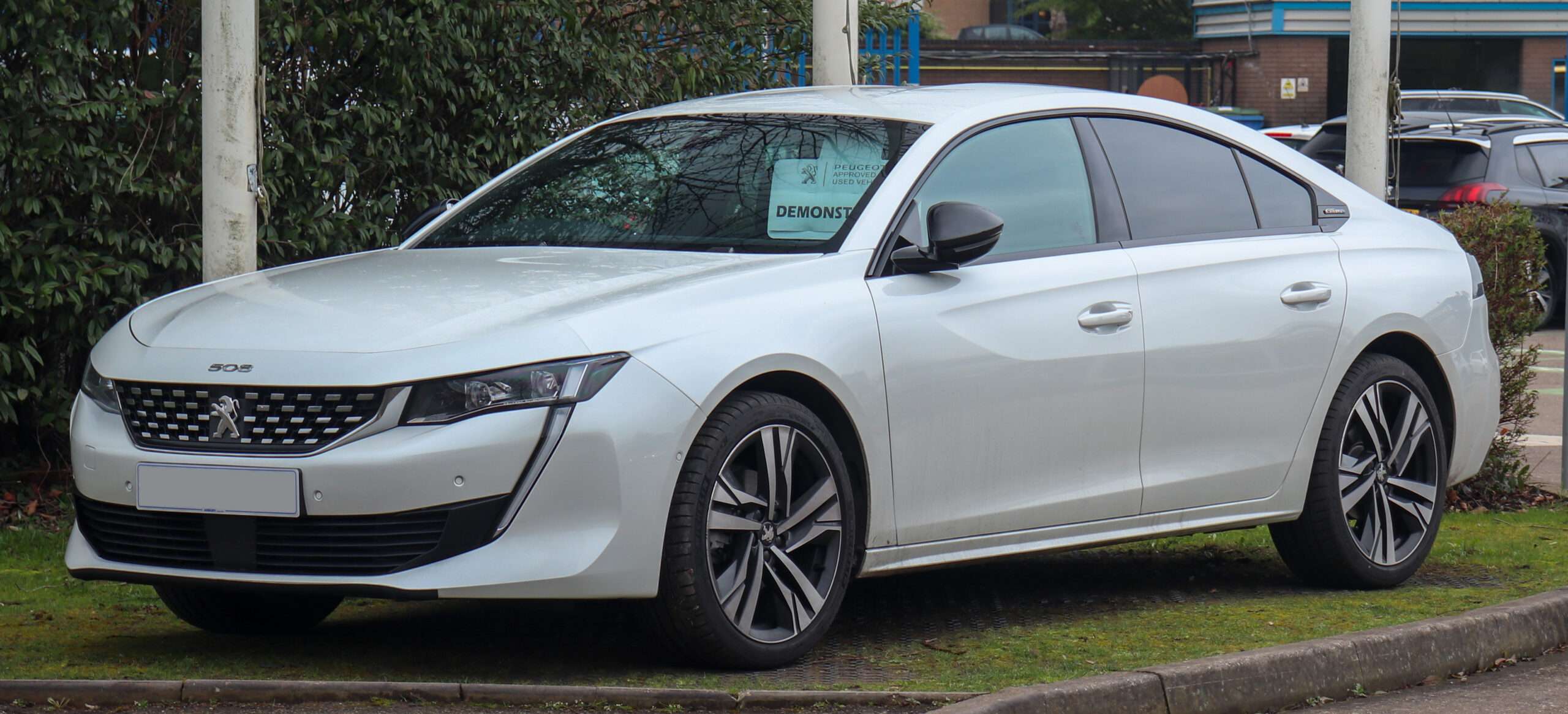
Choosing a scanner for a Peugeot 508 Mk2 means separating genuine R8 coverage from a general 508 listing. If your car has an AdBlue, parking-brake or driver-assistance warning, the useful question is which fitted system the tool can actually read.
This guide helps you choose useful diagnostic access before spending money. Start with the warning and the system you need to read, then match the tool to the exact vehicle.
Which Peugeot 508 Mk2 does this cover?
This guide covers UK second-generation R8 Peugeot 508 fastback and SW models with factory non-hybrid petrol or diesel engines. It excludes plug-in hybrids, Peugeot Sport Engineered hybrid versions and conversions. First-generation 508 coverage is not evidence for this generation.
Record the engine, build date, gearbox and fitted equipment. A system described in the handbook may not be installed on every car. Where a handbook includes several powertrains, use only the sections applicable to the non-hybrid vehicle being investigated.
Basic OBD2 or Peugeot-specific diagnostics?
Generic OBD2/EOBD is limited to supported emissions-related information. It does not establish access to ABS, airbags, body electronics or every transmission function. Confirm those systems separately.
Is iCarsoft FR V3.0 a suitable option?
The checked iCarsoft list has no explicit R8 selection. A general 508 entry does not verify Mk2 coverage. Require written exact-car confirmation before choosing this tool.
FR V3.0 is a candidate to check with the supplier. Ask for the exact build, engine, system and current software. Fault reading, service operations, coding and calibration require separate confirmation.
Match the scanner to the warning
BlueHDi AdBlue warning or starting countdown
Record the exact message and any remaining starting allowance. Distinguish a level warning from an emissions-system fault and tell the workshop about recent top-ups or repairs. Keep the original information before anything is cleared.
Ask which faults and relevant measurements the reader can retrieve from the fitted engine and emissions equipment. A DPF menu does not prove SCR/AdBlue coverage. For an urgent countdown, a diagnostic appointment may be more useful than waiting for a tool whose coverage is still uncertain.
ABS, airbags and electric parking brake
Ask separately for the fitted braking/stability system, SRS and parking-brake-related access. A reader reaching the engine has not necessarily checked any of them. A useful report states which systems successfully communicated.
For brake maintenance, confirm the exact function and procedure independently of fault reading. Do not infer that an EPB label guarantees every maintenance operation. Follow the handbook’s warning instructions whenever normal braking or parking is affected.
Gearbox and fitted suspension systems
Specify the actual transmission and the required diagnostic function. An automatic tick box in a generic model list is not enough. Note whether the complaint occurs during selection, changing gear or after the vehicle warms up.
The handbook also describes Active Suspension Control for equipped versions. If that is the complaint, identify whether the feature is fitted and request its own coverage check. A conventional suspension inspection and electronic fault reading answer different questions.
Cameras, parking aids and driver assistance
Name the particular feature: parking sensors, a camera, lane assistance or another fitted aid. These systems require their own diagnostic enquiry. Ask what can be read, what cannot be accessed and whether the result can be saved.
Fault reading and calibration are separate capabilities. Tell the workshop about windscreen, bumper, wheel alignment or suspension work associated with the warning. Do not assume a general all-system description establishes safe calibration, coding or software-update support.
What to ask before buying
Write down the job you want the reader to do. Reading and saving fault information is a clearer requirement than asking for a tool that does everything. Confirm genuine supply, support, update arrangements, any extra costs and return terms before ordering.
“My car is a UK Peugeot 508 Mk2 [build date], with [engine] and [gearbox]. Can this exact reader and software read and save faults from [named system]? What relevant readings are available, and which functions are not supported?” Keep the supplier’s written answer.
Keep a report the garage can use
Photograph the warning and note when it appeared: cold start, moving off, motorway driving or after recent work. Preserve complete codes, descriptions, reporting computers and fault status before anything is cleared. Ask for a copy rather than a verbal summary.
Check whether each requested system actually communicated. “No faults found” after a successful connection and “system not accessed” mean different things. A report that omits a system cannot establish that it is fault-free.
When a workshop makes more sense
For a one-off, urgent or complicated problem, compare the tool purchase with an appointment at a Peugeot-experienced workshop. Ask what diagnostic access is included and whether you will receive the report. Suitable legitimate equipment and an experienced technician may be more useful than a long feature list.
Follow the correct handbook for warning urgency. A scanner cannot confirm that the car is safe to drive. Leave coding, actuator operations and safety-system procedures to someone equipped and competent to carry them out; this guide is about choosing diagnostic access.
Love cool cars? Join Unusual Cars Club FREE!
Get forgotten motoring finds, stories, helpful car content and more.
Free to join. No spam. Unsubscribe whenever you like. See our privacy policy.
Peugeot 508 Mk2 scanner FAQs
Does this include a 508 plug-in hybrid or PSE?
No. Both are outside the non-hybrid petrol/diesel scope of this guide.
Is a general 508 entry enough for the R8?
No. Obtain confirmation for the Mk2 generation, exact vehicle, system and current tool software.
Will a scanner calibrate the cameras?
Do not assume so. Calibration is a separate procedure requiring confirmed equipment and competence.
← Browse all Peugeot diagnostic scanner guides
Sources
- Peugeot handbook for this model generation — choose the edition matching your car
- iCarsoft Europe FR V3.0 product information
- iCarsoft Peugeot diagnostic function list
- Snap-on: generic OBD-II/EOBD scope
Unusual Cars has not independently tested these vehicles, scanners or functions. Manufacturer and tool documentation informs this guide; compatibility, software and availability must be confirmed for the exact car before buying.
Photograph: Vauxford / Wikimedia Commons, CC BY-SA 4.0. Representative model photograph; national specifications and equipment may differ. Displayed thumbnails may be cropped. The photograph and its cropped display remain under the same licence.