Browse all Citroën OBD2 and diagnostic scanner guides
A first-generation Citroën C3 can be an inexpensive car to own, but buying parts because a scanner mentions them is an expensive way to diagnose it. The useful question is whether the tool can read the system responsible for the symptom, and whether its data can guide a proper test.
A basic OBD2 reader may suit an engine warning on a compatible C3. Electric power steering, ABS, airbags and automatic or automated gearboxes need their own confirmed coverage. Early HDi compatibility deserves a separate check before you buy even a simple reader.
Make sure it is the original C3
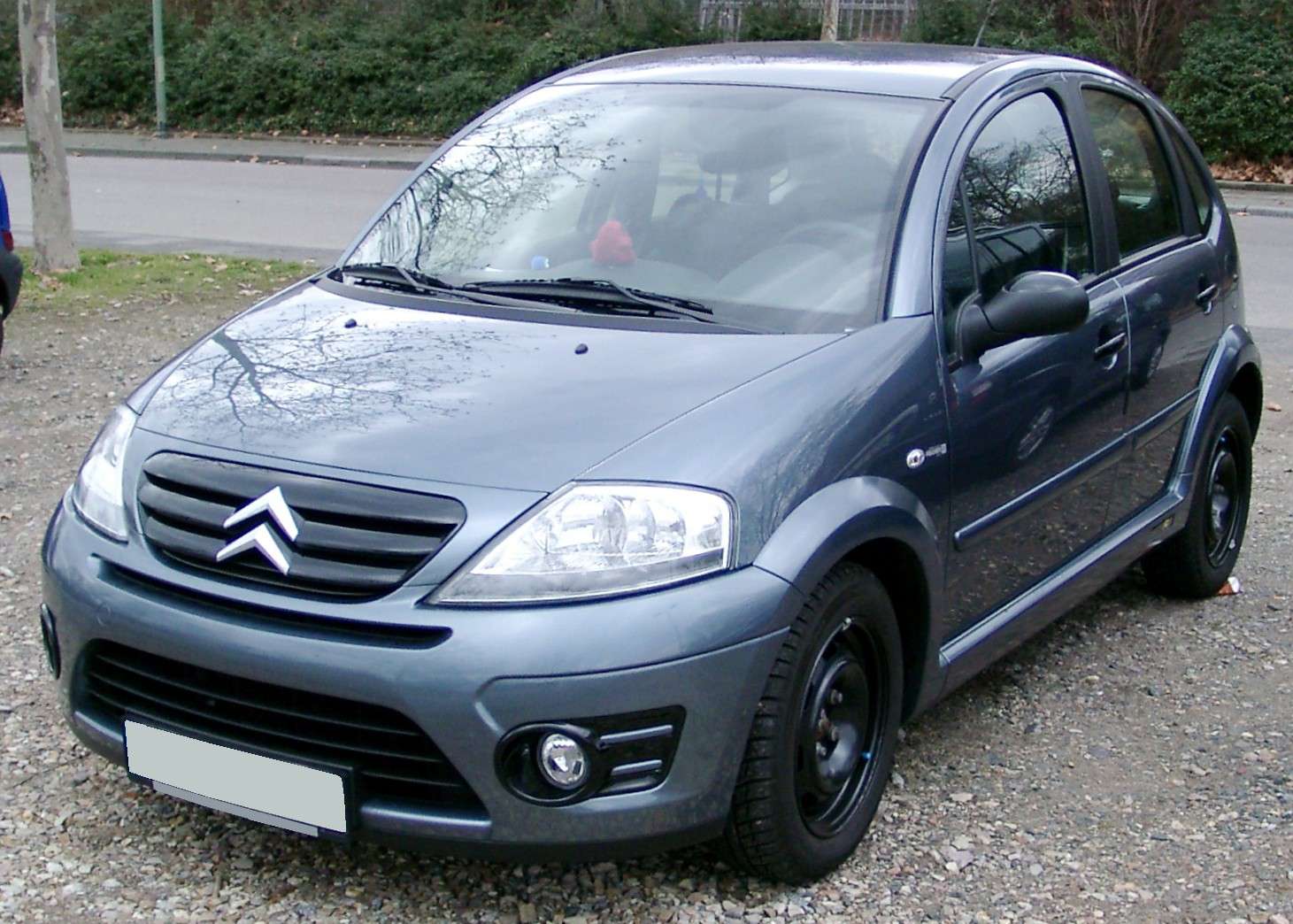
This guide concerns the rounded first-generation C3 hatchback, introduced in 2002 and replaced by the next generation in 2009. It does not cover the C3 Pluriel’s folding-roof systems, the C3 Picasso MPV, C3 Aircross or later C3 hatchbacks. Registration dates can overlap generation changes.
Record the engine code, fuel type, build details and gearbox. A petrol manual, an early HDi and a SensoDrive-equipped car can require very different diagnostic support. If the car is an import, tell the supplier its market too. A model appearing in a scanner menu is a starting point, not proof that every fitted ECU and service routine is accessible.
Early HDi and generic OBD2 compatibility
The 16-pin connector is a physical connection, not a guarantee of universal software compatibility. Early European diesels are particularly poor candidates for assumptions based on US-market “1996 onwards” advertising. Check the precise C3 engine and year against the reader and app you intend to use.
If a generic reader will not connect, do not immediately condemn the engine ECU. The selected protocol, ignition state, supply at the socket, cable or adaptor and actual software coverage all need consideration. A supported Citroën diagnostic session may work where a generic app cannot. Conversely, one successful engine connection does not demonstrate access to brakes or steering.
Which diagnostic route makes sense?
| What you need | Suitable starting point | What to verify |
|---|---|---|
| Engine warning light and emissions data | A reputable generic OBD2/EOBD reader | Compatibility with the exact engine and year; supported live data |
| ABS, airbag, body or gearbox faults | A Citroën-capable multi-system scanner | The particular control unit must be supported, not merely the brand |
| Actuator tests or maintenance procedures | A tool with confirmed support for that individual operation | Vehicle conditions, software version and the correct repair procedure |
| ECU replacement, configuration or software work | A Citroën specialist with appropriate equipment and access | Required programming, security access and stable power supply |
Electric power steering: why an engine scan is not enough
The original C3 uses electric power assistance. Citroën’s technical material describes an assistance motor controlled by a dedicated ECU, with assistance related to vehicle speed and steering torque. It also identifies a configuration requirement after replacement of the steering ECU. These are good reasons to check steering-system coverage specifically.
If assistance becomes intermittent or unusually heavy, stop treating the issue as simply an engine-management question. A supported steering scan may provide useful faults and data, but supply, earths, wiring and the mechanical steering components still require examination. A low-voltage event can be relevant without proving that the battery is the only cause.
Ask whether the proposed scanner can read the steering ECU on your build and show relevant information. If replacement or configuration is involved, ask about that separate operation. Do not assume a “steering angle reset” icon performs steering-ECU replacement configuration. They describe different tasks, and a tool can support one without supporting the other.
Heavy or unpredictable steering affects safe control. Arrange proper assessment rather than repeatedly clearing codes to see how long the assistance lasts. A warning disappearing after a restart does not establish that the fault is repaired.
Petrol engine lights and HDi loss of power
For petrol rough running, record the full code and freeze frame before replacing ignition or injection parts. Misfire, mixture and oxygen-sensor descriptions identify a detected condition, which can have more than one cause. Supported coolant-temperature and fuelling data may help, but mechanical checks remain essential.
For HDi symptoms, relevant fuel, airflow and boost information can help narrow the investigation where available. A code description containing “pressure” is not sufficient reason to buy a pump or turbo. Compare the recorded conditions with an appropriate repair procedure and inspect the associated wiring and air or fuel system.
Do not assume every HDi has identical particulate-filter equipment. Confirm the fitted system before looking for regeneration, additive or filter-reset functions. These operations are not substitutes for diagnosing an underlying problem, and this older generation should not be treated as a modern BlueHDi AdBlue vehicle.
SensoDrive and other gearbox versions
Some C3s use SensoDrive, an automated manual arrangement. Others have a manual or a conventional automatic, depending on specification. Identify the transmission correctly rather than relying on an advert describing the car as “auto”.
When gear selection or starting authorisation is the complaint, a gearbox scan can be far more useful than an engine-only code list. Ask about access to transmission faults and relevant selector, brake-input or clutch data where supported. An apparent gearbox problem can involve electrical inputs as well as mechanical wear.
Clutch learning, actuator operation and configuration are additional capabilities, not automatic consequences of being able to read codes. Avoid initiating learning procedures on a car with unresolved voltage, wiring or mechanical problems. A specialist with appropriate equipment and the correct procedure is often the better route for an immobilised car.
ABS, airbag and body-system faults
For an ABS lamp, look for confirmed ABS access and useful live data. A discrepancy between wheel-speed signals can narrow the search, but still requires inspection of the signal path. For airbags, read the restraint ECU and use safe repair methods; never substitute bypass resistors for a repair.
With locking, lighting or display complaints, check what body-system access the scanner actually provides. Some problems will not set a useful fault code, and basic electrical tests remain necessary. Preserve evidence before trying resets, especially if several symptoms began after a battery problem or previous repair.
Is the iCarsoft FR V3.0 worth considering?
The iCarsoft FR V3.0 is a sensible candidate to investigate if you want a standalone scanner for a Citroën rather than just a basic engine-code reader. The manufacturer describes multi-system diagnosis, live data and active tests, but also states that individual functions vary with model, year and ECU configuration. That qualification matters more than a long list of reset icons.
Before buying, send the supplier your model, build year, engine, gearbox and the job you actually need to do. Ask for confirmation of both control-unit access and the specific function. Reading gearbox fault codes, displaying clutch information and performing clutch learning are three different capabilities. A reply saying only “works with Citroën” does not answer that question.
Check the exact product supplied, genuine-unit support, update arrangements and return terms. Our Amazon links open search results, so listings, sellers and alternative models can change. Compare the actual listing carefully; this guide is not a hands-on test of every scanner and vehicle combination.
A useful first scan, step by step
- Record the symptoms. Note the warning wording, whether the engine is cold or warm, recent repairs and whether several lights appeared together. Photograph the dashboard before changing anything.
- Check the basics. A weak 12-volt battery, poor connections or damaged wiring can complicate diagnosis. Address an obviously unstable supply before interpreting a screen full of communication faults.
- Connect carefully. Locate the 16-pin diagnostic socket using the handbook for the actual car. Connect with the ignition off, then follow the scanner’s ignition prompts. Do not force trim or bridge socket pins.
- Select the correct vehicle. Check any automatic identification. If it fails, use the supported manual selection for the correct model, engine and ECU; do not pick a similar car merely to make a connection.
- Save the evidence. Record full codes, descriptions, the reporting module, present/intermittent status and available freeze-frame data. Save the full scan before erasing anything.
- Test the suspected circuit. Use the relevant live data and a proper repair procedure. A code identifies a detected problem; it does not prove that the component named in its description has failed.
- Verify the repair. Clear only when appropriate, repeat the relevant checks and scan again after a safe drive if needed. Readiness monitors may need time to run after codes are erased.
Do not handle a scanner while driving. Record data securely or use a passenger where a road test is genuinely necessary. A red STOP warning, overheating, low oil pressure or unsafe braking needs immediate attention; a scanner cannot give permission to keep driving.
C3 Mk1 scanner questions
Can the same scanner cover a C3 Pluriel?
Some common systems may be supported, but this guide does not establish roof-system coverage. A Pluriel roof fault needs an explicit check for that model and system, plus the correct mechanical assessment.
Will clearing codes restore power steering?
A clear command does not repair a supply, motor, wiring or ECU fault. Diagnose the cause and verify the repair. Temporary improvement after a restart or clear is useful evidence, not proof of a cure.
Should I buy a scanner for one warning light?
A reliable engine reader can be useful for recurring basic checks. For a one-off steering or SensoDrive problem, first compare the tool’s confirmed capability with the price of a proper specialist diagnosis.
Our recommendation: for the C3 Mk1, put exact early-diesel compatibility and steering or gearbox access ahead of the number of advertised reset functions.
Sources and further reading
- Citroën manufacturer documentation: C3 Mk1 equipment and operating information (manufacturer material reproduced by MyCarUserManual; match the edition and fitted equipment to your vehicle).
- iCarsoft FR V3.0 official product information and compatibility qualifications.
Featured photograph: Rudolf Stricker / Wikimedia Commons, CC BY-SA 3.0. Displayed to fit the page; the photograph may be cropped by the theme. Scanner banner: illustrative artwork.
Love cool cars? Join Unusual Cars Club FREE!
Get forgotten motoring finds, stories, helpful car content and more.
Free to join. No spam. Unsubscribe whenever you like. See our privacy policy.