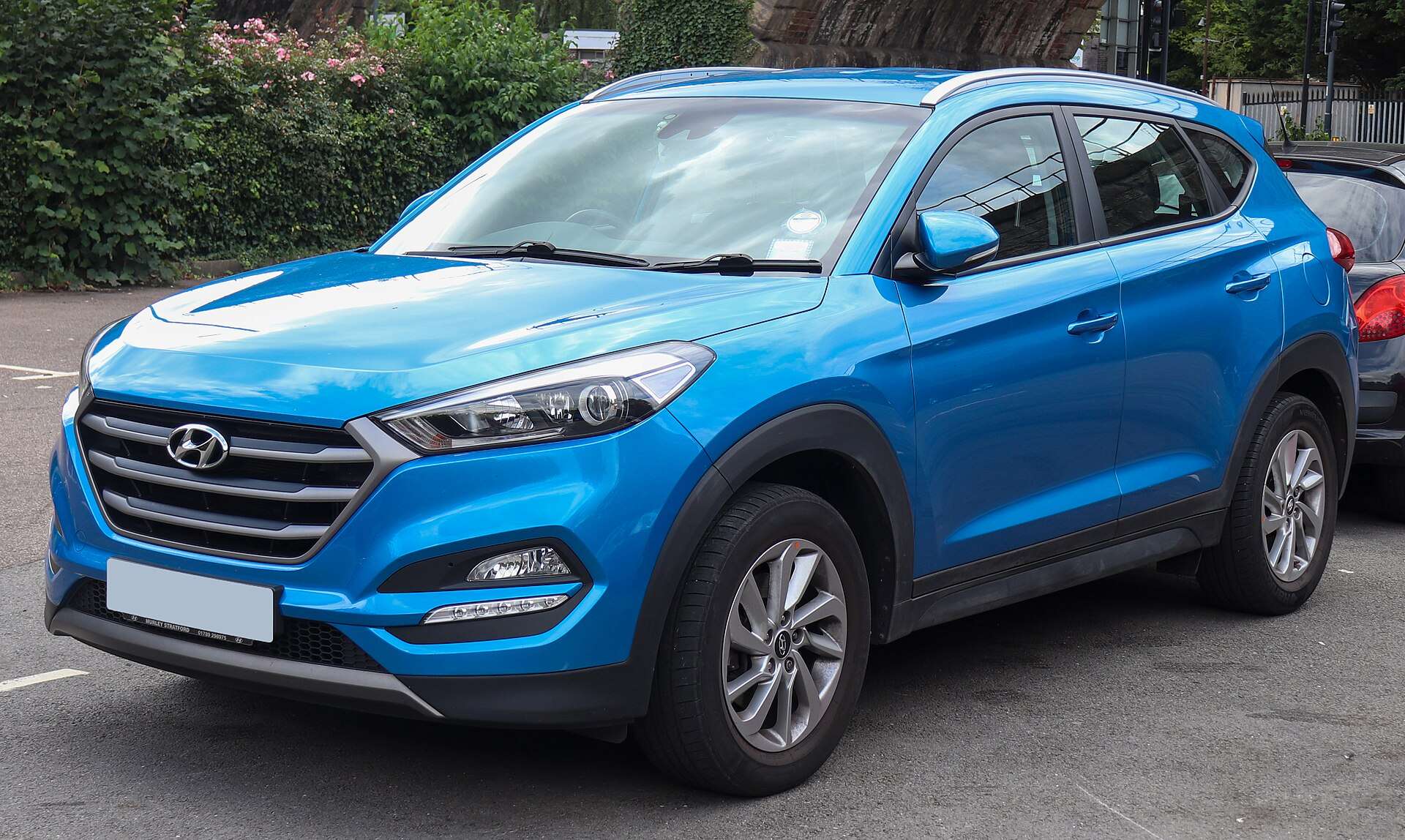
A Hyundai-specific scanner gives you a way to ask your Tucson what happened while the evidence is still fresh. You can keep a report when a warning appears, see which systems noticed it and take that record to the garage. If you plan to keep the car, the same reader can help with the next warning and give you something to compare after a repair. That can be a worthwhile investment even if you leave every spanner in the toolbox.
What do you gain over an engine-code reader?
Think of the diagnostic socket as one entrance to several systems. The generic engine menu can tell you about an emissions fault. Hyundai software with the right TL coverage can also ask the brake controller what each wheel is doing. Some tools can display those four readings side by side. That lets you see whether one wheel tells a different story from the other three.
When comparing readers, ask the seller to show you the four individual channels for your build. A display labelled “vehicle speed” can look convincing on the box, yet it gives you just one number. If you already own an engine reader, those extra channels are a concrete reason to consider upgrading. Here is how they change the conversation after a visit to a tyre or bearing fitter.
Which Hyundai does this cover?
This guide concerns the TL Tucson sold in the UK from 2015 to 2020. Identify the build date and whether yours drives the front wheels or all four. A registration year at the changeover can cover different generations. Give the workshop the VIN and the invoice for any recent work, including the part number and the corner worked on.
Why two warning lights can lead back to one wheel
ABS and stability control both need to know how the wheels are moving. A missing or erratic signal can therefore give you more than one warning. A basic emissions reader may communicate quite happily with the engine and return a clean report. Look for a tool that can name the ABS/ESC controller, read its faults and display all four individual speeds together. A single vehicle-speed figure on the engine screen cannot identify an outlier.
What the fault report can tell you
Read the description as well as the identifier. The Haynes UK reference for this generation illustrates how narrowly a complaint can be located. The following are catalogue examples. Use the Hyundai description from the controller actually fitted to your car before deciding on a test.
- C0556 — Haynes lists an incorrect-component indication for the right-front wheel-speed sensor. Check what was fitted against the build specification.
- C0557 — the corresponding catalogue entry identifies the left rear. Compare that corner with the invoice and recorded speeds.
- C0558 — the right rear is identified. A corner named by the controller tells the technician where to look first. It does not establish who caused the fault.
An open- or short-circuit description raises a different question from an intermittent speed reading. In the first case the garage can check the circuit and connectors. In the second, ask whether the signal disappears at a repeatable wheel speed and whether the target the sensor reads was disturbed during the work. Record the actual suffix if the tool supplies one.
Like our guides and unusual cars?
Get forgotten finds, useful motoring content and the most interesting car stuff from us by email.
Free to join. No spam. Unsubscribe whenever you like. See our privacy policy.
Worked example: the light first appears as you pull away
Imagine the car had a left-rear bearing replaced on Friday. The lamps come on shortly after moving on Saturday. The reader reaches the brake controller and identifies the left rear. A technician records three wheel speeds rising together, while the left rear stays at zero and then jumps. That sequence is more useful than a screenshot taken with all four wheels stationary at zero.
The next decision is whether the sensor circuit, installation or target explains that trace. Take the graph and the invoice back to the fitter. Ask which check shows that a replacement sensor would correct it. If the reported corner is actually the right front, keep the timing of the bearing job in the history but follow the evidence to the right front. The driver should never watch a scanner while driving.
What to save for the workshop
Keep the full scan, module identity, corner stated as left or right, active or stored status, mileage and any graph the workshop can obtain safely. Record whether the warning appears at key-on or after moving. With a red brake warning, changed pedal feel or impaired braking, stop safely and arrange assistance.
Is it worth buying a scanner for this job?
If the fitter will recheck the work and supply a four-channel trace, that appointment may answer the immediate question. Buying makes more sense for an owner who wants to capture an intermittent warning on repeat occasions. Before paying, ask specifically about simultaneous wheel-speed display for your TL, not simply whether the product reads ABS.
If you are considering the iCarsoft JP V3.0, give the supplier your model year, UK specification and drivetrain. Ask for the coverage entry for the ABS/ESC unit on your TL and the data described above on the software version supplied. Check whether you can export a report or need to photograph each screen. Check the iCarsoft product specification.
Sources and related guides
Haynes UK Tucson 2015–2020 fault-code reference
Browse the Hyundai diagnostic scanner guides
Like our guides and unusual cars?
Get forgotten finds, useful motoring content and the most interesting car stuff from us by email.
Free to join. No spam. Unsubscribe whenever you like. See our privacy policy.
Featured photograph: 2015 Hyundai Tucson SE Nav CRDi 2.0 Front, Vauxford, CC BY-SA 4.0.