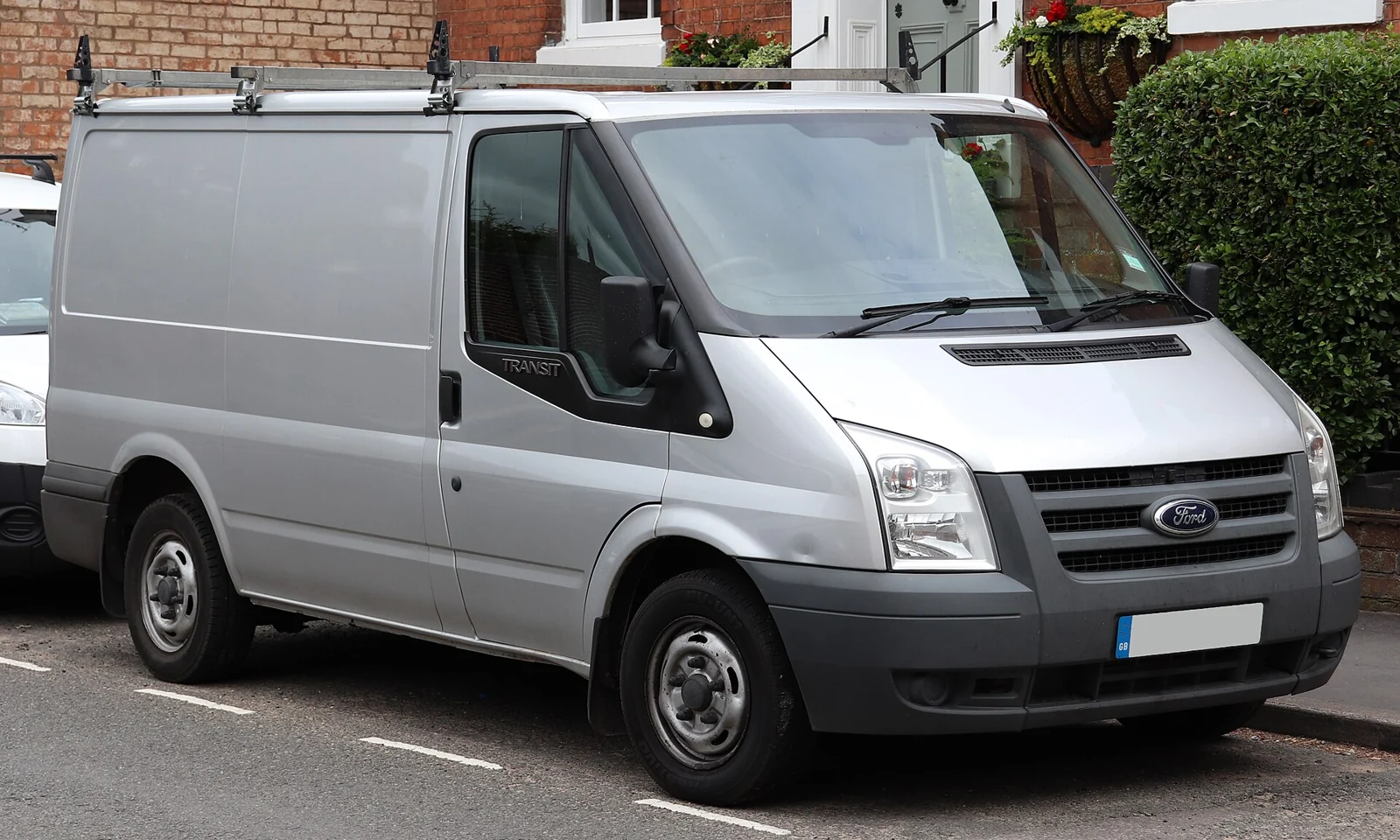
A UK Transit Mk7 scanner should help you save useful fault information and decide what to investigate next. A basic engine reader may answer an emissions-light question; Ford-aware reading is worth evaluating when the warning or connection problem needs more context.
Start with the full-size van’s actual engine, build and factory equipment. The Mk7 nickname, a camper conversion or a later registration does not establish that it shares a Transit Custom’s diagnostic scope.
Which UK Transit Mk7 does this guide cover?
This guide covers the UK-market full-size Transit TT9 generation commonly called Mk7, from 2006–2014, with core factory 2.2 or 2.4 TDCi diesel engines and manual gearboxes. Vans and chassis-cab derivatives are included, as are the base-vehicle systems of relevant camper conversions. Record the actual drivetrain, build and emissions equipment. A registration near a generation change needs particular care.
The Ford July 2008 Transit handbook, held in an archive identifies the earlier 2.2/2.4 family and has separate engine and safety-warning guidance. The July 2012 TT9 handbook applies to a later dated build group. These documents give useful identity anchors, rather than a promise that every engine, drivetrain or filter combination appeared throughout the whole run.
This is not the smaller Transit Custom, Transit Connect or Courier, the earlier Mk6 or the replacement Mk8. The 3.2 diesel, petrol/CNG/LPG models, non-UK imports and conversion habitation electronics are outside scope. Do not import EcoBlue, AdBlue or scanner advice from a newer van merely because it carries a Transit badge.
Quick guide to the diagnostic routes
| Route | Useful starting point | Device and connection | Access and limits |
|---|---|---|---|
| Reputable generic EOBD/OBD2 reader | Emissions-related engine warning and an initial code record | Handheld reader or supported phone adapter and app | Standard engine codes and data supplied by the car. No assumption of ABS, airbag, body or gearbox coverage. |
| FORScan for Windows + OBDLink EX | A broader Ford-aware investigation | Supported x86/x64 Windows laptop; USB interface and correct driver | Officially recommended interface route. Additional modules and PIDs depend on the connected Transit Mk7; no fixed module inventory or service-function promise. |
| FORScan Lite + OBDLink MX+ | Phone or tablet diagnosis | Supported iOS/Android device; compatible Bluetooth interface | Read codes and parameters where supported. Lite does not offer configuration/programming; it is not a duplicate of Windows Extended. |
These routes answer different needs. Buy access to the system you need to investigate, rather than the largest advertised list of functions.
What generic OBD2 can tell you
Where the van supports the relevant emissions OBD services, a reputable compatible generic reader can be useful for an engine warning. Confirm commercial-vehicle applicability instead of borrowing a passenger-car diesel cut-off date. The standard emissions OBD baseline covers information supplied through those diagnostic services, rather than every controller in the car. Depending on the vehicle and reader, you may obtain stored or pending codes, freeze-frame context, readiness status and standard live readings.
Keep the raw code and its status. A label mentioning a sensor, pressure or circuit does not identify the failed part. A scan should help choose the next check, rather than turn a description into a shopping list. Clearing information too soon can remove useful context and affect readiness.

Why a warning can remain when the reader says no codes
Find out which systems the tool queried. A blank engine-emissions result does not exclude a fault recorded by a brake, restraint, body or transmission controller. An intermittent warning also needs its timing and symptoms recorded.
Some generic readers display manufacturer-specific powertrain codes returned by the car. The distinction is therefore not that all Ford codes are invisible: it is that wider vehicle services and data require the appropriate coverage.
What Ford-aware diagnostics may add
FORScan is a Ford-aware route to evaluate when the basic scan leaves an important question unanswered. It can provide additional diagnostic information on supported vehicles. Exact access depends on the fitted system, build, interface and software.
This guide does not verify a complete module list, a particular parameter or a service command for every covered car. Save the names of the controllers that actually respond. A handbook feature, related Ford model or adapter network specification does not establish that the same scan function is available here.
Transit Mk7: the scanner will not connect
A Transit owner’s 2006 2.4 TDCi connection question describes an ELM-labelled adapter that did not produce the expected result. It is evidence of a buying and setup problem, not proof of a defect in every adapter or van.
Keep the exact connection error, interface model, application/version, ignition state and vehicle identity together. A unit lighting up establishes very little about whether the required communications are working. Separate failure to identify the van from a connection that succeeds but reads only some information.
Confirm the correct software, genuine interface and driver/device pairing before making a vehicle diagnosis. If a documented setup still cannot communicate, the base vehicle may need proper diagnostic-port, power-supply or communication checks. This article gives no pin-bridging recipe and no assumption that replacing the adapter fixes a wiring problem.
Warning lights, reduced power and stored codes
Record the warning itself, when power changed and whether the engine runs abnormally. A report containing several stored codes needs its status and history retained; it is not a list of parts to replace. Recent battery, wiring or other workshop work is useful context.
A supported Ford-aware scan may return information a basic engine query did not request. Save the responding controller names and raw codes. A communication code, injection-related description or pressure label still requires investigation against the correct engine information. Do not reset or recode injectors simply because a forum discussion includes that procedure.
Does your Mk7 have the relevant DPF equipment?
Establish factory filter fitment and the van’s actual build before asking for DPF readings. A range handbook covering a filter does not prove that every van described by the same nickname has one. Previous modifications are a further reason to verify the vehicle rather than infer equipment.
Where supported filter-related information is available, keep its labels, units and operating conditions. A value copied from a different engine or emissions version is not a reliable pass/fail threshold. This guide verifies no universal soot, pressure or temperature limits and supplies no forced-regeneration commands.
Follow the matching handbook’s response to a warning. A road-driving suggestion or a scanner menu is not permission to attempt regeneration when the engine has an unresolved fault or unsafe symptoms. Clearing a warning cannot establish filter condition or repair a mechanical cause.
Starting problems and warnings from other systems
For a no-start or difficult-start complaint, record whether the starter turns, the dashboard messages, any supported fault information and recent work. These observations help distinguish the question without assuming a fuel, immobiliser or electrical cause. Keys and PATS programming are outside this reading guide.
A generic emissions scan can leave ABS, restraint, body or other fitted-system questions unanswered. Seek exact system-reading coverage, not a headline promising every Ford module. A blank report does not overrule a safety warning or certify that the van is fit to continue driving.
The early handbook separates engine, brake and oil-pressure warnings. Use the actual warning and your own handbook to decide on safe stopping and assistance. Serious braking, steering, oil-pressure or overheating symptoms take priority over collecting more data.
Camper conversions: base van versus habitation systems
A Ford-aware scanner deals with supported base-vehicle controllers. It is not a universal reader for the conversion’s leisure battery system, heater, fridge, solar controller or added alarm. Establish who supplied the equipment and which documentation applies.
For a base-van problem, keep the conversion history with the diagnostic record. Added wiring or equipment is context for a competent inspection, not evidence that the conversion caused the fault. Do not bypass safety circuits or disconnect unfamiliar equipment as a diagnostic shortcut.
FORScan: Windows and mobile routes
Windows with a USB interface
The proposed laptop route is current FORScan for Windows with a genuine OBDLink EX USB interface. OBDLink’s EX specification documents the hardware connection and Ford HS-CAN/MS-CAN support. Those interface features are useful selection evidence; they do not promise that every fitted module will respond.
Check a supported x86/x64 Windows computer and the correct driver before purchase. FORScan’s published support excludes Windows ARM. Install from the official source and confirm the detected vehicle before relying on a report.
FORScan Lite on a phone or tablet
The proposed mobile route is current FORScan Lite with OBDLink MX+ on a supported iOS or Android device. The MX+ manufacturer specification provides device and connection information. Check the exact app, operating system, genuine interface and firmware together. The OBDLink application supplied with the adapter is separate from FORScan Lite.
FORScan’s platform comparison lists code and parameter reading for Lite and ordinary Windows diagnostics. An Extended licence is not required simply to start reading codes. Lite does not offer configuration/programming, and neither a paid licence nor an available menu establishes a vehicle-specific service function.
Handheld readers and inexpensive dongles
A handheld tool may suit an owner who wants no laptop. Ask its supplier for a coverage record for your exact UK car and the warning system you need. This article has not verified an enhanced handheld alternative across the entire scope.
FORScan discourages generic adapters sold as ELM327 because quality and functionality vary. A low price or a Ford-compatible label is insufficient evidence of reliable enhanced access. Choose the documented interface/application pair and check the seller’s UK support and return terms.
A useful scan starts with a saved record
- Park safely. Record the complete warning, mileage, symptoms and recent work.
- Check battery condition and follow the tool’s connection and ignition instructions.
- Confirm the actual vehicle identity and save the full diagnostic report before clearing anything.
- Keep raw codes, status, responding module names and available freeze-frame context.
- Where live data is supported, save parameter names, units and operating conditions. Do not borrow a pass/fail threshold from another engine.
- Use the correct technical information to plan checks. After a justified repair, rescan and record which faults return.
Reading information is different from commanding a system. This guide supplies no coding, calibration, programming, key or immobiliser instructions, forced regeneration, gearbox adaptation or replacement-module setup. Brake, steering and restraint work needs appropriate expertise and equipment. Do not watch or operate a diagnostic device while driving.
Love cool cars? Join Unusual Cars Club FREE!
Get forgotten motoring finds, stories, helpful car content and more.
Free to join. No spam. Unsubscribe whenever you like. See our privacy policy.
Which scanner route makes sense?
For an initial emissions-related engine-light check, choose a reputable generic reader that shows raw codes and useful context. For a question the engine scan cannot answer, evaluate the documented Windows/EX or mobile Lite/MX+ route against the exact system you need. A workshop is the better next step when there are unsafe symptoms, persistent mechanical concerns or work beyond supported reading.
The linked Ford graphic opens an Amazon UK search, not a pre-approved product list. Results can include unsuitable adapters and unrelated tools. Match the exact interface, application, operating system and vehicle before buying. This guide makes no price, rating, stock or every-year compatibility promise.
Frequently asked questions
Is this the Transit Custom guide?
No. It covers the older full-size TT9 van. Use the separate Transit Custom guide for that model.
Does every Mk7 have a DPF?
Identify the actual factory equipment and build. Do not assume universal fitment from the generation nickname.
Will a cheap OBD2 reader work?
It may supply supported emissions-related engine information. Confirm commercial-vehicle and protocol applicability; it does not promise wider Ford-aware access.
Can FORScan fix an injector or starting problem?
Reading supported information can help an investigation. This guide verifies no injector coding, key programming or repair command.
Will it scan my camper’s leisure equipment?
Independent habitation systems need their own supplier’s diagnostic information.
Does no code mean the van is healthy?
No. It means the queried services did not return a code at that time. Symptoms, mechanical checks and other systems remain relevant.
Related diagnostic guides
- Diagnostic scanner guide hub
- Transit Custom Mk1: a separate vehicle scope
- Ranger T6 scanner guide: check its separate scope
Sources and update record
Documentary and editorial review: 9 October 2026. Unusual Cars has not personally tested this vehicle or scanner for this guide. Owner discussions identify questions, not fault prevalence or proven repairs. Use the current official software/interface guidance and your own build-specific handbook. Exact module, parameter and service-function coverage remains conditional; no complete all-years function map is claimed.
- Ford Transit CG3527en handbook, July 2008, archive copy
- Ford Transit TT9 handbook, CG3527en 07/2012
- Transit owner: ELM327 not working
- European emissions OBD legislation
- FORScan official supported vehicles and adapters
- FORScan Windows / Lite feature comparison
- OBDLink EX manufacturer specification
- OBDLink MX+ manufacturer specification
Featured photo: Vauxford / Wikimedia Commons — 2010 Ford Transit 85 T260M FWD 2.2.jpg. CC BY-SA 4.0. Resized and converted to WebP; image content unchanged. Illustrative model photograph; equipment and market specification may differ.