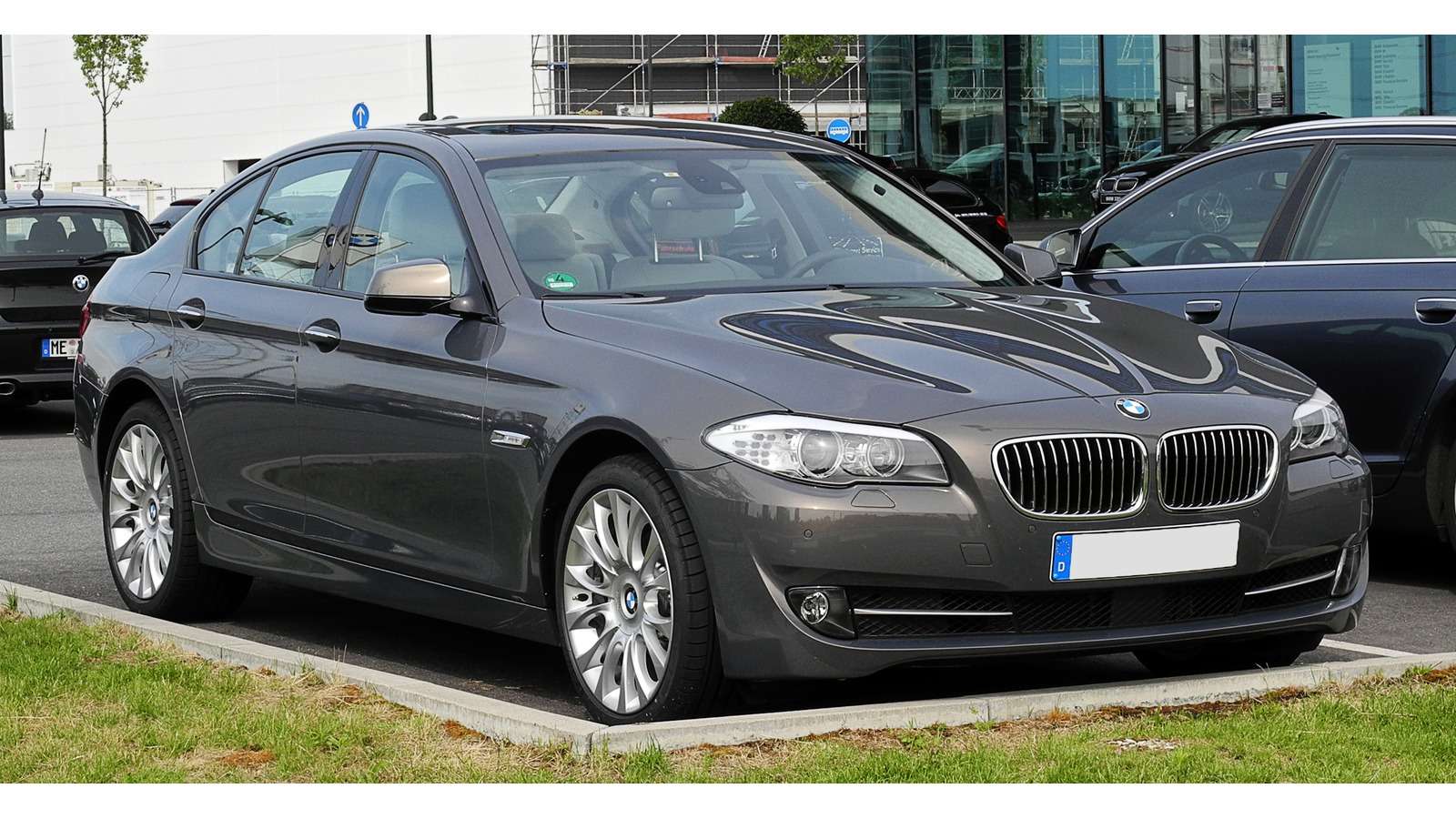
For a BMW F10 Saloon or F11 Touring, a drivetrain message or suspension complaint needs more than a promise that a reader fits the diagnostic socket. Choose the tool for the fitted engine, transmission and controller behind the warning. A generic engine scan and a BMW-aware report answer different questions.
This is a documentary buying guide. Unusual Cars has not independently tested this vehicle, a scanner or a function. Exact capability depends on the build, fitted controllers, vehicle software, interface and tool version. A fault report helps an investigation; it does not identify a replacement part or certify the car’s condition.
Advertisement: This guide contains Amazon affiliate links. As an Amazon Associate I earn from qualifying purchases.
Which BMW F10/F11 does this cover?
| Vehicle scope | UK F10 Saloon and F11 Touring 2010–2017. Rear-wheel drive, standard four/six-cylinder petrol/diesel; manual or conventional eight-speed automatic as fitted. Excludes F07/F18, G30/G31, M5/M550d, V8, ActiveHybrid 5, xDrive, Alpina, imports and modified electronics. |
| What is included | Read/report selection for supported engine information and checked BMW controller coverage. |
| What is excluded | Coding, programming, calibration, active-test procedures, immobiliser and key work. No guaranteed reset or service function. |
Identify the generation, engine and gearbox
The 2010 UK Saloon launch material distinguishes six-speed manual and optional eight-speed automatic configurations. The Touring launch followed in September 2010. A reader recommendation should reflect the actual gearbox; the word automatic is not a complete vehicle specification.
The 2013 UK update changed the range and equipment. Treat early/later production and engine changes separately rather than assuming a facelift date identifies every engine or controller. The 525d and 528i badges, for example, must not substitute for an engine identification when requesting product coverage.
This guide deliberately limits itself to rear-wheel-drive UK Saloon and Touring cars. F07 Gran Turismo, long-wheelbase imports, ActiveHybrid 5, M5, M550d and V8 models require separate evidence. M Sport trim is included when the underlying engine and transmission are within scope; it does not turn the car into an M5.
Quick scanner choice
| Your question | Route to investigate | Check first |
| Supported engine-emissions codes | Compatible generic OBD2/EOBD reader | Exact engine/build and supported information. |
| BMW reports beyond engine emissions | BimmerLink with a confirmed adapter, or BMW-aware handheld | Named controller, actual build and complete setup. |
| A service function or reset | Separate current exact-function check | Do not infer it from code-reading support. |
| Unconfirmed controller or persistent warning | Appropriately equipped BMW specialist | Legitimate software and interface for the actual task. |

A drivetrain message is a prompt to investigate
“Drivetrain” describes a warning context, not a diagnosis of the automatic gearbox. Preserve the engine report and any relevant responding-controller reports before deciding what the warning means. The fitted transmission and the warning’s operating context should be part of the coverage request.
Do not order a component because it appears in a code description. A recorded condition can need investigation of its inputs, connections, supply or mechanical context. A clear engine-only scan also cannot prove that every BMW controller is clear. Establish what was actually queried.
On a Touring, ask about the particular body or suspension report you need separately from ordinary engine reading. Optional equipment can change that requirement. A catalogue heading saying “all systems” does not confirm a particular measurement, command or calibration on the car in front of you.
What a generic OBD2 reader can answer
A compatible basic reader can be a sensible starting point for supported emissions-related engine codes and data. Save the code exactly, the tool’s wording, status and any available operating context. Note whether it came from generic OBD or a named BMW controller.
Do not treat that report as a complete vehicle scan. Manufacturer-aware reporting beyond the engine needs separate software and controller support. Clearing a code does not repair the cause and can remove useful evidence. A code-free result only describes the part of the car the reader successfully queried at that time.
BimmerLink: model eligibility is only the first check
BimmerLink’s current supported-vehicle list starts the 1 Series at 2004 and the 5 Series at 2003. That makes this family a route to investigate. It does not guarantee every installed controller, measurement or service function on an individual F10/F11. BimmerCode is a separate coding application.
A documented candidate is the UniCarScan UCSI-2100. Gendan lists BimmerLink for iOS and Android and identifies the app as a separate purchase. Obtain exact-build confirmation. The current OBDLink CX specifications describe its own supported protocols and platforms; do not infer another product’s eligibility from its appearance or name.
Check the current app-store operating-system requirement, genuine adapter model, firmware, complete purchase terms and the requested report. A licence for another app is not a BimmerLink purchase. Do not buy hardware first and assume an unspecified phone app will supply the missing capability.
OBDeleven: confirm the actual F10/F11 setup
OBDeleven’s coverage policy includes F-series BMWs, so it is another route to investigate. Check the exact model/year, installed controller, compatible device, app and current package before buying. Generic family eligibility is not proof of every requested function.
Request code reporting separately from One-Click Apps and service functions. Compare what is available in the actual BMW package, including any separate plan or Credits requirement. VAG manual coding and adaptations must not be presented as BMW capabilities.
BMW-aware handhelds: check the exact BMM version
The iCarsoft BMM V3.0 is a self-contained BMW-focused candidate. Its reference coverage list names relevant chassis, but is explicitly reference material. It does not establish a complete controller-by-function guarantee for every build.
Ask the supplier to confirm the named engine and additional installed controller, the exact BMM version, included cable and current update process. Separate read/report coverage from service resets or active commands. Check computer requirements, support and returns for the actual UK package; no reset, calibration or programming function is guaranteed here.
Touring suspension reporting is a separate buying question
The BMW Touring material describes the Touring’s self-levelling rear suspension. For a suspension warning or unusual rear ride height, confirm which installed controller the chosen setup can report. Do not infer access, live measurements or calibration capability from a generic engine connection.
An owner discussion illustrates the distinction between a warning and what a selected scanner can report. It is evidence of an owner question, not proof of coverage, diagnosis or fault frequency. This guide gives no suspension cycling, output-test, height-setting, bypass or repair instructions.
A clear electronic report cannot exclude mechanical problems or prove safe ride height. Obtain an appropriate inspection when the car’s behaviour requires it. Scanner selection and a suspension repair need different evidence; buying additional advertised resets does not bridge that gap.
Love cool cars? Join Unusual Cars Club FREE!
Get forgotten motoring finds, stories, helpful car content and more.
Free to join. No spam. Unsubscribe whenever you like. See our privacy policy.
Legitimate workshop software pathways
BMW AOS is the official pathway relevant to independent-workshop service applications: visit BMW AOS. Ask the workshop to confirm its current entitlement, suitable interface and coverage for this older generation and requested report. This guide does not guarantee particular ISTA functions.
Forum popularity does not establish a licence for an INPA/ISTA download or a suitable laptop-and-cable package. Avoid selecting a bundle only from the word BMW. Computer support, interface and software entitlement need independent confirmation; security access, coding and programming instructions are outside this guide.
Before ordering from the Amazon search
The approved banner opens a BMW diagnostic-scanner search, not a compatibility-filtered shortlist. Results may mix generic readers, BMW-aware tools, adapters and software bundles. Check the exact listing against the report you need; the destination does not endorse every result.
Give the supplier the chassis/body, production month/year, UK specification, engine identification, fitted gearbox and exact warning or controller. Mention any retrofit. Ask what is included, what must be purchased separately and whether the requested read/report coverage is currently supported. Keep that answer with the selected product details.
Common questions
Does an M Sport badge require an M-model scanner guide?
M Sport trim can sit within this guide when the underlying model is included. The excluded M powertrains and specialist variants require separate coverage.
Will the cheapest reader clear every warning?
No such promise is made. Confirm the installed controller and the selected product’s exact coverage; an engine-only reader is not a universal BMW tool.
Does a clear scan prove the car is healthy?
No. It cannot certify mechanical condition or exclude an intermittent problem, an unqueried controller or evidence cleared earlier.
More BMW diagnostic guides
Browse the BMW diagnostic scanner hub or the complete car diagnostic-scanner directory. The E90/E91/E92 3 Series guide covers a different vehicle scope; its recommendations must not be transferred without exact-car checks.
Research reviewed: 12 October 2026. Check current product coverage and purchase conditions before ordering.
Photo: M93 / Commons source — CC BY-SA 3.0 DE. Resized/framed; source registration obscured.