← Browse all Vauxhall diagnostic scanner guides
Choose an Astra H scanner by the controller you need to read. A reputable generic EOBD reader can answer an emissions-related engine question, but an Easytronic, ABS, airbag or body-electrical concern calls for Vauxhall-aware coverage. The iCarsoft OP V3.0 is a handheld candidate supported by an official 2008 Astra_H lookup. Genuine VAUX-COM is a laptop route to investigate with a supported supplier; do not treat an unverified OP-COM-labelled interface as equivalent.
Vehicle scope: Astra H, not Astra G or Astra J
This guide covers standard UK-market Astra H/Mk5 passenger cars in the 2004–2010 period, including three- and five-door hatchbacks, estate and TwinTop bodies with original petrol/CDTI management and their fitted manual, automatic or Easytronic gearbox. Its diagnostic advice concerns reading information. It does not cover roof operation or repair procedures, Astravan-specific installations, other markets, engine swaps or aftermarket ECUs.
Opel’s manufacturer chronology places the H introduction in 2004 and the J introduction in 2009. That is a generation history, not a UK registration or diagnostic-network cut-off. Identify H from the build documentation; a 2009/2010 registration alone is insufficient. The scanner lookup can include years and markets beyond this UK editorial scope.
Astra H scanner comparison
| Reader need | Useful route | What to establish |
|---|---|---|
| Engine warning or supported standard engine data | Generic EOBD reader | Useful for the emissions-related engine layer. It is not a complete scan of brake, airbag, body or gearbox electronics. |
| ABS/ESP warning | Vauxhall-aware diagnostic mode, with OP V3.0 on the shortlist | Official 2008 Astra_H ABS/TC/ESP entry includes reading, clearing, live data and module information. Confirm the actual build and software. |
| Easytronic or other transmission concern | Coverage for the actual gearbox/controller | Distinguish automated manual from conventional automatic. An engine code does not replace a transmission scan or mechanical assessment. |
| Instrument, lighting or multiple electrical symptoms | Broader Vauxhall-aware module scan | The sampled lookup lists CIM, UEC and REC as separate systems. Confirm fitted equipment; do not assume a controller is faulty merely because it appears in a code description. |
The older age of an Astra H does not make every interface interchangeable. Software, the interface and its supported communication routes must work together. A generic USB cable and a Windows program are not automatically a complete enhanced setup. Exact functions vary by build, module, software, interface and tool version.
Owner problem: Easytronic starting trouble with several warning displays
In an owner account about a 2004 Astra H 1.6 petrol Easytronic, the car reportedly cranked briefly, then stopped, with a flashing N or dashes, an empty fuel display and occasional ABS warning. The owner said a mechanic had already spent several hours investigating. The opening account did not identify the scan-tool model or supply a complete diagnostic report.
The readable discussion does not establish a confirmed repair for that original car. A later comment about another person’s ECU replacement cannot be presented as the original owner’s outcome. Nor do the replies establish that a clutch actuator, ECU, key or brake switch is the failed component. The useful scanner-selection lesson is to preserve results from the responding engine, transmission and other relevant modules before deciding what further investigation is needed.
Several warnings can make an engine-only code check incomplete. Save the complete code and module name, which controllers were reachable, and the exact starting/display sequence. A missing response may reflect the connection or tool setup as well as a vehicle issue. Establish that distinction before condemning an expensive control unit.
What the official 2008 Astra_H lookup supports
On 11 November 2026 we checked OP V3.0 → Vauxhall → 2008 → Astra_H in iCarsoft’s live function list. Its expanded ABS/TC/ESP entry listed Read Fault Code, Clear Fault Memory, Live Data and Module Information. The result also named engine, restraint, steering-column, electrical-centre and transmission systems.
This is a documented enhanced route, not proof that every Astra H contains every listed controller. Optional lighting, chassis equipment and body styles can change the list. The lookup includes an electrohydraulic hardtop entry, but this article makes no promise about TwinTop diagnosis, roof commands or calibration. Those require exact body/system coverage and their own procedures.
The current product page presents OP V3.0 as a button-operated handheld with PC updates and no annual software subscription. Treat its general active-test and service-function list separately from the basic reading functions. No coding, key work, security access, programming, brake bleeding or calibration is guaranteed here.
Genuine VAUX-COM versus an unknown OP-COM bundle
The ilexa package listing describes a genuine intelligent USB interface, licensed VAUX-COM software, updates and UK support for a compatible Windows computer. It provides useful evidence for the legitimate route, but its text is not a complete Astra H controller/function matrix. Obtain confirmation for the exact H build and requested functions rather than relying on a model-family claim.
The checked listing explicitly names Windows versions through Windows 10. Windows 11 support was not established from it. It also displayed an out-of-stock status beside older in-stock wording. Confirm current availability, computer support, licence and included interface before ordering. No clone, unofficial download or security-disabling installation method is recommended.
A phone-based reader may be enough for a supported engine check. We have not established a complete enhanced mobile combination for H body, restraint or transmission access. The wireless connection method does not establish what diagnostic services the app can request.
Useful information to save on an Astra H
Retain build/VIN details, engine code, gearbox identity and the original report. Preserve the full code, any suffix and status, the reporting module and available freeze frame. Record which systems did not respond. If a gearbox concern is present, note the displayed gear/letter and whether the symptom changes with ignition or starting attempts.
Do not assume a mechanical manual gearbox can be assessed by a transmission-controller scan. Noise, selection and clutch concerns can require mechanical inspection even with no electronic fault stored. Equally, a diesel service-function menu does not establish that a forced regeneration is supported or suitable. Save available data relevant to the actual engine and fault before considering further work.
Use the tool’s connection instructions and the vehicle manual’s warning guidance. Reading and saving are separate from commanding or rewriting a module. Leave actuator tests, immobiliser/security work, replacement-module setup and safety-critical procedures outside an exploratory scan.
Astra H examples: what the extra module scan adds
The Astra H is a useful example of why “OBD reader” is an incomplete product description. One device may read supported engine emissions data; another mode or tool may also query the steering-column module, electrical centres, brakes and restraints. Those are different stores of diagnostic information. The OP V3.0 manufacturer lookup for the sampled 2008 Astra_H lists CIM, UEC, REC, ABS/TC/ESP, SRS and TCM entries separately. It does not establish that every listed module is installed on your car.
Lighting, wipers or other electrical symptoms: look beyond engine memory
For an electrical complaint, a wider report can show whether the relevant supported body modules respond and whether they have recorded faults. On the H, the CIM is the steering-column module, UEC the underhood electrical centre and REC the rear electrical centre. These names help you ask a supplier for the right coverage instead of accepting “works with Astra” as a complete answer. The exact equipment and electrical arrangement must still be matched to the build.
This is a diagnostic route, not a claim that a particular switch, wiring circuit or electrical centre has failed. Some electrical problems do not generate a stored code. Others leave several secondary faults. The useful outcome is a clearly labelled report from the relevant controllers, with full descriptions and any supported status data; an engine-only scan cannot substitute for that evidence.
A non-start with gear-display and warning-lamp symptoms
The 2004 1.6 Easytronic owner account above describes more than one symptom: a brief crank, gear-display problems, an empty fuel gauge and ABS activity. It is tempting to select one expensive component from that description. The more useful diagnostic question is which fitted controllers can communicate and what each records. That includes the engine and, where supported for the exact car, transmission, instrument, brake and body systems. A warning appearing during a non-start is not proof that the warning’s named component caused it.
Do not assume that a TCM entry in a model menu confirms the exact Easytronic variant or every clutch/gear-position value. Obtain explicit support for the gearbox actually fitted. Reading faults and saving available data is separate from clutch learning, programming or commanding an actuator. None of those procedures is promised here, and the original owner report has no confirmed repair outcome.
| Warning or example | System to check | What an engine-only scan can miss |
|---|---|---|
| ABS/traction warning | ABS/TC/ESP | Brake-controller faults that a generic emissions scan does not comprehensively query. |
| Airbag warning | SRS | A restraint report independent of the engine result. |
| Body-electrical complaint | Build-appropriate CIM, UEC or REC | Fault memory and communication status for the relevant fitted modules. |
| Gear-selection/non-start concern | Exact fitted transmission route plus other relevant controllers | A fuller picture than engine codes or a dashboard indication alone. |
How to judge whether the extra information is useful
A worthwhile report says which controller was queried, identifies the exact code and description, and distinguishes a recorded fault from a module that could not be reached. An absent optional module is different from an installed module that has stopped responding. A full scan is therefore not a contest to find the largest code count: the vehicle’s equipment, present symptoms and communication results need to agree. For an unresolved fault, that structured report is more useful to a specialist than “my reader found nothing”.
Love cool cars? Join Unusual Cars Club FREE!
Get forgotten motoring finds, stories, helpful car content and more.
Free to join. No spam. Unsubscribe whenever you like. See our privacy policy.
Astra H scanner FAQs
Can a pedal-test display replace a full scan?
A dashboard result does not establish that every controller has been interrogated or that all diagnostic context has been saved. This guide does not supply pedal-test instructions; use an appropriate scanner report for the actual warning and system.
Do CIM, UEC or REC codes prove the module needs replacing?
No. Record the code and the module that reported it, then use proper technical investigation to distinguish communication, supply, wiring and component causes. The presence of a module name in a report is not a diagnosis.
Should I choose by facelift or registration year?
Use the generation, build and actual controllers. The sources checked do not establish a universal facelift-related scanner change. No precise network changeover is claimed here.
Does a VXR require a separate reader?
Choose coverage for the original engine and fitted systems. This article does not establish a VXR-specific interface requirement, and tuned or replacement management needs separate documentation.
Related Astra reading
For mechanical ownership checks, see the Astra H VXR buying guide. Browse other makes through the diagnostic scanner directory. This guide covers H scanner selection; the J generation has its own guide and evidence.
Sources and research method
Reviewed 11 November 2026. Opel’s chronology supplies the H/J generation distinction, not a universal UK date boundary. iCarsoft’s official lookup supplies the sampled 2008 functions and named systems; its product page describes the handheld. The genuine package description comes from ilexa. The attributed owner account identifies the Easytronic/multiple-warning question only and does not prove a repair, fault frequency or tool compatibility.
This is documentary research, with no independent Unusual Cars vehicle or product test. The 2008 lookup does not validate every H build. Exact coverage remains dependent on vehicle, modules, interface, software and tool version.
Photograph credit
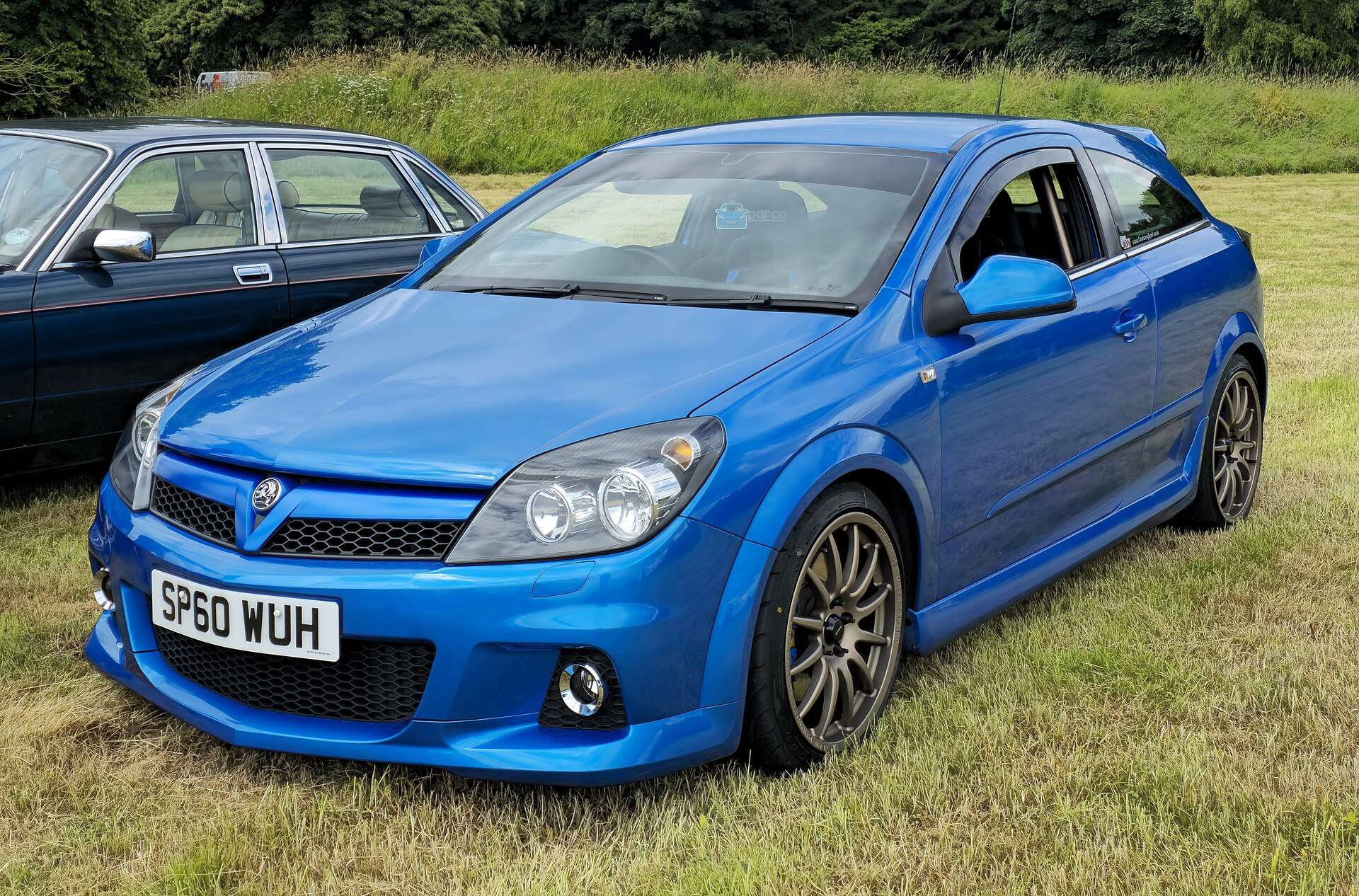
Featured photograph: Calreyn88, 2010 Vauxhall Astra VXR, Wikimedia Commons, CC BY-SA 4.0. Display resized; theme thumbnails may crop. The VXR illustrates an Astra H body, not diagnostic compatibility.