A diagnostic app can report a connection to an older Frontera while still failing to provide the information the owner expects. That is different from a complete manufacturer-aware report, and different again from proof that the vehicle has no faults.
For a Frontera B, check the exact engine, build and required controller before choosing a reader. The diesel connection question is particularly important, but this guide also looks at documented ABS, restraint and automatic-transmission reading categories. No universal coverage is inferred from the Vauxhall badge or connector shape.
Which Frontera B does this guide cover?
Factory UK Frontera B petrol/diesel vehicles, actual engine, body/build and transmission confirmed. Excludes first-generation Frontera, the modern unrelated Frontera, conversions, assumed Isuzu/Holden/Honda tool equivalence, security functions and connector modifications.
Generic OBD2 versus manufacturer-aware diagnostics
A compatible generic OBD2 or EOBD reader can provide supported emissions-related engine codes, freeze-frame information and standard data. It is useful within that scope. It does not establish access to every separate controller on the vehicle, and an empty engine-code screen is not a report on ABS, airbags, body electronics or a fitted transmission controller.
The difference is diagnostic scope, rather than a claim that every interesting code is exclusive to a specialist reader. Some powertrain codes can be read generically on a compatible vehicle. Manufacturer-aware access adds value when it reaches the relevant additional controller or information. Exact functions vary by vehicle build, module, software, interface and tool version.
| Question | Generic engine-emissions reader | Manufacturer-aware coverage to confirm |
|---|---|---|
| Engine warning on a compatible vehicle | Often a useful starting point | Exact engine coverage and additional information where supported |
| ABS, restraint or body complaint | Do not assume separate controller access | The actual fitted controller and reading function |
| A particular live measurement | Only supported standard data | The named parameter on the actual engine/module |
| Reset, calibration, coding or output test | Do not infer support | Separate function and requirements; not promised in this guide |
An app connection that did not answer the owner’s question
A Torque forum owner described a 2002 Vauxhall/Opel Frontera diesel using a low-cost ELM327-type adapter. The app appeared to connect, but the owner reported an illuminated engine warning alongside an empty code result and missing identification and consumption information. The same setup had supplied more information on a different car.
The published discussion did not establish a completed repair or prove whether the limitation belonged to vehicle compatibility, the adapter, the app or the settings. Its protocol labels are the owner’s report, not independently verified facts. The diagnostic lesson is to separate an apparent connection from demonstrated access to the information required.
Read the attributed owner discussion. Owner accounts identify reader questions; they are not controlled vehicle or product tests. Unconfirmed suggestions are not treated as completed repairs.
Symptoms and the diagnostic scope to check
| Symptom or question | System or capability to check | What the evidence can—and cannot—establish |
|---|---|---|
| Engine lamp with empty app result | Exact diesel/engine compatibility and diagnostic scope | An apparent app connection does not prove full manufacturer-aware fault access. |
| ABS complaint | Fitted ABS controller | Ask for separate controller reading and required live measurements. |
| Airbag warning | Fitted SRS | Reading categories are documented for the sample; repairs are not supplied. |
| Automatic shift complaint | Correct transmission controller | 4L30-E and AR 25/35 labels must be matched to actual equipment. |
Do not use another car as the compatibility test
The owner’s adapter worked more usefully on an Astra, but that did not establish the Frontera’s diagnostic route. A tool can be functional and still be inappropriate for another vehicle or controller. Conversely, an unsuccessful scan does not by itself prove that the vehicle ECU has failed. The combination matters.
For an older diesel, ask about the actual engine and build rather than relying on a broad statement that every car with a 16-pin socket is OBD2 compatible. Keep the scanner’s selected vehicle and the returned report with the complaint. Do not experiment with connector wiring or transfer a protocol setting from a different car as though it were a verified solution.
What the sampled ABS and SRS entries actually show
The selected 2002 Frontera_B menu lists six diagnostic systems. We expanded ABS and SRS and observed fault reading, live-data and module-information categories. Those are documentary reasons to consider the tool for further exact-vehicle confirmation. They are not a vehicle test, a complete parameter list or a promise for every Frontera B controller version.
For braking or restraint warnings, the useful result is the relevant controller report, its status and any supported information needed by a qualified repairer. A generic engine-code screen is not a substitute. We do not give ABS repairs, restraint procedures, coding, calibration or active-test instructions in this guide.
The transmission list contains alternatives
The same sample lists 4L30-E and AR 25/35. The expanded 4L30-E entry shows reading, live data and module information. We have not used the separate AR entry to promise identical information. Confirm the actual gearbox and the required controller before treating either label as relevant to your car.
This also prevents a common buying mistake: seeing the word transmission in an advertisement and assuming every gearbox symptom can be diagnosed. Mechanical condition, fluid-related questions and electrical evidence are separate parts of an investigation. A code can identify an area or an abnormal condition without identifying the failed component, and an empty engine report does not settle the transmission question.
Limited identification is a useful symptom, not a verdict
Missing VIN or consumption data can help describe a reader limitation, but it is not sufficient to identify the root cause. Older controllers and different diagnostic routes do not necessarily return the same fields as a newer car. A particular display on the Astra is therefore not a requirement that the Frontera must satisfy.
Ask the supplier for the information that matters to the job: exact engine fault reading, the fitted ABS report, or a named live measurement. Do not choose a reader primarily because it promises a trip-computer feature. The practical goal is a trustworthy report for the actual complaint, with unsupported fields and unresponsive controllers identified honestly.
What the official OP V3.0 lookup showed
Documentary sample checked 12 November 2026: OP V3.0 > Vauxhall > 2002 > Frontera_B. We expanded the entries described below and recorded the reading categories that were displayed. This is a manufacturer catalogue observation, not a connected-vehicle test. A live-data category is not a list of every named parameter, and a model menu can include equipment that is not fitted to your vehicle.
| Sampled controller | Reading evidence observed | Limit to retain |
|---|---|---|
| 4L30-E | Fault reading, live-data and module-information categories observed | Confirm the actual gearbox; no transfer to AR 25/35 assumed. |
| ABS | Fault reading, live-data and module-information categories observed | Named measurements and fitted controller still require confirmation. |
| SRS | Fault reading, live-data and module-information categories observed | No restraint repairs, calibration or output tests supplied. |
The sample does not establish universal older-diesel EOBD support or every engine/controller variant. The Torque discussion is an owner report with no confirmed technical resolution.
Which diagnostic route should you choose?
A handheld Vauxhall-aware scanner
The iCarsoft OP V3.0 is a documented handheld route to consider where the exact required coverage is confirmed. Its model menu is a starting point for a supplier enquiry, not a universal recommendation for every job. Ask about the actual engine, build, fitted controller and specific reading you need. Keep the seller’s written answer with the product information.
Compare the exact product in the listing. Similar names, other brand versions and broader multi-brand tools can appear in the same shopping results. A vehicle-wide scan, a named live parameter and a service operation are three separate promises. A list headed all systems or a large reset count does not answer all three.
A genuine supported laptop route
A genuine licensed VAUX-COM/OP-COM setup is another route to investigate with a knowledgeable supplier. The ilexa listing describes a genuine USB interface, licensed software, updates and support, and lists Windows versions through Windows 10. That listing alone does not establish Windows 11 compatibility or every function on this particular vehicle. Ask for confirmation of the exact combination.
Do not treat an unlicensed clone, a generic ELM327-type adapter and a supported manufacturer-aware interface as equivalent products. This guide does not endorse downloaded clone software or assume that an interface working on another car proves compatibility here. If the required function cannot be confirmed, a suitably equipped workshop can be a better next purchase than another speculative reader.
Five questions to ask before buying
- Does the answer cover my exact generation, engine, build and gearbox, rather than only the badge?
- Can this tool read the specific fitted controller involved in my complaint?
- Can it show the particular named measurement I need, rather than only a general live-data category?
- Which interface, software version, updates and computer requirements apply to the quoted coverage?
- If my priority is a service operation rather than reading, what separate vehicle-specific evidence and requirements support it?
Keep the report useful for the next investigation
Retain the exact controller name, complete code including any suffix, the wording, status and available freeze-frame information before anything is cleared. Keep the tool identity, selected vehicle and software version with the report. Also record whether a controller responded with no codes, returned faults, or did not respond at all. These are different outcomes.
Add a short history of the symptoms and recent work without assuming the work caused the fault. An intermittent warning, a permanent warning and a mechanical noise deserve different descriptions. A code can describe an abnormal circuit or condition without proving which component has failed. Clearing a code does not demonstrate that the cause has been repaired.
Follow the correct handbook and obtain appropriate professional help for safety-related warnings or abnormal vehicle behaviour. This article is a reading-focused scanner-selection guide. It supplies no braking or steering test, restraint repair, connector modification, immobiliser/key operation, active-test sequence, regeneration, programming or calibration procedure.
Love cool cars? Join Unusual Cars Club FREE!
Get forgotten motoring finds, stories, helpful car content and more.
Free to join. No spam. Unsubscribe whenever you like. See our privacy policy.
Frequently asked questions
Does Torque saying connected mean full coverage?
No. Confirm what controller and diagnostic service actually responded, and which information was returned.
Will an adapter that works on an Astra work identically here?
That comparison does not establish Frontera compatibility. Check the actual vehicle, engine, software and interface together.
Does this cover the new Frontera too?
No. This page concerns the older Frontera B and must not be used as a scanner recommendation for the modern vehicle.
More Vauxhall diagnostic guides
Find the right generation in our Vauxhall scanner guide hub, or compare other brands in the main diagnostic scanner directory. Related guides can explain the wider distinction, but their compatibility claims should not be transferred to this vehicle.
Sources and research method
This is desk-researched editorial guidance. Unusual Cars has not independently tested the vehicle, scanner or functions. Research combines the official iCarsoft vehicle/function lookup, the OP V3.0 product information, the genuine supported VAUX-COM listing and the attributed owner discussion linked above. Catalogue selections and limitations are stated in the coverage section. Product descriptions and shopping destinations can change; confirm compatibility and the exact listing before purchase.
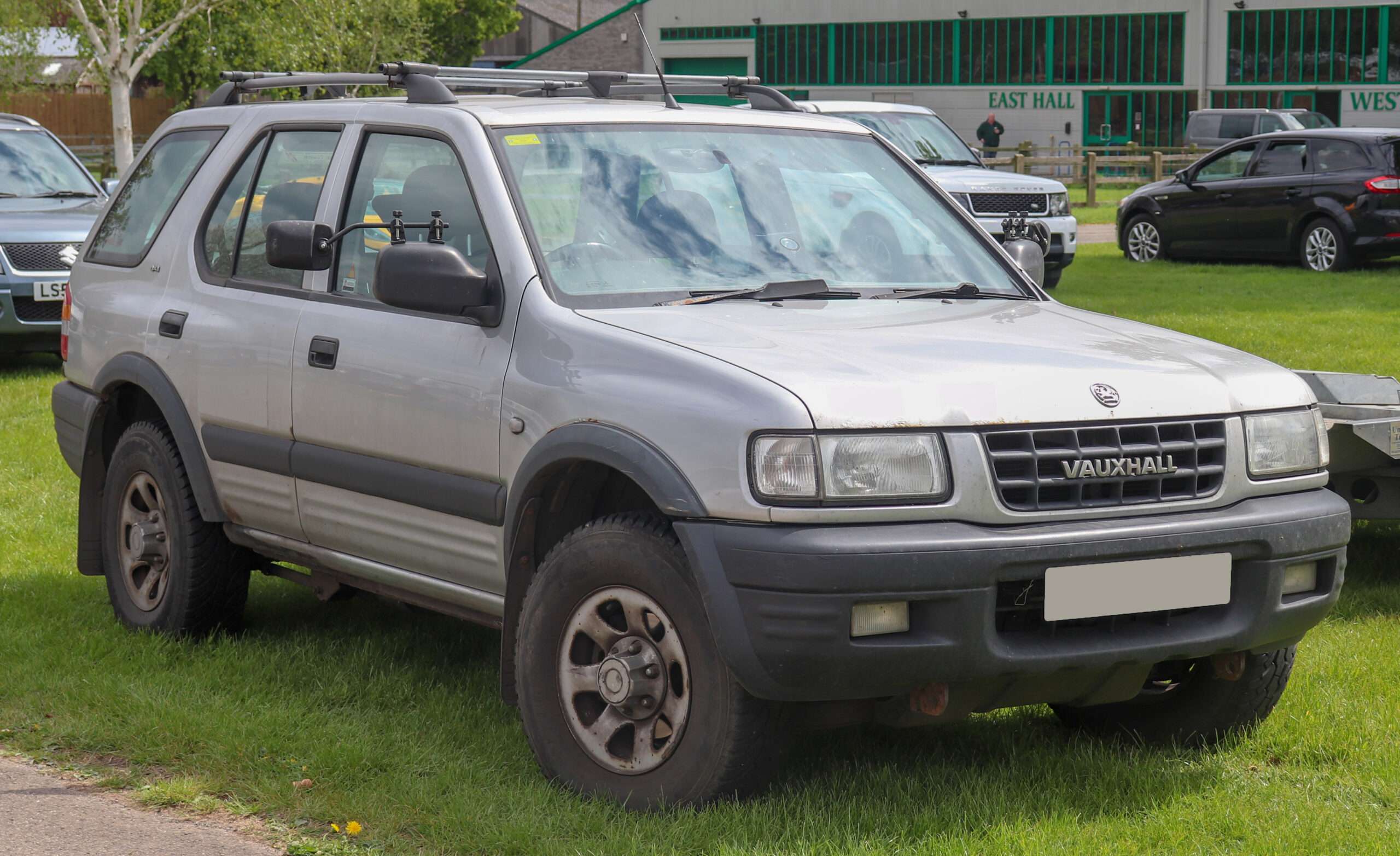
Vehicle photograph: 2001 Vauxhall Frontera DTi 2.2 Front.jpg, by Vauxford, CC BY-SA 4.0, via Wikimedia Commons. Resized for web display; featured thumbnails may crop. No photographer or manufacturer endorsement is implied. Reviewed 12 November 2026.