A Citroën Berlingo K9 scanner needs to match more than the Berlingo badge. The third-generation passenger car shares a family name with older models, commercial vans and electric versions, but that does not make their diagnostic coverage interchangeable.
This guide covers conventional petrol and diesel K9 passenger models, including M and XL bodies. It focuses on engine OBD2, BlueHDi/AdBlue warnings, ABS, airbags, EAT8 and the limits of service-function claims. It does not provide high-voltage diagnosis for the ë-Berlingo, and it does not guarantee equivalent coverage for a commercial van or a conversion.
Which scanner should you consider?
A supported generic EOBD reader can preserve engine-emissions codes and available data. For wider access, choose a handheld or workshop platform with confirmed coverage for the K9 passenger model, its engine and the controller you need.
iCarsoft FR V3.0 is one option to ask a supplier about. Do not treat “Citroën” or “Berlingo” on a product page as proof of K9 access. Establish the exact software coverage before purchasing, especially if your reason for buying is an AdBlue repair, parking-brake procedure or transmission function.
For a single starting-countdown fault or a complex electrical complaint, a specialist diagnosis may be more economical than buying a reader that only confirms a warning you already know about. Ask for the original scan report and an explanation of the tests proposed.
Check the passenger model, generation and engine
Citroën’s UK launch material identifies the third-generation passenger Berlingo separately and describes M and XL bodies, PureTech petrol and BlueHDi diesel choices, and manual or EAT8 transmissions according to version. Those distinctions should be part of your compatibility enquiry.
The same launch information lists equipment such as an electric parking brake and driver-assistance systems within the range. That does not mean every car has every feature. Match the actual vehicle and its build information rather than assuming a brochure feature or a scanner menu represents equipment fitted to yours.
If you own the previous passenger model, use our Berlingo B9 Multispace guide. The old model’s coverage should not be carried forward to K9 without confirmation.
Choose around the task
| Task | Suitable diagnostic level | Key check |
|---|---|---|
| Read an engine-emissions warning | Supported generic EOBD | Full codes, status, freeze frame and relevant data |
| Investigate an AdBlue/SCR malfunction | Enhanced coverage for the actual BlueHDi system | Useful data and any required post-repair routine |
| Read ABS, airbag or body faults | Confirmed K9 module access | Not merely earlier Berlingo support |
| Investigate EAT8 operation | Confirmed transmission access | Fault reading versus adaptations and repair functions |
| Brake or calibration work | Tool with the exact named procedure | Fitted equipment and workshop prerequisites |
| Diagnose an electric version | EV-specific coverage and appropriate expertise | Outside this petrol/diesel guide |
Engine OBD2 is the first layer
For an engine warning, save the complete code and its status before clearing it. Where supported, preserve freeze-frame information and useful live data. Note the dashboard wording and whether the complaint concerns starting, power, rough running or a warning with no obvious driving symptom.
Generic access is designed around emissions-related information. A successful engine connection does not establish that the scanner can read the ABS, airbag, parking-brake or body controller. A report saying “no codes” needs to be read in the context of the system actually scanned.
Ask what the data means before treating a component name as a diagnosis. A detected pressure, temperature, mixture or communication problem may need checks of sensors, wiring, supply, hoses or mechanical condition. A scanner provides evidence; it does not inspect the component for you.
BlueHDi and AdBlue warnings
Begin by recording the exact message, including any starting-related countdown. Distinguish a low-fluid warning from a malfunction report. Follow the correct handbook for owner actions and arrange prompt diagnosis when a fault or countdown remains.
A refill cannot be assumed to repair every SCR-system fault. Equally, a fault code containing a component name is not sufficient evidence to buy a complete assembly. Ask the repairer to explain the relevant readings, checks and reasoning before a major parts decision.
Useful enhanced coverage must be more specific than “clears engine lights”. Ask which emissions controller and data items are accessible on your BlueHDi version. If a repair requires a particular test or acknowledgement, have the supplier confirm that function separately.
Do not interpret a scanner’s advertised “AdBlue reset” as a universal way to remove a countdown. The phrase can hide very different functions. Clearing codes without rectifying the cause can leave the same warning returning and reduce the quality of the available fault history.
Keep receipts and details of recent work, including which parts were replaced and which procedures were completed. This helps a second repairer distinguish an unresolved cause from a repair which still needs proper verification.
DPF and SCR are different diagnostic subjects
A diesel particulate filter and an SCR/AdBlue system perform different jobs. Do not assume that a DPF menu also gives access to every AdBlue-related function. Confirm the fitted systems and the specific fault before choosing a procedure.
Where supported, filter-related data can help a qualified person assess whether further testing is needed. Calculated loading values require interpretation and are not the same as physically inspecting the filter. Pressure-related faults may involve the measurement arrangement as well as the filter itself.
A forced regeneration needs the correct conditions and an assessment of the cause. It should not be used as an experimental reset for any diesel warning. Likewise, a service counter should only be changed when the corresponding work and the vehicle instructions justify it.
PureTech petrol: keep diagnosis separate from maintenance
For a petrol K9 with an engine light, record codes and operating conditions before reaching for parts. Cold-start behaviour, warm-running behaviour and a fault under acceleration are different clues. The correct engine identification matters when selecting the diagnostic menu and interpreting the report.
Scan results cannot certify an engine’s physical condition or maintenance history. Oil-pressure warnings, abnormal noise, overheating or severe running problems need the response specified by the handbook and appropriate inspection, even if the reader shows little useful information.
When buying a used vehicle, check maintenance records against the actual engine and build. A clean report cannot prove that oil specifications, service intervals or previous repairs were correct. Use electronic diagnosis as part of the inspection rather than as a substitute for it.
EAT8 and manual gearboxes
If the Berlingo has EAT8, state that explicitly when enquiring about coverage. Ask whether the tool reads the transmission controller and relevant data. Do not assume that support for an older Berlingo transmission transfers to this one.
Fault-code reading is different from adaptation, software work or a repair procedure. A broad “transmission service” feature does not settle which of those functions is available. Obtain the exact procedure name and its application to your car.
Describe any gear-selection or shift complaint in practical terms: cold or hot, stationary or moving, particular gear, recent maintenance and whether the engine also runs poorly. On a manual vehicle, clutch and linkage faults can require physical assessment without producing a useful scan code.
Parking brake, ABS and driver assistance
For an electric parking-brake concern, confirm the installed equipment and the required operation. Reading faults, releasing a brake in normal use and performing a maintenance procedure are different tasks. A scanner’s menu alone is not permission to start brake work.
For ABS or stability-control warnings, obtain a report from the actual controller. Appropriate data can help a technician compare inputs, but wiring and mechanical checks may still be necessary. Do not replace a named wheel-speed sensor without considering the complete circuit and the fault description.
Driver-assistance warnings can require equipment-specific diagnosis. A tool which reads a camera or radar fault is not necessarily equipped to calibrate the system. Calibration may require workshop facilities, targets, measurements and the correct vehicle conditions.
If an airbag warning is present, use confirmed SRS access and proper restraint-system repair methods. Do not probe connectors, fit bypass devices or assume that clearing a code establishes passenger safety.
Conversions and additional equipment
Some passenger Berlingos have wheelchair-accessible conversions, added electrical equipment or other adaptations. Give the workshop the conversion details and any documentation. A standard vehicle scan may not describe a separate lift, ramp, interlock or conversion controller.
Separate the base vehicle fault from an issue introduced by additional equipment. Changes to wiring, supplies or mounting arrangements can matter to an investigation. Do not promise a customer or owner that a general K9 coverage statement includes all conversion hardware.
Connection, software and support
Locate the diagnostic connector using the correct vehicle information. Park securely, follow the tool’s ignition instructions and ensure appropriate battery condition. Do not force the connector, bridge pins or alter fuse ratings if communication fails.
Check the tool’s software version, update arrangements and support before purchase. For newer builds, ask explicitly about any hardware or access requirements; do not assume that every K9 has identical requirements or that an update alone resolves every limitation.
For phone-based tools, verify the adapter, phone and app combination together. An app pairing with an adapter is not proof that it communicates with the car’s desired ECU. Compare total cost, including any paid functions or subscriptions.
Before you order
Send this enquiry: “UK Berlingo K9 passenger model, [M/XL], [build/year], [engine], [manual/EAT8]. Can your exact tool and software read [system] and carry out [named task]?” Include relevant optional equipment or conversion details. Retain the answer and check returns.
Can I use a van coverage entry?
Only with confirmation that it applies to the passenger vehicle and fitted controller. Similar appearance or a shared name is not enough.
Does this guide cover the ë-Berlingo?
No. Electric powertrain and high-voltage diagnosis require their own coverage checks and appropriate expertise.
Can a scanner guarantee a repair?
No. Save the original evidence, investigate the cause, complete the repair and verify the result. The tool is one part of that process.
Find the wider range in our Citroën scanner hub.
Sources and coverage notes
- Citroën’s UK third-generation passenger Berlingo launch information.
- iCarsoft FR V3.0 product and coverage references; exact K9 applicability requires supplier confirmation.
- Citroën handbook selector for the correct build and powertrain.
This is a researched diagnostic-scope guide, not a hands-on scanner review. No universal K9 controller, calibration or repair-function coverage is claimed.
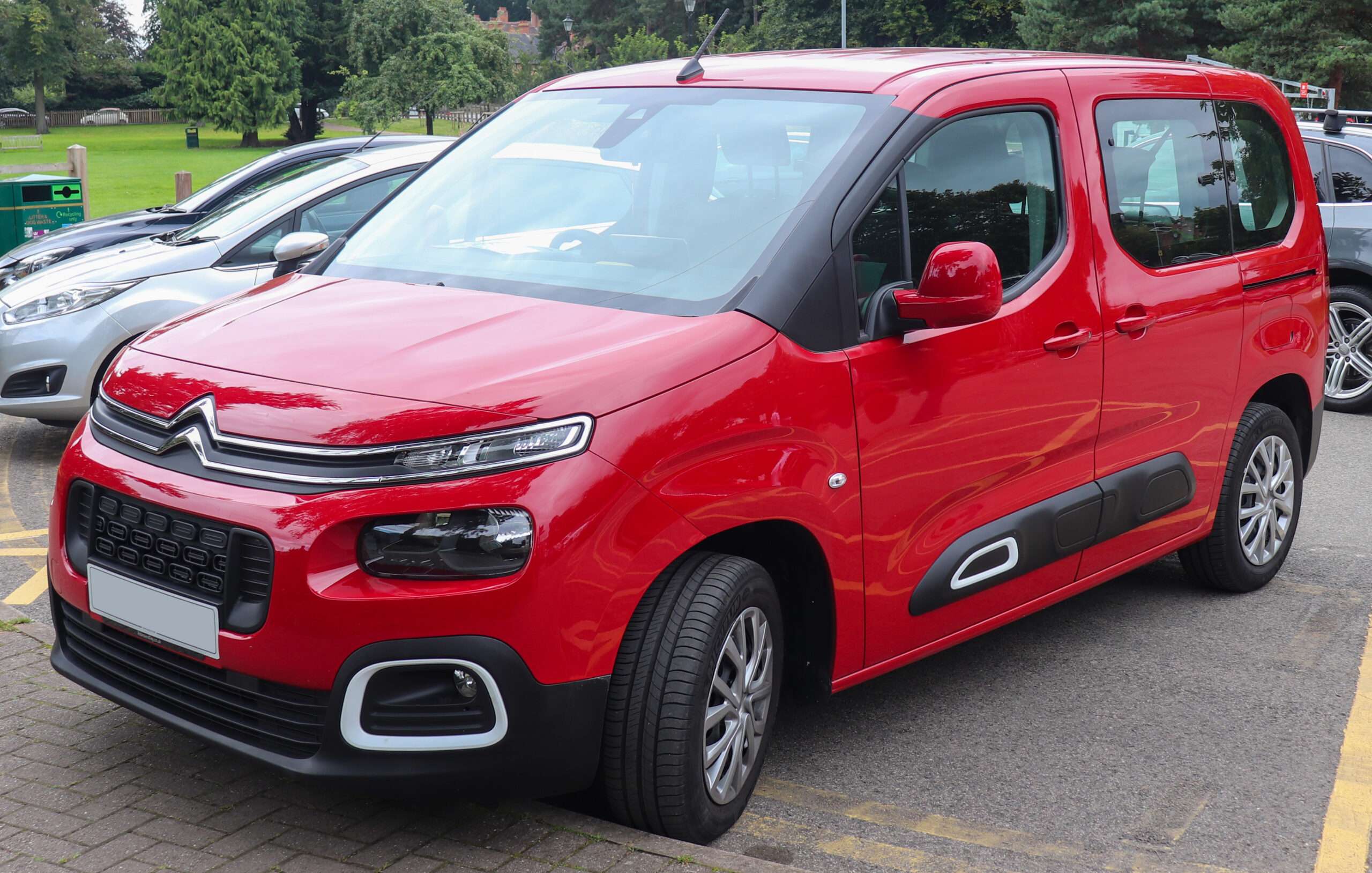
Featured photograph: Vauxford, 2019 Citroen Berlingo Feel Puretech 1.2 Front, CC BY-SA 4.0. Resized for display. Scanner banner: illustrative artwork.
Love cool cars? Join Unusual Cars Club FREE!
Get forgotten motoring finds, stories, helpful car content and more.
Free to join. No spam. Unsubscribe whenever you like. See our privacy policy.