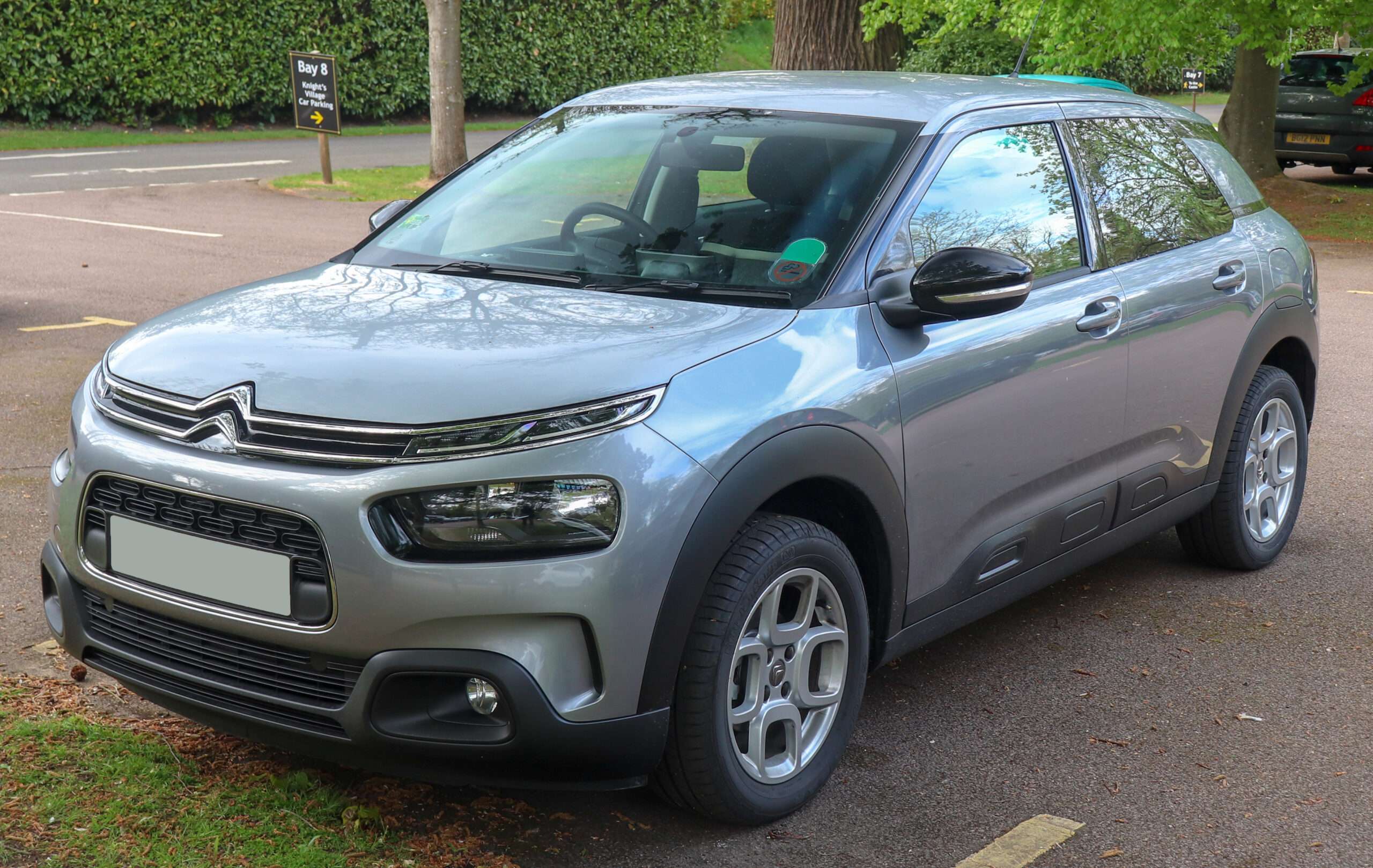
The C4 Cactus has its own diagnostic identity. A scanner which supports a conventional C4 hatchback is not automatically the right tool for a Cactus, and an engine-code reader will not necessarily investigate its ABS, airbags or body equipment.
Start with the C4 Cactus model selection, identify the engine and gearbox, then confirm the required function. A basic EOBD reader may be sufficient for recording a supported engine-emissions fault. For other systems, the iCarsoft FR V3.0 is one enhanced option to investigate, subject to exact-car checks.
This guide covers factory UK petrol and diesel C4 Cactus models, including early and facelift cars. It does not cover the C4 Mk2 hatchback, C4 Picasso, C4 Aircross or later C4/ë-C4 family. The shared C4 badge is not a compatibility specification.
What are you trying to find out?
| Reason for scanning | Useful starting point | Important distinction |
|---|---|---|
| Engine warning | Compatible EOBD reader | Supported emissions information only |
| ABS or airbag warning | Enhanced Cactus controller access | Separate from engine compatibility |
| Diesel emissions complaint | Relevant enhanced data and fault detail | AdBlue, DPF and additive functions differ |
| Gearbox repair routine | Exact transmission and function check | Reading codes does not prove learning support |
| Tyre-pressure warning | Physical pressure checks and handbook first | Reinitialisation is not a cure for a leak or system fault |
The Amazon link opens search results. Check the individual listing, supplied equipment and support arrangements, and ask the supplier to verify your vehicle before purchasing.
Cactus-specific coverage: what to look for
The reference list has a distinct C4 (CACTUS) group, including engine, ABS, SRS, EPS, BSI and transmission. It is model-level reference coverage; confirm the installed controller and the particular function you need.
Use that evidence to frame a precise question. Ask whether the exact product and current software support your build, engine and gearbox, and whether it can save the relevant fault report. If you require a repair routine, name it separately.
A table covering several equipment combinations should not be read as the specification of one individual car. A manual petrol model cannot be expected to contain every diesel or transmission controller shown in the range. Conversely, a system which ought to be present but will not respond deserves a different investigation from equipment that was never fitted.
What a generic engine reader can do
A suitable EOBD reader can be useful for collecting supported emissions-related codes, available freeze-frame information and engine readings. This can help you give a garage an accurate account of an intermittent problem rather than relying on a remembered dashboard message.
Save the complete code and any suffix, the description, status and reporting ECU. “Stored” and “current” need interpreting in context; neither a historical entry nor a blank code list should be treated as a complete statement of the car’s condition.
Do not assume a named sensor is the part to buy. A detected fault can arise from its wiring, supply, the condition it measures or another part of the system. Good diagnosis turns the code into a test plan. It does not turn the first screen into a shopping list.
An engine reader returning no faults also says nothing conclusive about an illuminated ABS or airbag warning if those controllers were never reached. Check the scope of the scan before accepting a “no problem found” conclusion.
Petrol Cactus: record the conditions, not just the lamp
For hesitation, rough running or an engine warning, note whether the fault appears from cold, after warming up, at idle or under acceleration. Mention recent work and any changes in starting, fuel consumption or performance. A clear description helps decide which data and physical tests matter.
Before buying for a particular investigation, ask which relevant parameters the tool exposes for that engine ECU. Do not assume every example screen on a product page is available on your Cactus. The tool, software and installed controller determine what you can actually read.
A scan cannot certify the timing drive, internal engine condition or service history. Review maintenance evidence and the requirements for the exact engine separately. A clean report is not a substitute for mechanical inspection, especially when viewing a used car whose codes may recently have been cleared.
Serious oil-pressure, overheating or stop warnings take priority over collecting more data. Follow the handbook and arrange an appropriate inspection when symptoms warrant it. Repeated erasure is not a safe way to manage an unresolved mechanical concern.
Diesel emissions: separate three different questions
For a diesel Cactus, establish which engine and emissions equipment are fitted before requesting functions. An AdBlue/SCR warning, a particulate-filter complaint and an additive-related issue should not be treated as interchangeable names for the same fault.
Record the exact dashboard message, associated lamps and any remaining-distance countdown. A low-fluid message is different from a detected emissions-system malfunction. A top-up is not a universal repair, and a code-clear does not prove that a starting restriction or underlying fault has been resolved.
For DPF investigation, ask about the specific readings needed, such as relevant pressure and temperature information where supported. Reading those values, resetting a counter and requesting a regeneration are separate operations. A scanner’s DPF icon does not establish all of them for your ECU.
The same care applies after additive-system work. Completing the physical repair and carrying out the appropriate documented electronic procedure are separate parts of the job. Do not reset a counter merely to remove a message without establishing what maintenance or repair is required.
A commanded regeneration should only follow an assessment of the fault and the manufacturer’s prerequisites. It is not a generic treatment for an engine warning or reduced power. If the task exceeds the confirmed tool coverage or your ability to interpret the evidence, use a suitably equipped specialist.
Tyre-pressure warnings: a scanner may not be the first purchase
The 2019 Cactus handbook describes an indirect under-inflation system using wheel-speed information and reference values. It calls for pressure checks and reinitialisation after the relevant adjustments or wheel changes. It also distinguishes a low-pressure alert from a monitoring-system malfunction.
That makes the first question practical: are the tyres correctly inflated and free from a leak or damage? Use the vehicle’s specified pressures and the instructions for the exact car. Resetting a reference without correcting the tyre condition can hide the useful starting information rather than solve the problem.
Do not assume that a generic “TPMS tool” or valve-sensor programming function is what this system needs. Match the hardware and the handbook to the vehicle. If the warning indicates a system malfunction, enhanced fault reading may be relevant, but that is a different situation from ordinary pressure correction and reinitialisation.
ABS, stability control and wheel-speed information
An ABS warning requires access to the ABS controller. Useful evidence can include the complete fault description and supported individual wheel-speed readings. Those values must be interpreted safely alongside the actual symptom and any relevant electrical or mechanical checks.
Because other functions can use shared information, several warnings may appear from a related problem. Save the relevant scan rather than assuming each dashboard message identifies a separate failed part. Note whether the symptoms began after tyre, wheel, battery or other work.
A code referring to a wheel-speed signal does not prove whether the sensor, wiring or signal source is at fault. Similarly, a controller mentioned in a communication code is not automatically a controller that needs replacing. Diagnosis should establish the cause before parts are ordered.
Airbag and body-electrical diagnosis
For an airbag warning, confirm access to the fitted SRS controller and save its exact fault wording. A passenger-airbag status indication and a genuine system malfunction should be distinguished using the handbook. Do not probe restraints wiring or use substitute resistors to make a lamp go out.
For locking, climate, parking assistance or display symptoms, ask about the relevant body system. The BSI is part of the car’s body-electrical architecture, but its involvement does not establish that it is defective. Supplies, wiring, connected equipment and configuration may require checking.
A touchscreen symptom may also have causes outside the scope of an engine reader. Avoid buying a basic adapter with the expectation that generic OBD2 access includes every cabin feature. The right question concerns the equipment and the intended investigation, not simply the make of car.
Gearbox variants need precise enquiries
Do not describe the transmission only as “automatic” when asking about compatibility. Confirm its exact type from the vehicle details. Different transmission arrangements and build periods can require different diagnostic functions, even when the exterior badge is unchanged.
Reading gearbox faults, viewing operating data and performing a clutch or adaptation learning procedure are separate capabilities. Ask the supplier about the actual procedure required after the proposed repair. A broad transmission entry cannot prove support for every learning operation.
If a warning involves gear engagement, retain the first report and describe the circumstances carefully. Was the car cold or hot? Did the problem begin after work? Does it select neutral unexpectedly? A reset should be part of an appropriate repair process, not an experiment to see whether the symptom disappears.
A manual car will not respond to every transmission selection shown on a multi-vehicle scanner. Interpret the results against its installed equipment rather than treating absent systems as failed systems.
Battery history and connection checks
Tell the repairer if the Cactus has recently had a flat battery, jump start or battery change. Supply conditions can affect communication and the interpretation of stored faults. Battery condition and charging may need proper testing alongside the scan.
If a reader cannot communicate, check the correct model selection, connection and ignition state using its documented instructions. For a phone app, confirm both the phone-to-adapter link and the adapter-to-car connection. One working stage does not establish the other.
Use vehicle-specific information to locate the diagnostic connection and avoid copying trim-removal advice from a different C4. Do not bridge socket pins, force a plug or fit a higher-rated fuse. A powered scanner screen is not proof that it has reached the relevant ECU.
A useful first scan
- Identify the Cactus build, engine, gearbox and installed equipment.
- Park securely and follow the tool’s connection and ignition instructions, with suitable battery support where required.
- Save the initial report before clearing faults or entering service menus.
- Keep full codes, descriptions, status, ECU identities and available snapshots.
- Record the dashboard wording, symptoms and recent work.
- Plan targeted tests, then use a rescan to help verify the actual repair.
For a used-car inspection, obtain permission before connecting and avoid clearing the seller’s evidence. Combine the report with maintenance records and a physical inspection. A clean scan alone cannot establish that the car is a good purchase.
Before you order
Ask: “I have a UK C4 Cactus, [build/year], [engine] and [exact gearbox]. Can this tool perform [named task] on my fitted ECU?” Add any ABS data, airbag access or diesel service function as a separate requirement. Keep the supplier’s response.
Check update arrangements, support, returns and any app or subscription costs. A supported handheld can be useful over years of ownership. For a single complex fault, a specialist diagnosis may cost less than a tool which cannot carry out the needed investigation.
Can I select ordinary C4 coverage instead?
Do not assume it is equivalent. Use the Cactus selection and confirm the vehicle.
Will a tyre-pressure reset repair a puncture?
No. Check and correct the tyre condition first, then follow the appropriate reinitialisation instructions.
Does “all systems” mean every repair routine?
No. Reading access and service procedures require separate confirmation.
Find the other models in our Citroën diagnostic scanner hub.
Sources and coverage notes
- iCarsoft FR V3.0 product information and Citroën reference coverage PDF.
- Citroën C4 Cactus handbook, 2019 issue; use the handbook selector for your build.
This researched guide does not claim hands-on testing. Confirm the exact vehicle, controller and requested function with the supplier.
Featured photograph: Vauxford, 2019 Citroen C4 Cactus Feel Puretech S 1.2 Front, CC BY-SA 4.0. Resized for display; facelift model shown. Scanner banner: illustrative artwork.
Love cool cars? Join Unusual Cars Club FREE!
Get forgotten motoring finds, stories, helpful car content and more.
Free to join. No spam. Unsubscribe whenever you like. See our privacy policy.