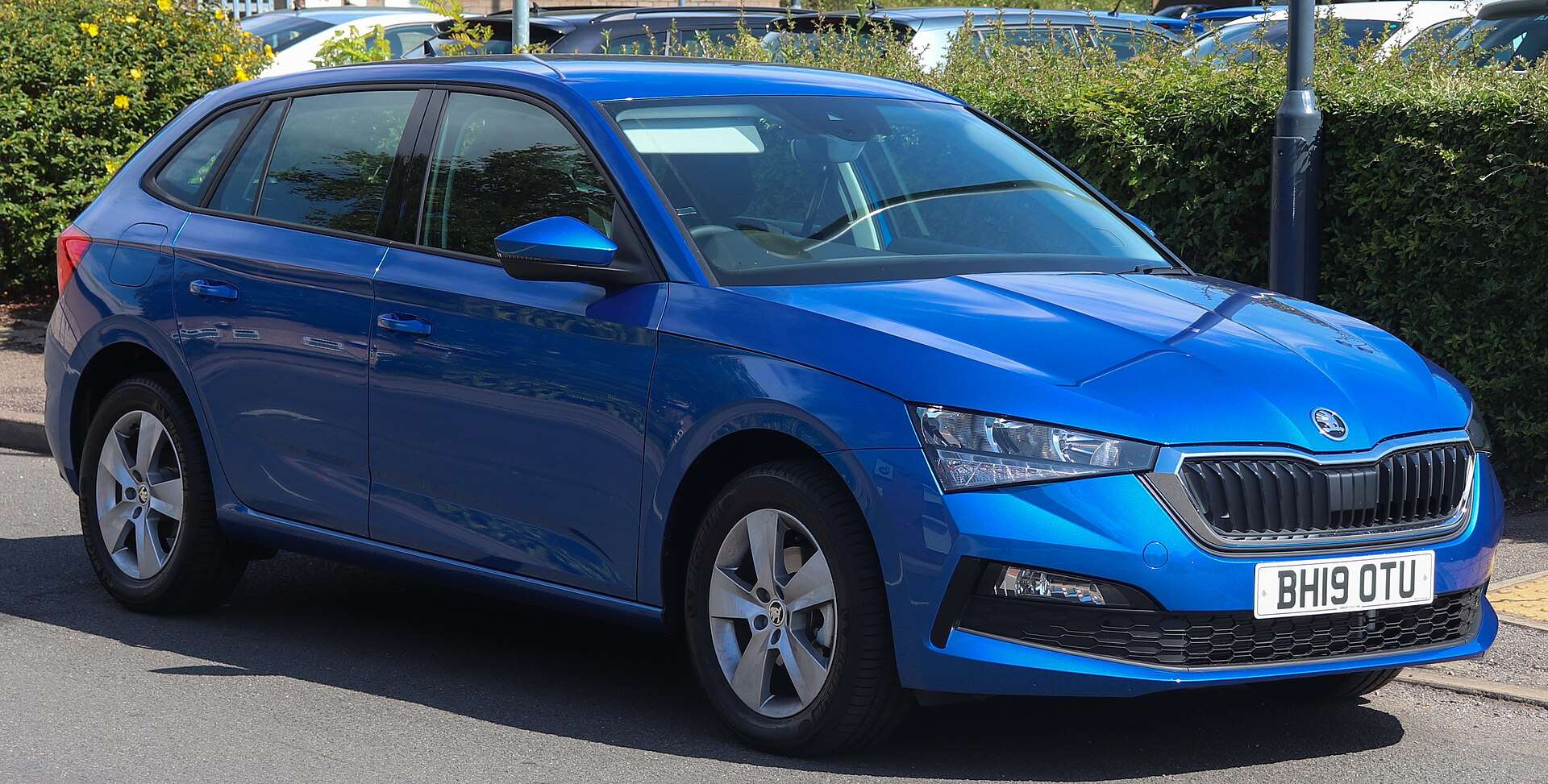
You select reverse in your Scala and the screen stays blank. Is the camera broken? One owner reported that sometimes the screen, camera and parking assistance took minutes to come to life after starting. Someone else wondered whether red marks on a small parking icon meant a sensor was faulty. These sound like similar complaints when booking a garage appointment. They are very different starting points. Before buying a camera, it helps to know whether the car recognised reverse, whether the parking controller answered and whether the display was ready to show anything at all.
That is the case for owning a Škoda-specific OBD2 scanner. A basic reader is a sensible first purchase for an engine light. Wider access can pay for itself when the question is about cruise controls, parking, a warning passed between two systems or equipment fitted to your particular Scala. Here are real examples of what to look for in a scanner and what its findings should change about a repair decision.
Find the Scala in the coverage list, then find your equipment
Look for the European Scala hatchback, often identified as NW or NW1, and check the build period and fitted engine. The badge and the socket do not change when one owner has ordinary cruise control and another has adaptive cruise, or one has a panoramic roof and another a steel panel. The list of modules reached on a scan can change considerably. An early car with added equipment is a different proposition from an unmodified facelift car, even where the screens look alike.
A published 2020 Scala diagnostic log illustrates what good identification looks like. It shows different entries for engine, brakes, air conditioning, parking assistance and steering assistance. Read the controller names before the fault count. A tool that identified the specific parking controller and received a reply with no stored faults has checked something. An engine-only reader showing no codes has yet to ask the parking question. A product that supports more than one make can also do this work if the software genuinely covers those modules on your car.
An engine warning that disappears by the time help arrives
A Scala EPC and engine-warning discussion shows how quickly the evidence can become muddled after a roadside visit. Readers offered experiences from different engines and other Škodas. An ignition fault confirmed on somebody else’s Fabia is not a diagnosis of the Scala. A better first investment than plugs or coils is an original scan from the vehicle in front of you, paired with an account of when the light appeared, how the engine felt and what work the breakdown technician actually did.
A generic reader can request standard emissions fault information and any supported freeze frame. Save both confirmed and pending entries if available. A dashboard EPC message is a prompt to investigate engine control, not a number that can be converted directly into the name of a failed component. If the engine is shaking severely, losing power unpredictably or displaying a flashing engine light, stop safely and arrange help. Switch the phone camera on only when parked and leave deliberate reproduction of a serious fault to a workshop.
Suppose the engine ran rough from cold, then ran normally by the time you connected the reader after lunch. Note the length of the initial journey, whether the warning stayed lit and how the car behaved in between. Engine speed, load and coolant temperature attached to an actual fault may tell the workshop much more than a warm sensor reading captured hours later. Ask a supplier whether its Škoda software exposes and logs the relevant readings for the exact engine. Access to cylinder counters on one engine does not guarantee the same labels on another.
Cruise control: where the switch, engine and radar fit in
In a Scala scan published during an adaptive-cruise retrofit discussion, the engine recorded P0568 00 for an implausible cruise-control switch signal. The report marked that particular entry unconfirmed. The context is important: equipment and steering electronics were being discussed in connection with a retrofit. It would be misleading to present this as a failure rate for standard UK Scalas. It is, however, an excellent example of the distinction between a switch request and a radar sensor failing to see ahead.
A cruise-control request has to travel from the driver’s control to electronics that can interpret it. Where adaptive cruise is fitted, a separate forward-facing system supplies distance information. A switch complaint identifies a different part of that chain from an obstructed radar. A P prefix tells you the code uses a powertrain format. It does not promise that a basic emissions scan will retrieve every entry the manufacturer’s engine menu shows. Save the reporting module and the actual wording whichever tool found it.
Ask the garage what it can see when the controls are operated while parked, if the fitted electronics provide those switch states. Does the controller recognise the command? Does the car have matching hardware and software for the installed controls? Did cruise operate correctly before work on the wheel or column? These questions can save a fruitless trip for radar calibration. Conversely, if the forward controller reports its own positioning problem, a check of switch inputs alone would leave that separate issue unaddressed.
If you mainly want a reader for this function, ask the supplier for a scan report from a comparable factory-equipped car and an example of the relevant data menu. Separate code reading from operating or configuring the equipment. Retrofitted assistance needs specialist verification of compatibility and correct operation. While a driver aid reports a fault, manage speed and distance yourself. Never test it by driving towards another vehicle to see what happens.
Turn signals and steering-wheel heating: two controls close together, two reports
Other entries in the published Scala report included B1144 29 for an implausible turn-signal switch input and B1455 01 for an electrical failure associated with the heated steering wheel’s temperature sensor. The controls are close to each other physically, yet the fault descriptions identify different functions. Before authorising an entire steering-column assembly, the repairer should know what equipment is present, whether it has been changed and which functions actually fail from the driver’s seat.
For a turn-signal complaint, describe whether the stalk command is accepted, whether the cluster indication appears and which exterior lamps illuminate. A lamp on one corner failing while the other lamps respond differs from the car failing to recognise the stalk input altogether. A central-electrics scan can help distinguish an input complaint from a lamp circuit, although the technician still needs to check the actual hardware and wiring. If indicators are unreliable, arrange prompt assessment and avoid relying on a flashing dashboard arrow as proof of operation outside.
For a heated wheel, separate “the switch indicator lights” from “the rim warms up and regulates its temperature”. A controller that cannot trust a temperature input has a different problem from one that never receives a request to turn heating on. Ask the specialist whether the fitted wheel matches the vehicle and whether there is a valid input and a plausible temperature reading on the installed equipment. A matching fault number from a retrofit case is a clue about what to measure. It gives no basis for ordering that contributor’s wheel or copying its configuration.
Like our guides and unusual cars?
Get forgotten finds, useful motoring content and the most interesting car stuff from us by email.
Free to join. No spam. Unsubscribe whenever you like. See our privacy policy.
Airbag and telematics: recognise which system is reporting a consequence
The same report contained B1000 1B in the restraint electronics for excessive resistance on the driver’s airbag igniter circuit. The telematics controller separately logged U1123 00 and its detail identified an error value received from the airbag system. Two computers were describing different observations. One saw a fault in a monitored circuit. The other received information carrying an error. Neither entry, in isolation, establishes that the emergency-call control unit must be replaced.
This is an occasion to preserve the complete vehicle report and arrange qualified attention. Leave the wheel, restraint connectors and igniter circuit alone. Never attempt to clear an airbag warning as a way of verifying that the restraint will operate. Tell the repairer whether the warning is on now, which controls were changed if any, and whether it first appeared immediately after work. The car’s own identification and service information matter far more here than another owner’s list of suggested repairs.
Ask a seller to demonstrate how the exported file preserves extra wording beside a data-bus fault. “Received error message” on its own could refer to many relationships. A named reporting unit and the original extended description let a specialist compare the brake, restraint, telematics or assistance memories as appropriate. If your main concern is an active safety warning today, put the immediate budget towards the professional inspection. An owner-level tool is most valuable for saving evidence, not intervening in safety equipment.
The reversing picture, the parking beeps and the little red icon
In the early Scala owner’s account of a delayed display, the camera and parking sensors were slow to become available and other screen functions were affected. Contrast that with the owner asking about red marks in an on-screen parking icon. Before pricing a new sensor, distinguish a coloured part of a menu button from an actual obstacle warning or explicit system fault. Consult the handbook for the installed display. Neither discussion supplies a universal parking fault code to apply to your car.
Consider three possible observations. The screen remains black even for the radio. The screen works and displays the car, but no camera picture appears. Or the camera gives a clear picture and one corner of the parking display issues a warning in clear space. Write down which one you actually saw and whether there was an audible signal. Each suggests a different order for checking display operation, camera activation and the parking system. A sounder, display, sensor and camera are separate parts of the experience.
A supported full scan may tell a workshop whether the relevant units are present, available and storing a particular circuit or communication complaint. It cannot identify a damaged video connection merely because reverse has been selected. Tell the specialist about recent towbar work, bumper paint or a replaced infotainment unit. Keep using direct observation when manoeuvring. A good diagnostic appointment does not require driving the rear bumper towards an obstruction to make a fault happen while someone watches a handset.
A roof-blind message on a car with fixed glass
A 1.5 TSI Scala owner investigating another issue noticed an entry describing missing basic setting for a roof blind. The owner explained that the glass did not open and the blind was electrically operated. That is useful context when a scanner’s menu is translated as “sunroof”. The glass panel and the blind have different jobs. A fixed panel says nothing about whether an electric shade beneath it has a motor and learned end positions.
Record what the blind actually does. Does it travel smoothly in normal use? Did the complaint begin after battery or roof work? Does it bind or make a noise at the same point each time? A missing learned position and an obstruction are different possibilities. A technician can verify the hardware and prescribed procedure before running a learning routine. Repeatedly commanding a struggling blind is a poor way to decide whether it is mechanically sound. If your car has a steel roof, this is an option you can ignore when shopping for a tool.
There is another lesson in the same account. The owner found an engine-related entry while looking into an infotainment issue. The order in which a scanner shows entries is not a chronology of how your car broke down. Record the reason you connected the tool, then evaluate each system against its own symptoms and operating history. This keeps a radio or screen appointment from turning into a speculative engine repair simply because the same scan happened to include both.
If you are looking at a used Scala, make a short equipment list from the car itself before reading a diagnostic printout. A seller might describe the reversing camera and parking sensors together as “parking assistance”. Sit in the stationary car with the seller and establish whether the complaint is a missing picture, missing sound, or an obstacle shown in the wrong position. Write that beside the relevant entry on the scan. A workshop can then price an initial investigation into the camera picture or the distance sensors separately. That distinction can disappear altogether if the booking simply says “check parking warning”.
Handheld, phone or laptop: what to check before paying
An iCarsoft VAWS is one standalone option for Volkswagen Group cars. Check the precise version on the listing against iCarsoft’s vehicle and function coverage, then ask for a sample report from the same generation. A product photo showing a Škoda logo tells you which menu the photographer opened. A report identifying the fitted controller, the complete fault and its status tells you what the tool actually retrieved. If you own another scanner, try its manufacturer menu first. Some multi-make tools already include the enhanced access you are considering buying.
For a phone-based setup, check OBDeleven’s Škoda information for the adapter, compatible phone and features included in the intended plan. For a Windows laptop, Ross-Tech’s VCDS Auto-Scan walkthrough shows an example of a controller-by-controller report. Include any licence, vehicle limit or ongoing subscription when comparing prices. If a plan expires, ask which functions and previously saved records you can still access. A read-only report you can open independently of the tool is particularly handy when a different garage sees the car next year.
Before buying, try a small practical test with the seller’s example file. Can you identify the module that reported the fault? Can you tell whether the condition was present at the time of scanning? Could you email that exact entry to a technician without retyping a long string of digits? Check where the mileage, units and date appear, if supplied. The ability to save those details in seconds can matter more than a long list of service resets you have no intention of using.
Compare the total cost with the work you would otherwise buy. An independent specialist’s diagnostic hour can include inspecting wiring, taking a pressure reading or testing a component under load. Owning a reader still leaves those jobs to pay for. The saving comes when you capture a vanishing fault, avoid an unnecessary part or take the car straight to the right person. That is a more realistic way to value the purchase than assuming every warning light represents a garage bill you can now eliminate.
Which scanner features would I choose for a Scala?
For a Scala with intermittent electronics faults, I would pay first for identification of the fitted controllers, complete manufacturer descriptions, status information and an export that keeps each code beside its source. Ask for a working example from the correct build. If your car has adaptive cruise, a camera or a panoramic blind, check the function you care about by name. If you only need a first look at an emissions lamp, your present generic reader may already be enough for the next appointment.
The clearest example is the telematics unit repeating a complaint from another system. Knowing who sent the error can direct the first professional investigation to the right place and keep a perfectly good communications unit off the shopping list. That is a practical return on a Scala-specific scan, even when the eventual repair is entirely a specialist’s job.
Browse all Škoda diagnostic scanner guides
Model photograph by Vauxford, Wikimedia Commons, CC BY-SA 4.0, resized for display.
Like our guides and unusual cars?
Get forgotten finds, useful motoring content and the most interesting car stuff from us by email.
Free to join. No spam. Unsubscribe whenever you like. See our privacy policy.