A scanner that plugs into an Astra G is not guaranteed to communicate with every controller—or even with the engine in generic OBD2 mode on every early example. For the Mk4 Astra, identifying the exact engine and diagnostic setup is especially important.
A manufacturer-aware tool may offer a more useful route to older Vauxhall systems, including ABS and airbags. The buying decision still needs evidence for the precise car: a compatible connector, the right interface and the correct software all have a part to play.
Which Astra G does this guide cover?
This article covers UK factory-specification Vauxhall Astra G, commonly called Astra Mk4, including hatchback, estate, coupe and cabriolet versions where the relevant fitted systems are supported. Petrol and diesel engines and transmission variants require separate checks. It excludes Astra H, overseas Classic continuations used to infer UK dates, engine swaps and other non-standard conversions. No cabriolet roof-operation instructions are provided.
Generic OBD2 versus manufacturer-aware diagnostics
Generic OBD2 is useful for supported emissions-related engine codes, freeze-frame information and standard data. It is not a complete inspection of every electronic system. A manufacturer-aware application can reach additional controllers where the vehicle, interface and software support them. A more expensive tool running only its generic OBD mode can still leave the same gaps.
| Diagnostic question | Generic engine reader | Manufacturer-aware route |
|---|---|---|
| Engine-emissions code on a compatible car | Often a useful starting point | May add manufacturer detail and further supported data |
| ABS, airbags or body-system warning | Do not assume access | Confirm the named controller and exact reading function |
| A particular live measurement | Only supported standard parameters | Ask for that exact parameter on the vehicle build |
| Coding, calibration or service operation | Do not infer capability | Separate evidence and requirements; not promised in this guide |
Three readers would not connect to an early Astra G
An owner of a 1998 Opel Astra G 1.4 petrol manual reported that three inexpensive readers, including wireless and wired types, would not connect to the engine controller. The market and exact engine code were not established. Although the discussion was marked resolved, the owner only indicated an intention to try OP-COM; a successful scan or completed repair was not documented.
This is not proof that every UK Astra G rejects generic OBD2, or that any OP-COM-branded product will work. It shows why early-car compatibility cannot be reduced to the presence of a socket or a broad “1996 onwards” advert. Ask for a documented setup for the exact engine and controller before buying another reader.
Read the owner discussion. Owner accounts are used to identify reader problems; they are not controlled tests or proof of a widespread defect.
Faults and symptoms that need more than an engine-code screen
| Symptom or question | Controller or capability to check | What the extra information can—and cannot—tell you |
|---|---|---|
| Reader connects to the phone but not the car | Exact interface, software, vehicle profile and engine compatibility | A wireless link only proves the phone can talk to the adapter. It does not establish communication with an older engine controller. |
| ABS or traction warning | Correct fitted ABS/ESP system | The sample menu includes ABS-5.3/5.4 and ESP entries. Confirm the real controller and required reading functions. |
| Airbag warning | SRS controller | An airbag-system scan is distinct from generic engine-code reading. Preserve the full restraint report and use professional repair support. |
| Automatic transmission or other equipment fault | Correct fitted transmission or equipment controller | The sample lists named transmission families and other systems. A broad model menu is not a promise for every body or gearbox variant. |
Astra G age makes broad OBD2 adverts less useful
For a later car known to support generic emissions diagnostics, an ordinary reader can be a practical first tool. For an early Astra G, do not assume that support from a connector shape or a worldwide date claim. A UK compatibility answer should name the engine, build and diagnostic mode, rather than borrow an American-market rule of thumb.
There is also a difference between a setup failing to reach the engine and a setup reaching the engine but not other modules. Record exactly what happened. Did the app only pair with the adapter? Did it identify an engine controller? Did it return codes or a communication error? These are different results and useful questions for the supplier.
ABS and airbags remain separate from engine diagnostics
Even successful generic engine communication does not establish access to brakes or restraints. The manufacturer-aware Astra G sample contains separate ABS, ESP and SRS entries. The sampled ABS and SRS categories show code reading and live data, but our check did not confirm a module-information category for those entries.
Ask for the exact fitted brake system and restraint-controller support. A fault report should retain the complete code, description and status. A code referring to a circuit or component is not proof that the component itself needs replacing, and restraint-system work should be handled by an appropriately equipped professional.
Body styles and transmission families need particular care
The Astra G menu includes named automatic-transmission families, body and display systems, and a softtop controller entry. Those names reflect a range of configurations. They do not establish that every hatchback, coupe or cabriolet contains each controller, or that the tool performs all possible operations on it.
In particular, a softtop entry must not be read as a guarantee of roof operation, calibration or programming. This guide makes no such promise and provides no roof procedure. Likewise, distinguish engine control from the separate engine-cooling label in the menu when preserving a report. Full module names prevent shorthand from creating a misleading diagnosis.
What the iCarsoft documentation actually supports
We checked the manufacturer’s function lookup on 11 November 2026, using OP V3.0 → Vauxhall → Astra_G → 2003. The following entries were expanded rather than inferred from a general product advertisement:
| Sampled controller | Reading evidence in the lookup | Additional limit |
|---|---|---|
| ABS-5.3/5.4(+TC) (Anti-lock Braking System) | Code reading and live-data categories shown | Module-information category not confirmed in this check |
| SRS (Supplemental Inflatable Restraint System) | Code reading and live-data categories shown | Module-information category not confirmed in this check |
These are catalogue observations for that sample selection, not results from connecting the tool to a UK car. A live-data category does not establish every individual parameter, and a controller menu does not prove the hardware is fitted. Functions can vary by vehicle build, module, software, interface and tool version. Catalogue year menus can also include other markets; they should not be used as UK generation dates.
Which diagnostic setup makes sense?
A basic reader for a narrow engine-emissions job
If your only aim is to record a supported engine code, a compatible generic reader may be enough. Keep the full code and any freeze-frame information it offers. Buy it knowing its limits: a blank engine-code result does not answer a brake, restraint or body-system complaint. On older cars, confirm generic communication for the precise engine before ordering.
A standalone Opel/Vauxhall handheld
The iCarsoft OP V3.0 product documentation describes a standalone handheld with a 4-inch display and PC-based update route. It is a candidate to investigate for this guide’s reading tasks, subject to the exact compatibility checks above. Broad claims about all systems or numerous service functions are not guarantees for an individual car.
Check that the listing is specifically the Opel/Vauxhall version. Confirm the seller, update process, computer requirements and support route before buying. The manufacturer advertises free lifetime updates, but verify the current terms for the actual product and seller. No price, stock level, particular repair saving or supported service operation is promised here.
A genuine licensed laptop-based alternative
If you prefer a computer-based setup, ilexa’s genuine VAUX-COM Pro route describes a licensed software and USB-interface package with UK support. Ask the supplier to confirm this exact vehicle and required controllers. The page lists older Windows versions; do not infer current Windows 11 support or exact model coverage from the name alone. An unlicensed clone cable is not equivalent to a supported package.
Five questions to send the seller before you buy
Give the supplier the generation, build year, fuel type, engine details, transmission and the warning or symptom. Then ask these specific questions:
- Can this exact hardware and current software communicate with the fitted controller involved?
- Can it read the complete fault description and status, rather than only engine-emissions codes?
- Does it provide the particular live measurement needed for the investigation?
- What computer, update and licence requirements apply to this exact package?
- What support or return route applies if the required documented reading task is not supported?
Make the first scan useful
Start by recording the symptom, dashboard wording and when it occurs, including relevant recent work. Follow the scanner’s own connection and operating instructions. Keep the selected vehicle profile with the report so that a mistaken generation or engine choice can be spotted later.
Save the original results before clearing anything: controller names, full codes and descriptions, current or stored status, communication failures and available supporting data. Distinguish a controller with no faults from one the tool could not reach. Neither an absent optional module nor an unsupported function should be reported as a confirmed vehicle defect.
Use that evidence to decide what further diagnosis is needed. A code names a detected condition or diagnostic area; it does not automatically identify the part to replace. Clearing information does not repair the cause and can remove useful evidence. If braking, steering, restraints or serious running symptoms are involved, obtain appropriate professional assistance. This is not a guide to safety-system repairs, security access, programming, calibration or active tests.
Love cool cars? Join Unusual Cars Club FREE!
Get forgotten motoring finds, stories, helpful car content and more.
Free to join. No spam. Unsubscribe whenever you like. See our privacy policy.
Frequently asked questions
Why will my reader plug in but not connect to an Astra G?
The physical connection does not establish protocol or software compatibility. Identify the exact engine, build, reader and app, then ask the supplier to confirm that complete setup.
Does a failed cheap reader prove the engine ECU is faulty?
No. Unsupported communication is one possible explanation. A failed connection is not enough to condemn the car’s controller.
Will any OP-COM cable solve the problem?
No guarantee follows from the name alone. Use a genuine supported interface and licensed software route, with exact compatibility confirmed; avoid relying on clone listings.
Does this guide cover Astra G cabriolet roof operation?
No. The body style is within the vehicle scope for appropriate reading checks, but no roof-operation, calibration or programming capability is promised.
More Vauxhall diagnostic guides
Compare other generations in our Vauxhall diagnostic scanner hub, or explore the car diagnostic scanner guides directory. Check the model scope before carrying advice across from another generation.
Sources and research method
Documentary research reviewed on 11 November 2026. Primary product and compatibility evidence: iCarsoft OP V3.0 product documentation, iCarsoft function lookup (the exact sample selection is recorded above), and ilexa VAUX-COM Pro documentation. The linked owner discussion supplies a real-world question, with its uncertainties stated. It does not establish product performance or a repair diagnosis.
Unusual Cars has not independently tested this vehicle, scanner or function. Product details and compatibility can change. Recheck the exact vehicle, requested function and commercial destination before purchase; manufacturer and seller confirmation should be specific to your build.
Photo credit
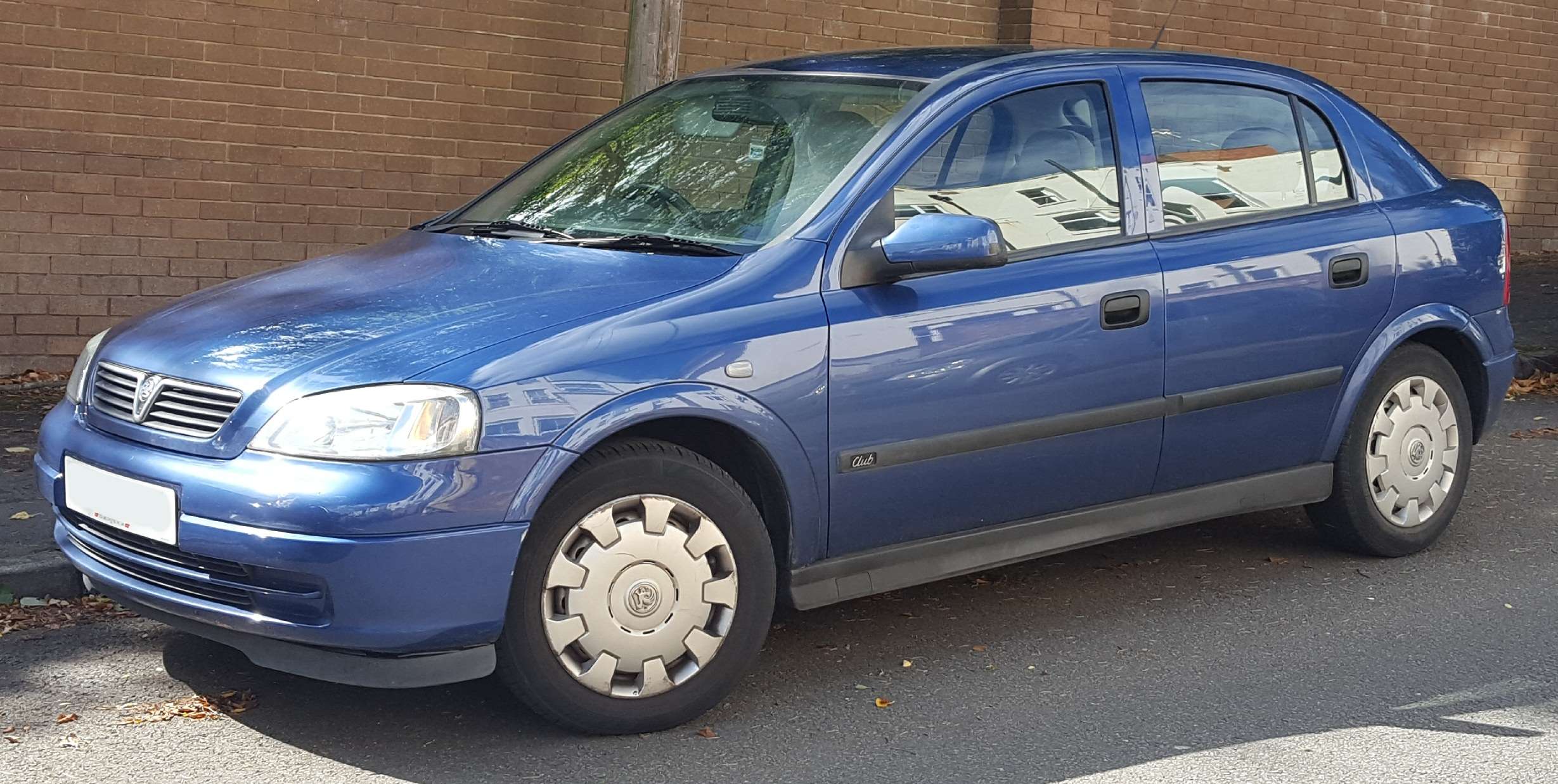
Vehicle photograph: 2002 Vauxhall Astra Club 8V 1.6 Front.jpg, by Makizox, via Wikimedia Commons, licensed CC BY-SA 4.0. Resized for web display; thumbnail presentation may crop the frame. The photograph illustrates the generation and does not imply endorsement or independent testing.